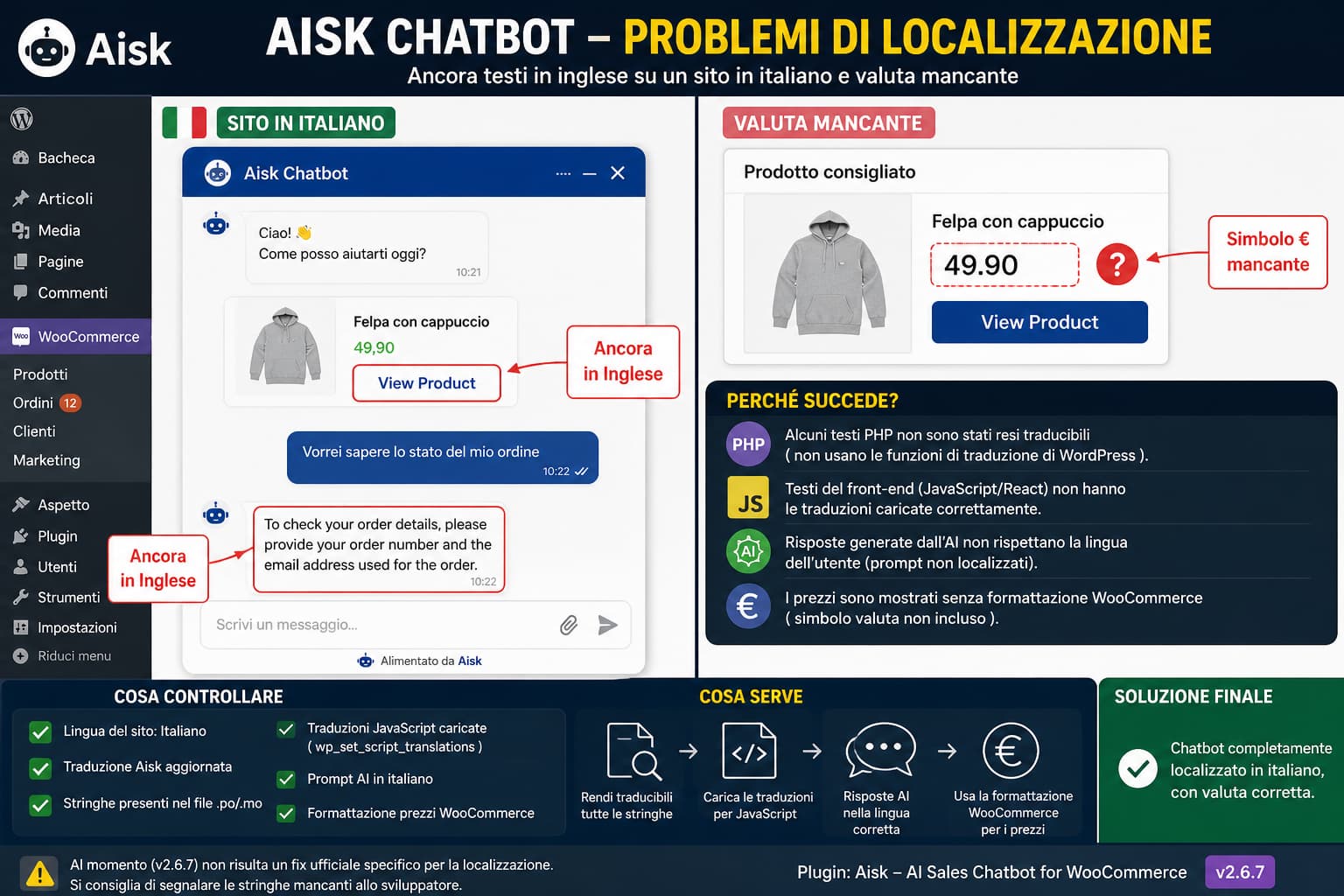
Loco Translate Shows 1,000+ Translated Strings but the Plugin Admin Interface Stays English

Loco Translate showing over 1,000 translated plugin strings while the WordPress admin interface remains English because the plugin's JavaScript translations are not being loaded.

A frustrating WordPress translation problem can look like this: If none of the translated strings appear inside the plugin’s wp-admin interface, translating more strings is unlikely to solve the problem. There are several possible causes, but with modern WordPress plugins the most important question is: Is the plugin’s admin interface generated by PHP, or is … Read more

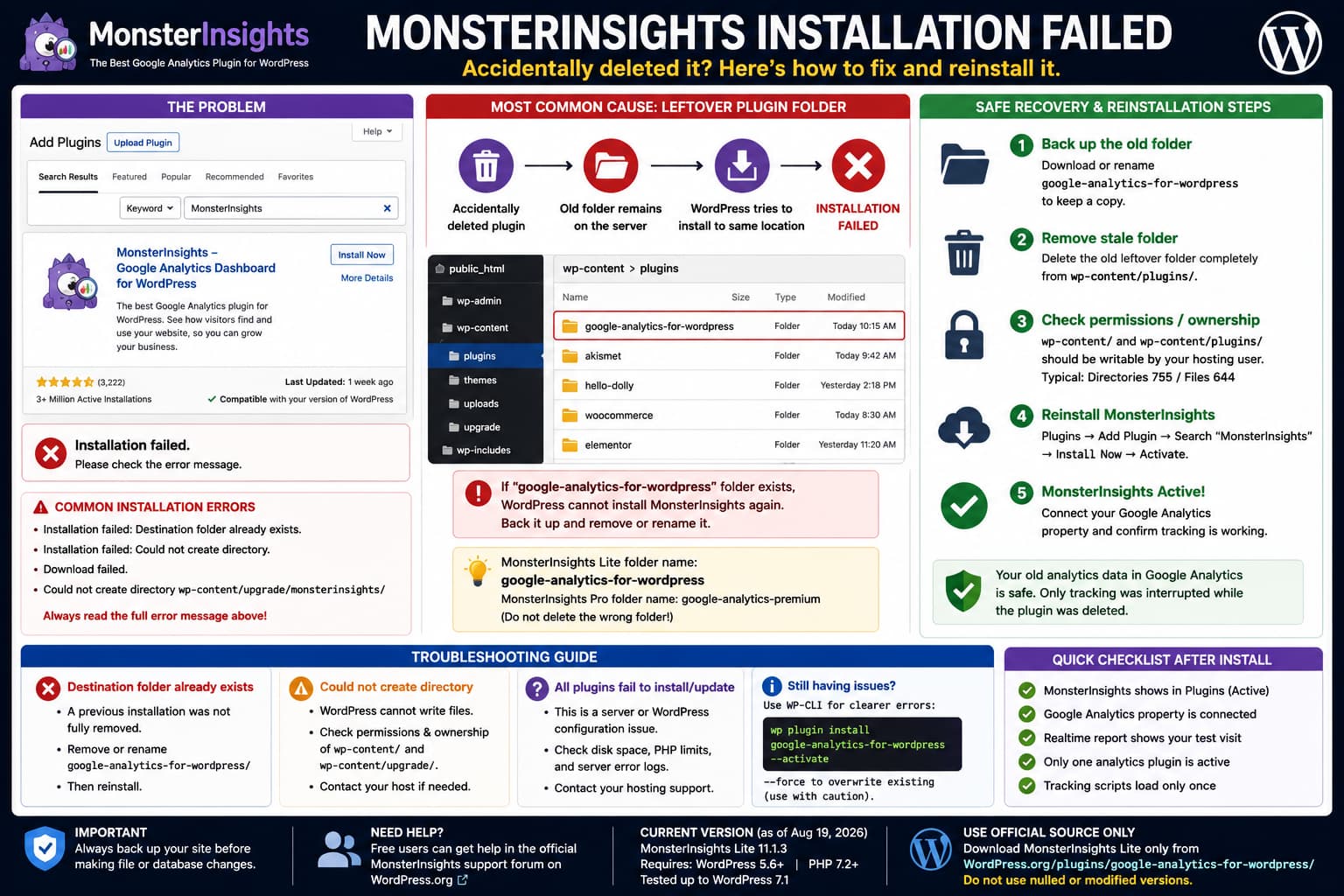
Bunny Stream Video Is Too Small in WordPress? Here’s Which URL to Use

Bunny Stream video appearing too small in WordPress, showing which Bunny URL to use and how to create a responsive full-width 16:9 player.

When adding a Bunny Stream video to WordPress, two problems can appear at the same time: For example, the video details may show: HLS Playlist URLThumbnail URLPreview Animation URL (WebP)Video IDOEmbed This makes it unclear which value should actually be pasted into WordPress. The important thing is that those values serve different purposes. For a … Read more

How to Recover an EventON License When the Original Purchaser Has Left the Organization

EventON license account recovery process for an organisation that lost access to the original purchaser's email and only has a masked license key, followed by upgrading EventON 2.6.17 to the current release.

Losing access to a premium WordPress plugin account is particularly difficult when the person who originally bought the license has left the organisation. With EventON, you may end up in this situation: EventON is installed and working↓Original employee has left↓Original purchasing email is inaccessible↓WordPress shows only a masked purchase/license key↓EventON account/download portal cannot be accessed↓Plugin … Read more

Add a Different Cursor on Links and Disable Cursor Effects in the Divi Visual Builder

Cursor Style & Animation using a different custom cursor on link and button hover while automatically disabling custom cursor effects inside the Divi Visual Builder.

The Cursor Style & Animation plugin provides several cursor styles, custom cursor images, and Trail, Particle, Ripple, and Magnetic effects. Two useful improvements become apparent when using it on a real site: Both requests make sense. As of August 21, 2026, the public WordPress.org release is still Cursor Style & Animation 1.0.0. Its documented controls … Read more

WPS Hide Login Redirection URL Not Working for wp-login.php?

WPS Hide Login redirects /wp-admin/ to the configured Redirection URL but routes /wp-login.php to a WordPress 404 through a different code path.

If you use WPS Hide Login and configure its Redirection URL setting, the description makes the expected behavior quite clear: Redirect URL when someone tries to access the wp-login.phppage and the wp-admin directory while not logged in. However, you may find that: /wp-admin/→ redirects to your configured page while: /wp-login.php→ does not redirect to that … Read more

WordPress Plugin Closed “Pending a Full Review”: Is It Safe to Keep Using?

WordPress plugin temporarily closed pending full review, showing how to determine whether an installed version such as 3.7.7 is safe to continue using.

Seeing this warning on a WordPress.org plugin page can be alarming: This plugin has been closed as of August 16, 2026and is not available for download.This closure is temporary, pending a full review. Two questions immediately follow: Unfortunately, the closure banner by itself does not answer either question. WordPress.org intentionally does not immediately disclose the … Read more

Does Matomo for WordPress Store Analytics Data in the Existing WordPress Database?

Matomo for WordPress storing analytics in dedicated wp_matomo_* tables inside the existing WordPress database, compared with Matomo On-Premise using a separate database.

If you install the Matomo Analytics for WordPress plugin, it uses the same MySQL or MariaDB database that WordPress already uses. It does not normally require you to create a second database. Matomo’s official documentation explicitly describes the WordPress version as installing Matomo on the same server and using the same database as the WordPress … Read more

How to Fix “Active PHP Session” and REST API Errors Caused by Free Vehicle Data UK

WordPress Site Health active PHP session and REST API errors fixed by removing the unnecessary session_start() call from Free Vehicle Data UK

WordPress Site Health may report two apparently separate critical issues: An active PHP session was detected and: The REST API encountered an error If you are using the Free Vehicle Data UK / Rapid Car Check plugin, an unnecessary session_start() call inside the plugin can be the common cause. WordPress specifically checks whether a PHP … Read more

How to use Maileroo with WordPress when FluentSMTP has no Native API Integration

Maileroo WordPress integration comparison showing FluentSMTP using SMTP while Post SMTP connects directly to the Maileroo Email API with a Sending Key.

Maileroo works with WordPress through standard SMTP, but if your mail plugin supports provider-specific API connections for services such as Amazon SES, SendGrid, Mailgun, or Postmark, it is reasonable to expect a native Maileroo API option as well. For FluentSMTP users, this distinction currently matters. FluentSMTP can send through Maileroo using its generic Other SMTP … Read more

Keep Field List and Field Properties Visible While Building Long WordPress Forms

WordPress form builder with sticky Field List and Field Properties panels remaining visible while scrolling through a long form.

Building a short form with five or six fields rarely exposes problems with a form builder’s interface. The experience changes significantly when a form contains dozens of fields. If the Field List and Field Properties panels sit at the top of the editor and scroll away with the form canvas, working near the bottom of … Read more