Smart Tabs “Non Active” Tab Still Shows on the Front End

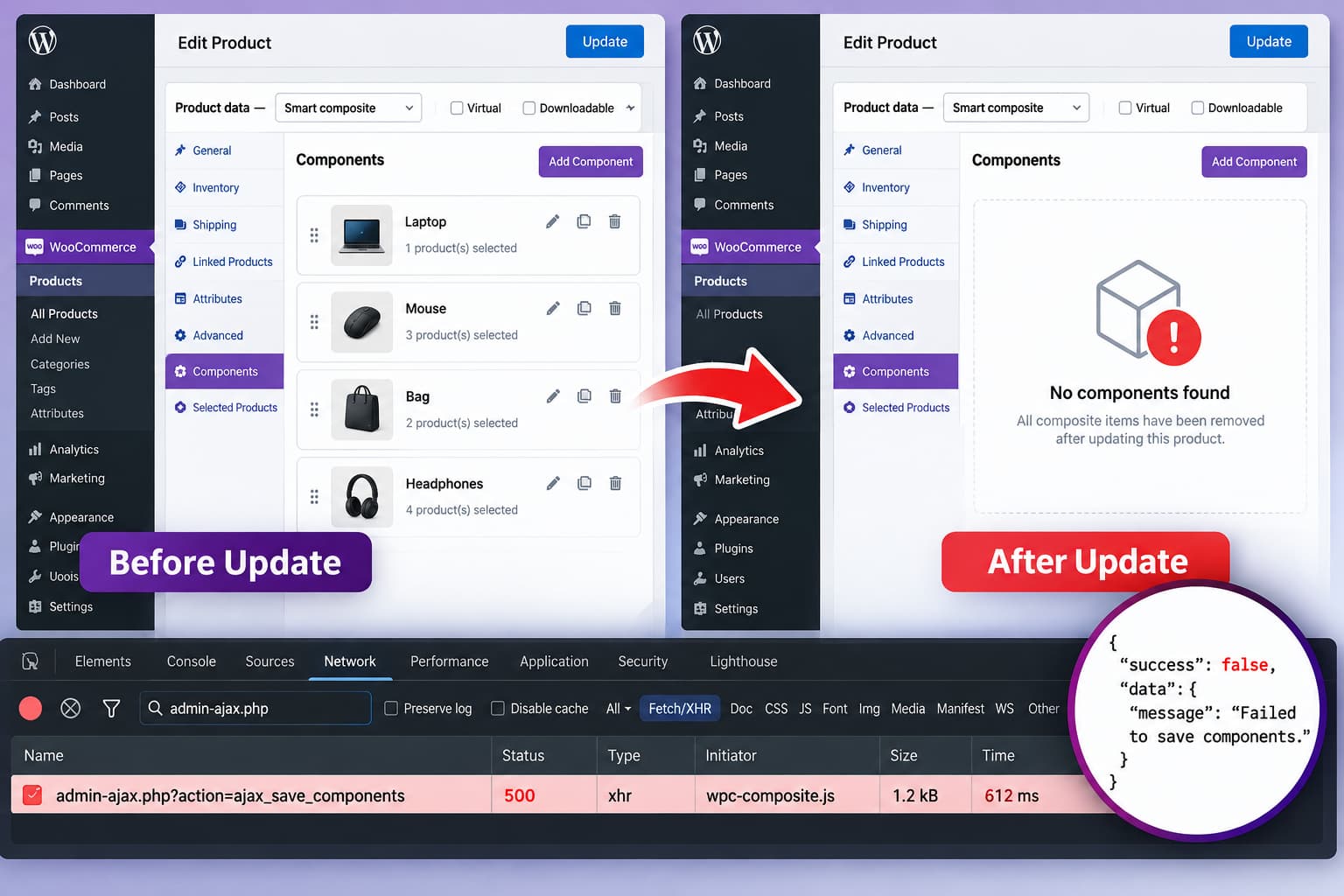
Smart Tabs Non Active setting showing a disabled Gallery tab still visible beside an example where the tab is completely hidden.

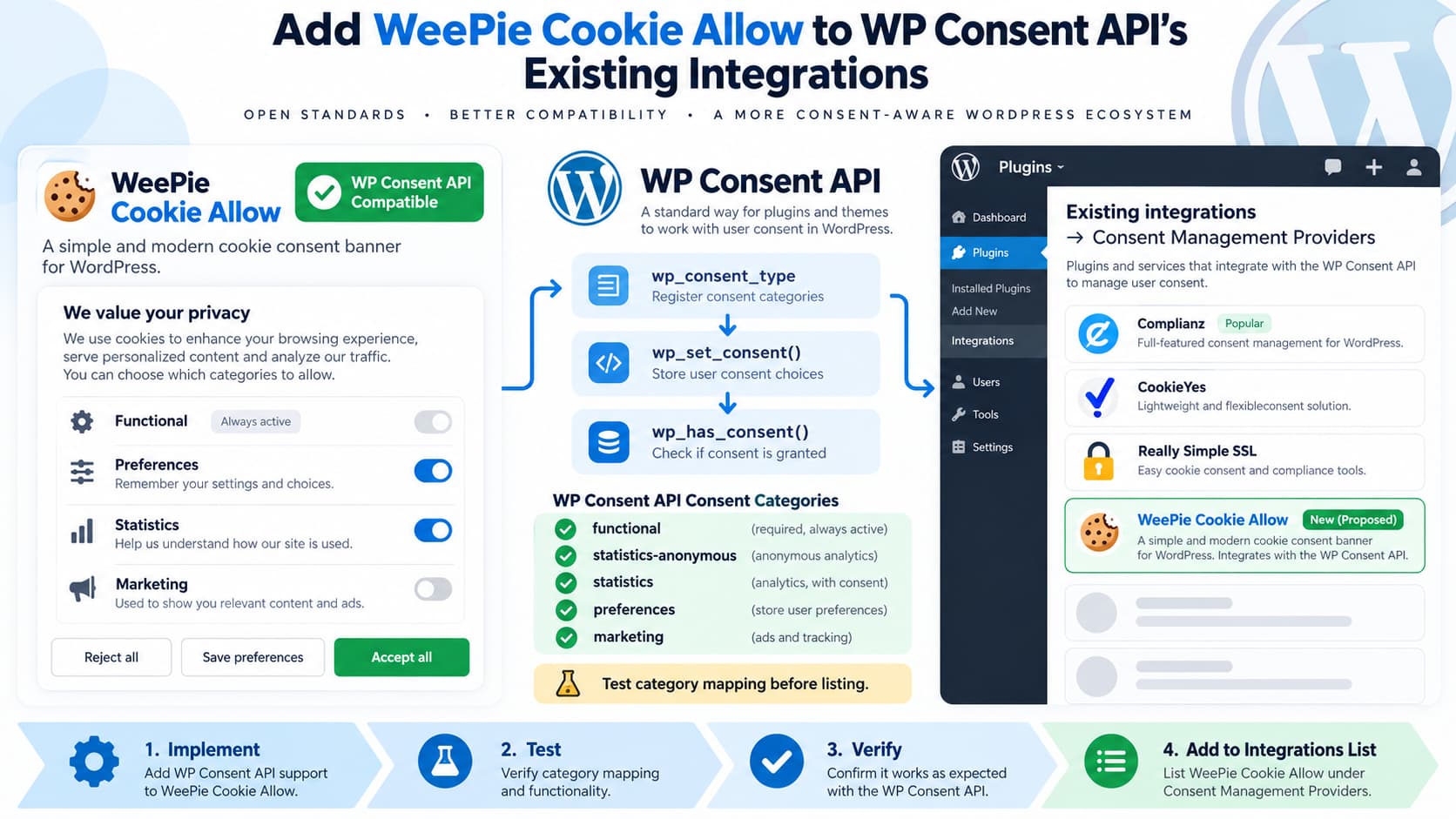
Marking a tab as Non Active in Smart Tabs can leave the tab title visible on the front end while preventing visitors from clicking it. That behavior is better understood as disabling the tab rather than hiding it. The distinction matters: If your goal is to temporarily remove a tab from visitors while keeping its … Read more

Smart Tabs “Non Active” Tab Still Visible on the Front End

Smart Tabs Non Active setting showing a disabled tab still visible on the WordPress front end beside an example of a completely hidden tab.

If a tab in Smart Tabs is marked Non Active but remains visible on the front end as an unclickable tab, the setting is behaving more like a disabled state than a hidden state. Those two behaviors are technically different: If your intention is to temporarily remove a tab from public view, disabling it is … Read more

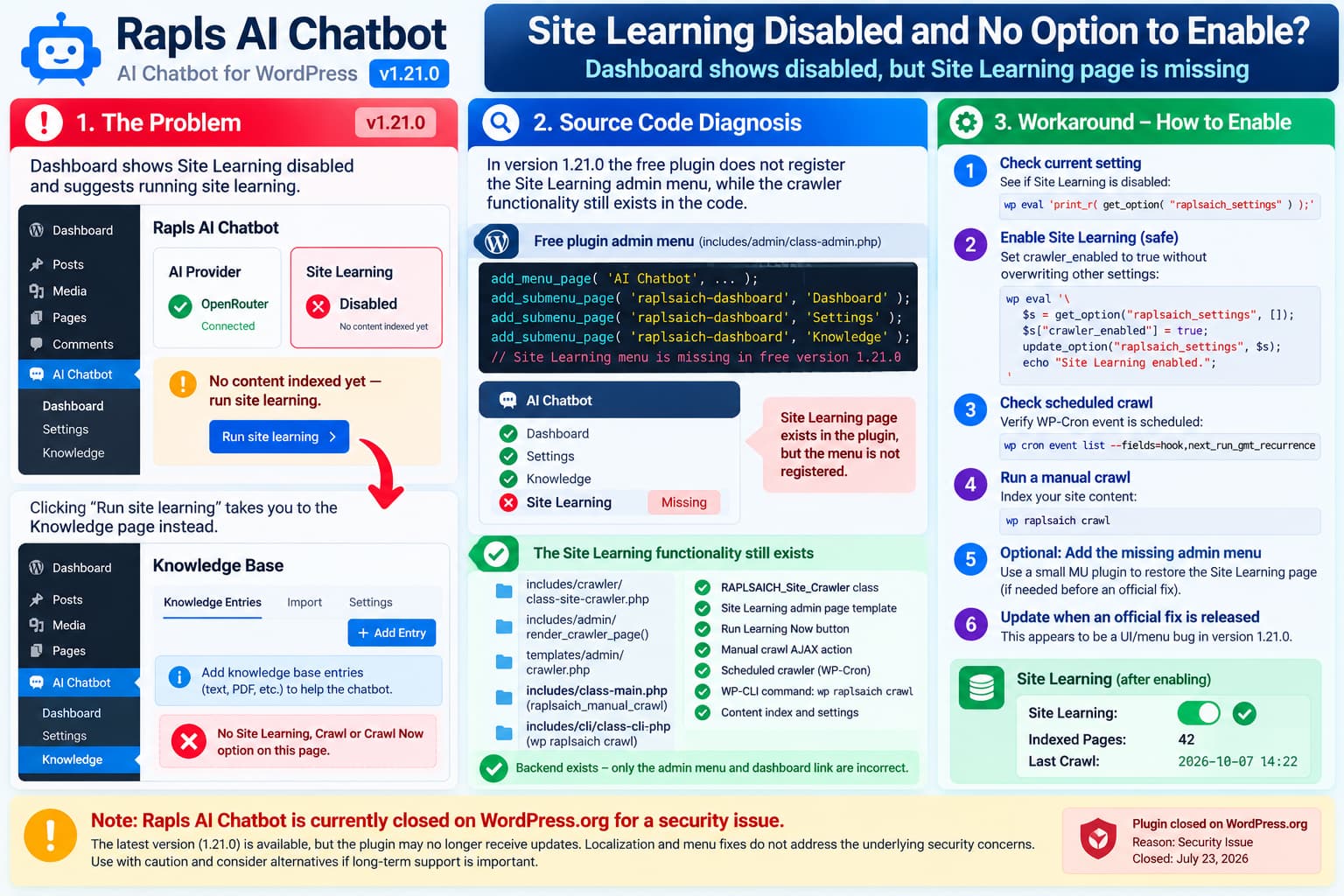
How to Fix the PageLayer “pagelayer/pl-btn” Block Error in WordPress

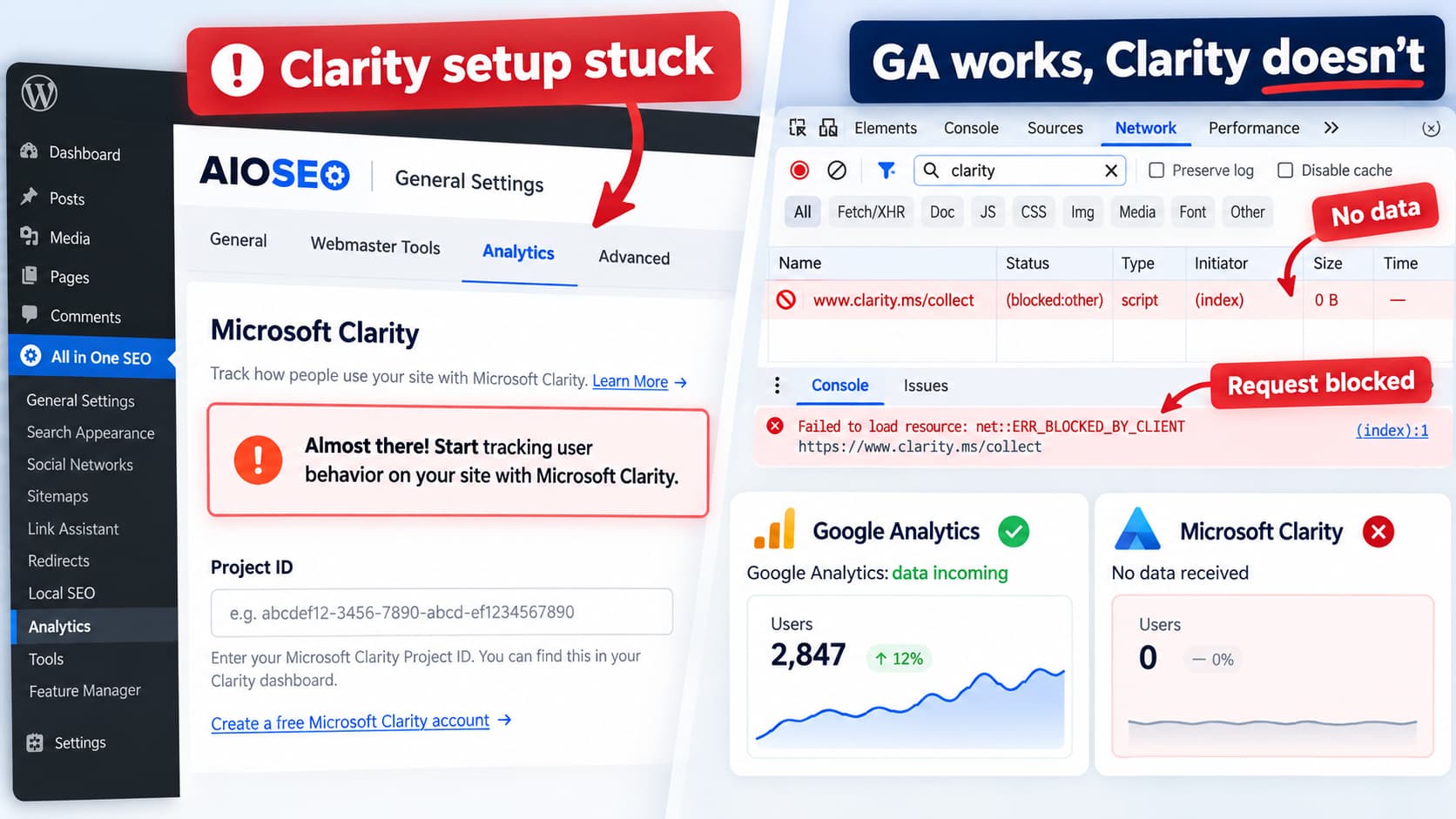
WordPress Gutenberg editor showing an unsupported PageLayer pagelayer/pl-btn block while the same button still works in the website preview.

When the WordPress editor displays: Your site doesn’t include support for the “pagelayer/pl-btn” block. You can leave it as-is or remove it. but the PageLayer button still appears correctly on the published page and in Preview, the content itself is usually not the immediate problem. The message means the block editor found saved content belonging … Read more

Contact Form 7 Shows a Weird Empty Box Above the Name Field

Contact Form 7 empty box above the Name field caused by the hidden-fields-container fieldset receiving theme border and padding styles, with the scoped CSS fix.

If a Contact Form 7 form suddenly has an empty rectangular box immediately above the first field, such as: the box is very likely not another form field and it is not something you accidentally added to the Contact Form 7 form editor. It is probably this element: Contact Form 7 introduced this hidden-fields-container structure … Read more

Year Make Model Search: Only the First MAKE Can Be Selected

Year Make Model Search for WooCommerce with only the MAKE dropdown working because ymm_ajax.php is blocked, showing the Selector.php WordPress AJAX workaround.

A recurring issue with Year Make Model Search for WooCommerce causes the first dropdown to work while the dependent selections remain unavailable. The behavior normally looks like: Several users have reported essentially the same problem in the plugin’s WordPress.org support forum. The current support index includes separate threads titled “Only the first MAKE can be … Read more

Code Snippets Uses Directory Names That Collide on Case-Insensitive Operating Systems

Code Snippets 3.10 filesystem compatibility issue where migration and Migration, plus settings and Settings, collide on case-insensitive Windows and macOS filesystems.

A WordPress plugin package should not contain directories whose names differ only by capitalization. For example: These are four different directory names on a typical case-sensitive Linux filesystem. But that assumption does not hold across all environments. On standard Windows filesystems: are normally treated as the same directory. Likewise, Apple’s APFS supports both modes, but … Read more

Seriously Simple Podcasting Shows “No Media Found” When Using Advanced Sermons

Seriously Simple Podcasting feed showing no media because multiple Advanced Sermons are embedded inside one Episode List item instead of each sermon having its own RSS item and enclosure.

Trying to use Advanced Sermons sermons as the source for a Seriously Simple Podcasting RSS feed can produce a confusing result: Looking at the XML can make it even stranger. Instead of seeing every sermon represented as a separate RSS episode, the sermons may appear inside one entry associated with something such as an Episode … Read more

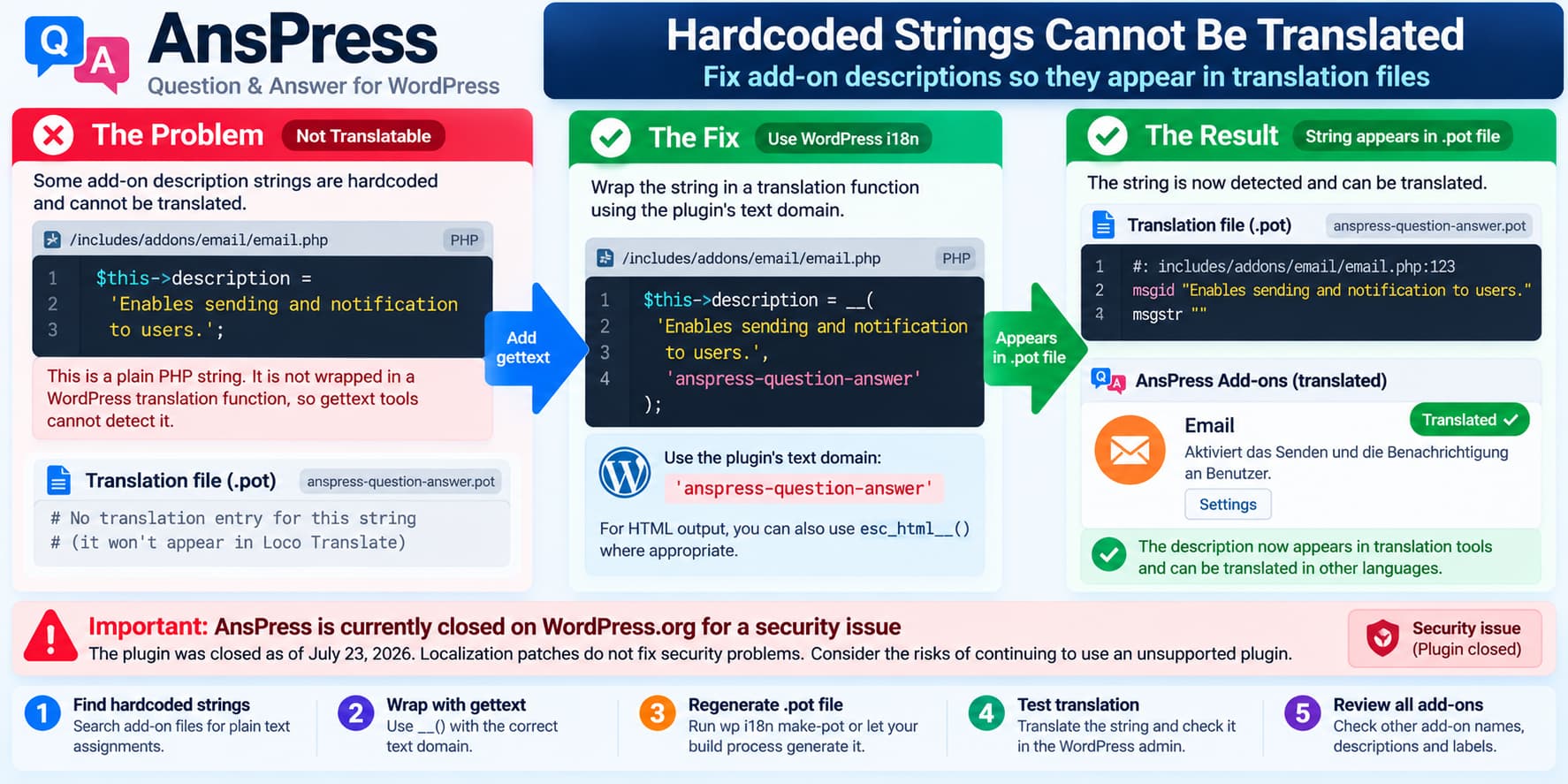
Amelia “Customize” Shows Some Step Texts Only in English

Amelia booking form with Service Selection and Choose a team member remaining in English, showing how to translate them through Customize Advanced Labels and the language selector.

When translating an Amelia booking form, most of the plugin may appear correctly localized while some texts inside the booking process remain in English. Common examples include: This can be confusing because the rest of WordPress or Amelia may already be running in another language. The important thing to understand is that Amelia uses more … Read more

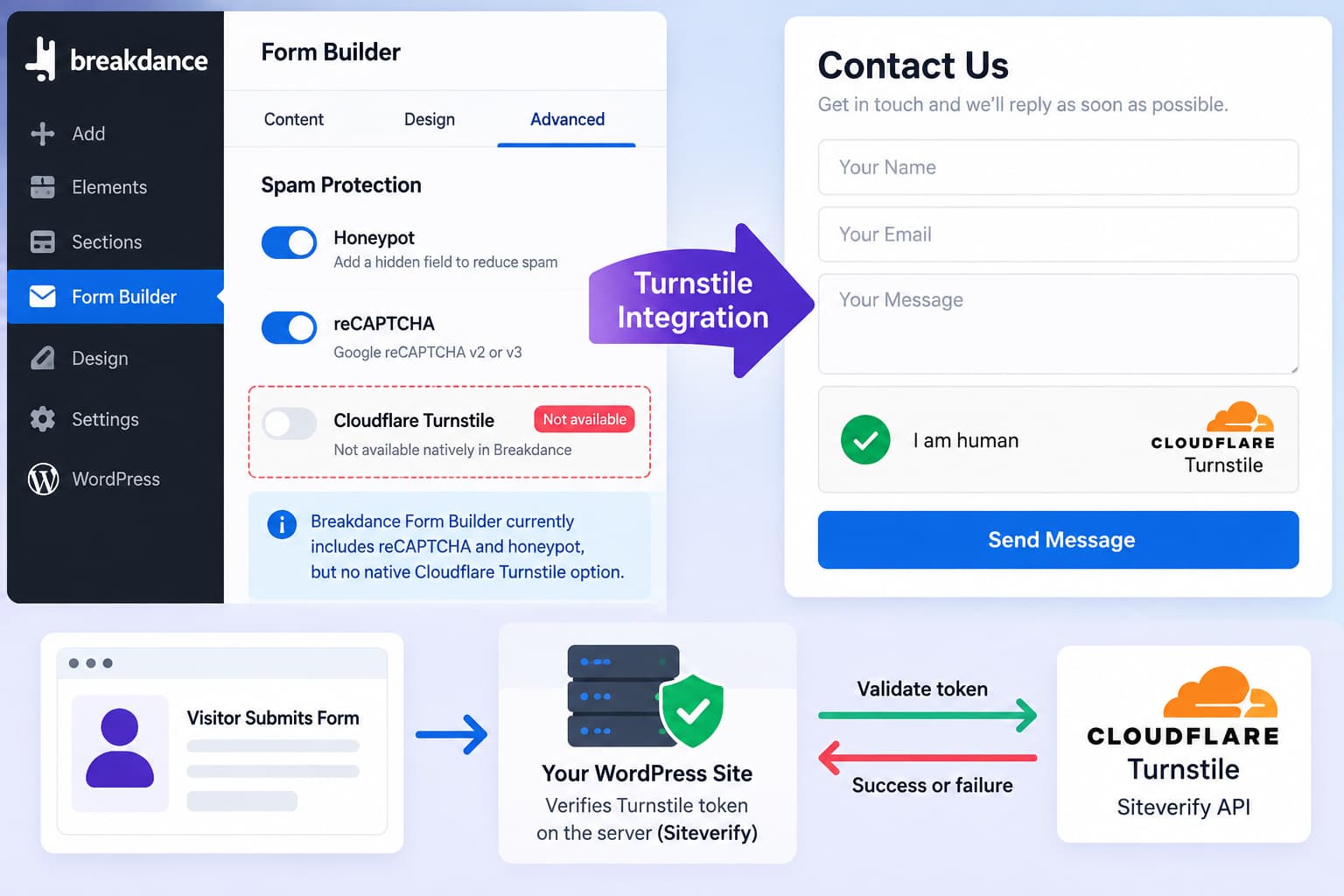
Make a Photo Gallery Carousel Open the Lightbox When Clicking the Image

Photo Gallery by 10Web Carousel configured so clicking anywhere on a gallery image opens the lightbox instead of requiring the small enlarge icon.

When using Photo Gallery by 10Web with the Carousel layout, you may find that the gallery displays correctly, but visitors seem to have to click the small enlarge/zoom control to open the full gallery. What you actually want is simpler: You do not need to switch to the Slideshow gallery type for this. Photo Gallery … Read more

What Causes of Loco Translate Removes 526 Old Strings, Then Adds Them Back

Loco Translate repeatedly removing 526 obsolete plugin strings from a POT template and then adding the same strings back when the language PO file is synced, indicating mismatched translation sources or templates.

A WordPress plugin translation project may show something like: After translating all of them in Loco Translate, you update the template and Loco reports: So far, that can be completely normal. But then you open the language .po file, press Sync, and those same hundreds of strings appear again. For example: That is not a … Read more