ApplyOnline Custom Application Form Template Selector Missing After Update

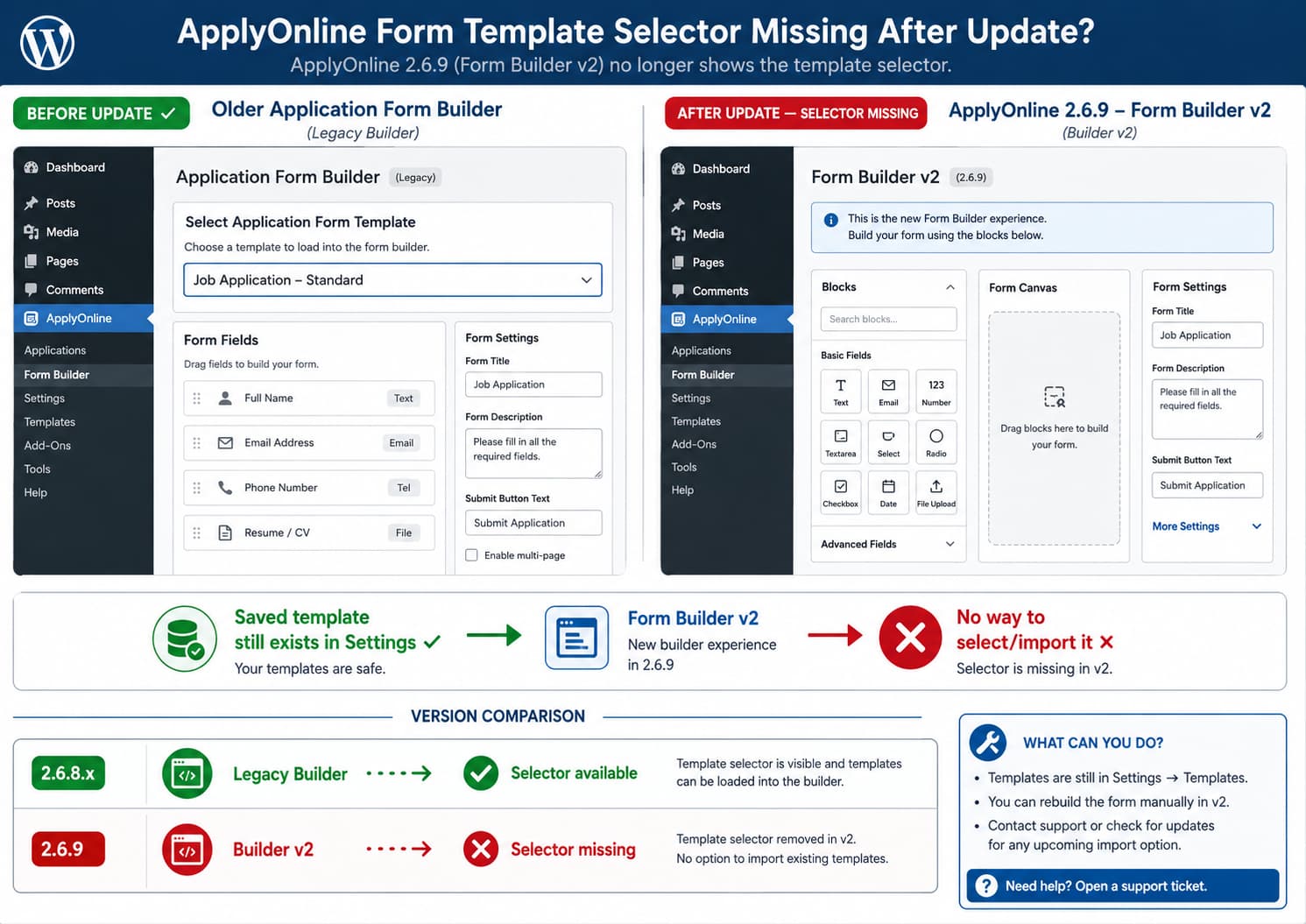
ApplyOnline Form Builder comparison showing the custom application form template selector available before version 2.6.9 and missing from Form Builder v2 after the update.

If custom application form templates still exist under ApplyOnline settings but the selector for choosing one has disappeared from the individual ad editor, the template itself is probably not the immediate problem. ApplyOnline 2.6.9 introduced Application Form Builder v2, replacing the plugin’s legacy form builder. Earlier releases explicitly supported importing an existing form into the … Read more

Unable to Enter Japanese Characters in Charitable’s “Donate Now” Button

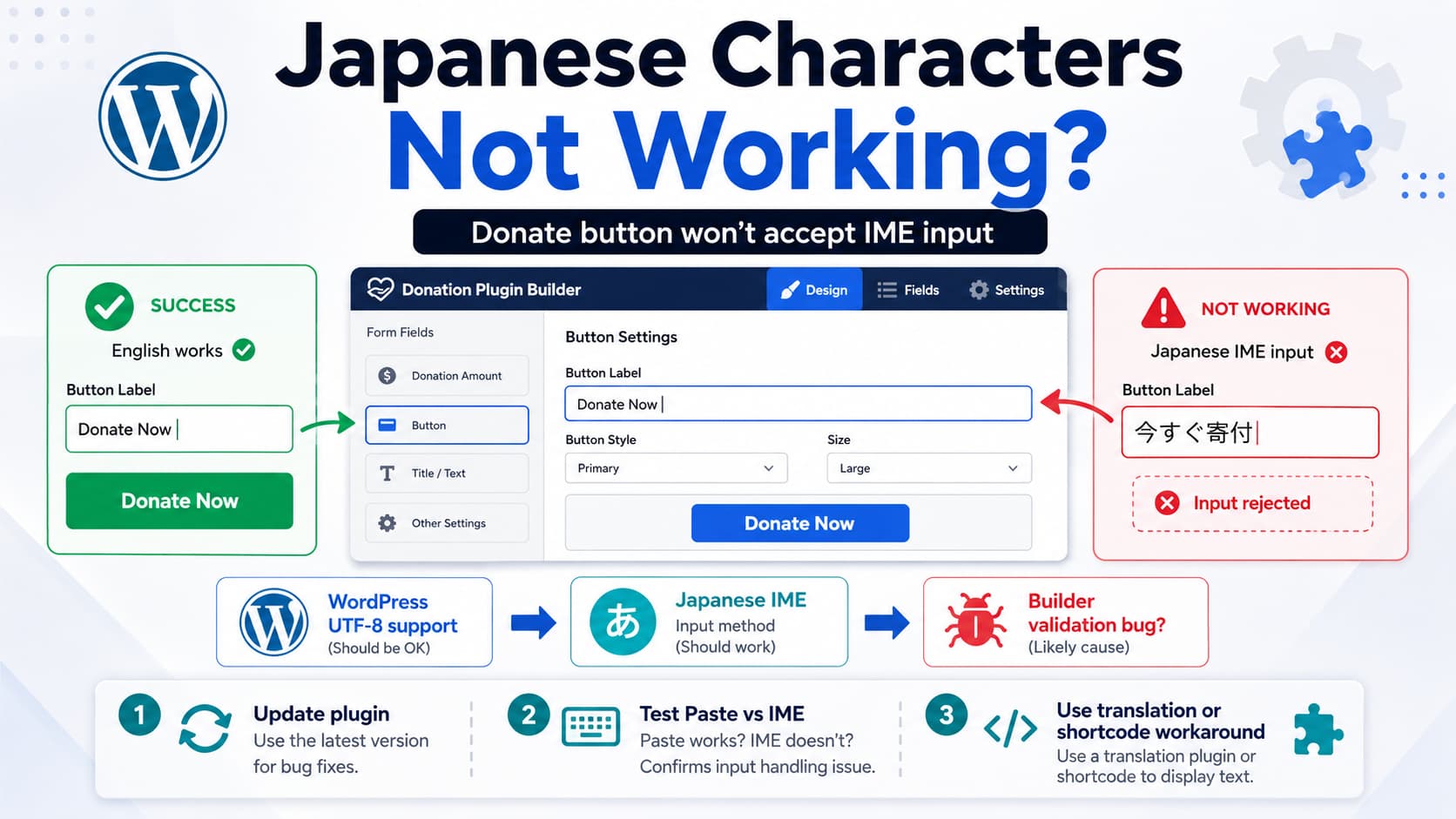
Charitable Campaign Visual Builder refusing Japanese characters in the Donate Now button text field despite WordPress Unicode support, with IME troubleshooting and translation workarounds.

When editing a donation campaign in Charitable, you may find that normal English text works in the Campaign Visual Builder but Japanese characters cannot be entered into a field such as the Donate Now button label. For example: This should not require enabling a special “double-byte character” option in WordPress. Modern WordPress uses Unicode/UTF-8 and … Read more

Reno Product Category Stuck on the First Category After the Latest Update

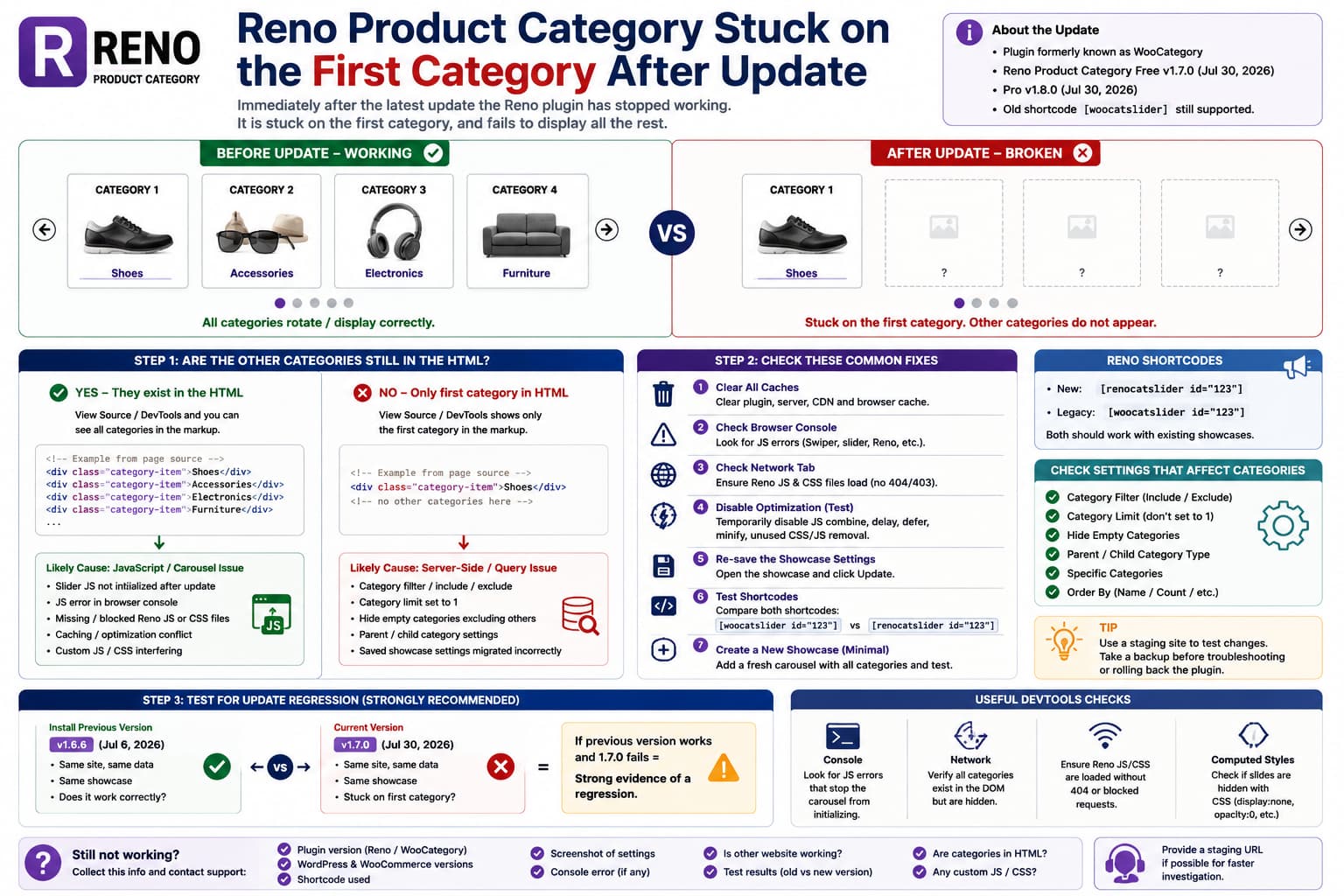
Reno Product Category carousel stuck on the first WooCommerce category after an update, with troubleshooting for JavaScript initialization, category filters, caching, and version rollback testing.

If Reno Product Category worked normally before an update but now remains stuck on the first WooCommerce category, the timing makes an update regression worth investigating. A typical failure looks like: but afterward: The plugin formerly known as WooCategory was recently renamed Reno Product Category. The current free version on WordPress.org is 1.7.0, released July … Read more

How to Fix It: Tutor LMS Students See the WordPress Admin Bar and Can Access wp-admin?

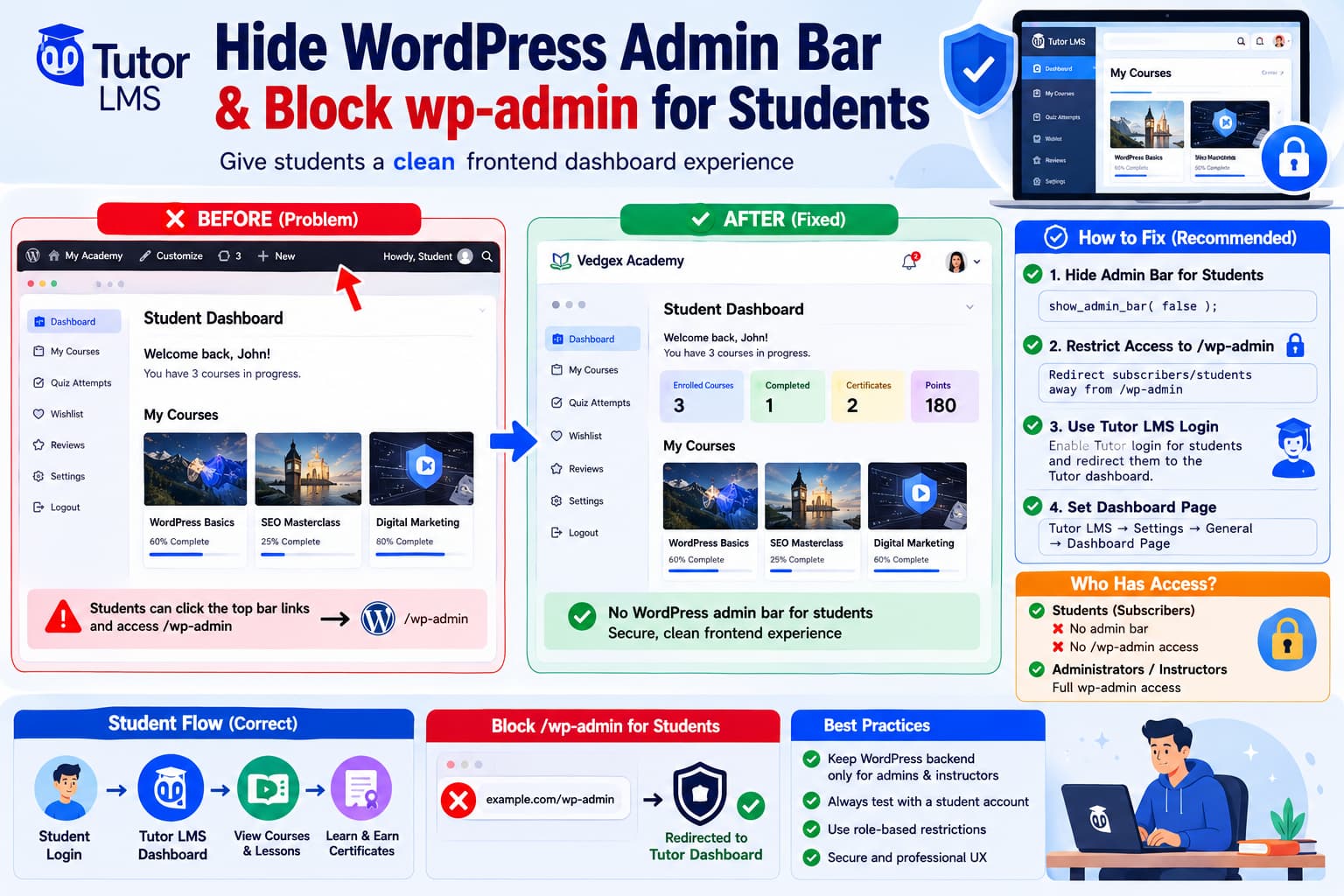
Tutor LMS student dashboard with the WordPress admin bar removed and Subscriber access to /wp-admin/ redirected back to the frontend Tutor LMS dashboard.

When Tutor LMS students log in and open the frontend dashboard, they should ideally remain inside the learning interface. Instead, some sites show the normal black WordPress toolbar across the top: WordPress logoSite nameEdit ProfileDashboardLog Out Clicking one of those links can send the student to: /wp-admin/ which exposes the WordPress backend interface and creates … Read more

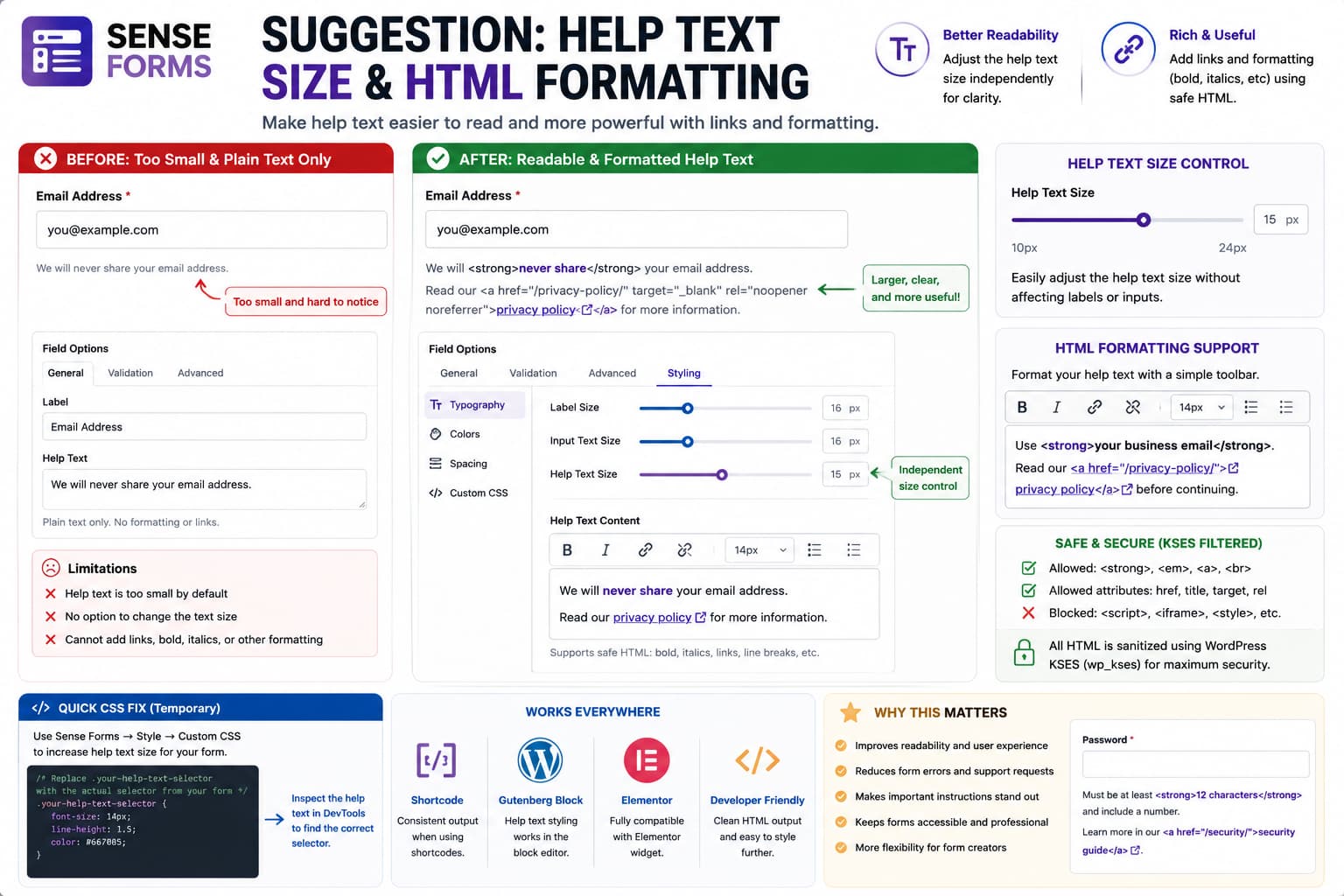
Font Size and filtering of Safe HTML Formatting Improved?

Sense Forms field help text enlarged with a font-size slider and safely formatted with bold, italics, and links while unsafe HTML is filtered.

If the text displayed beneath a field is significantly smaller than the rest of the form, however, important instructions can become unnecessarily difficult to read. There is a second limitation when the help-text field accepts only plain text. Sometimes a short instruction genuinely needs a link or simple emphasis: Read our privacy policy before continuing. … Read more

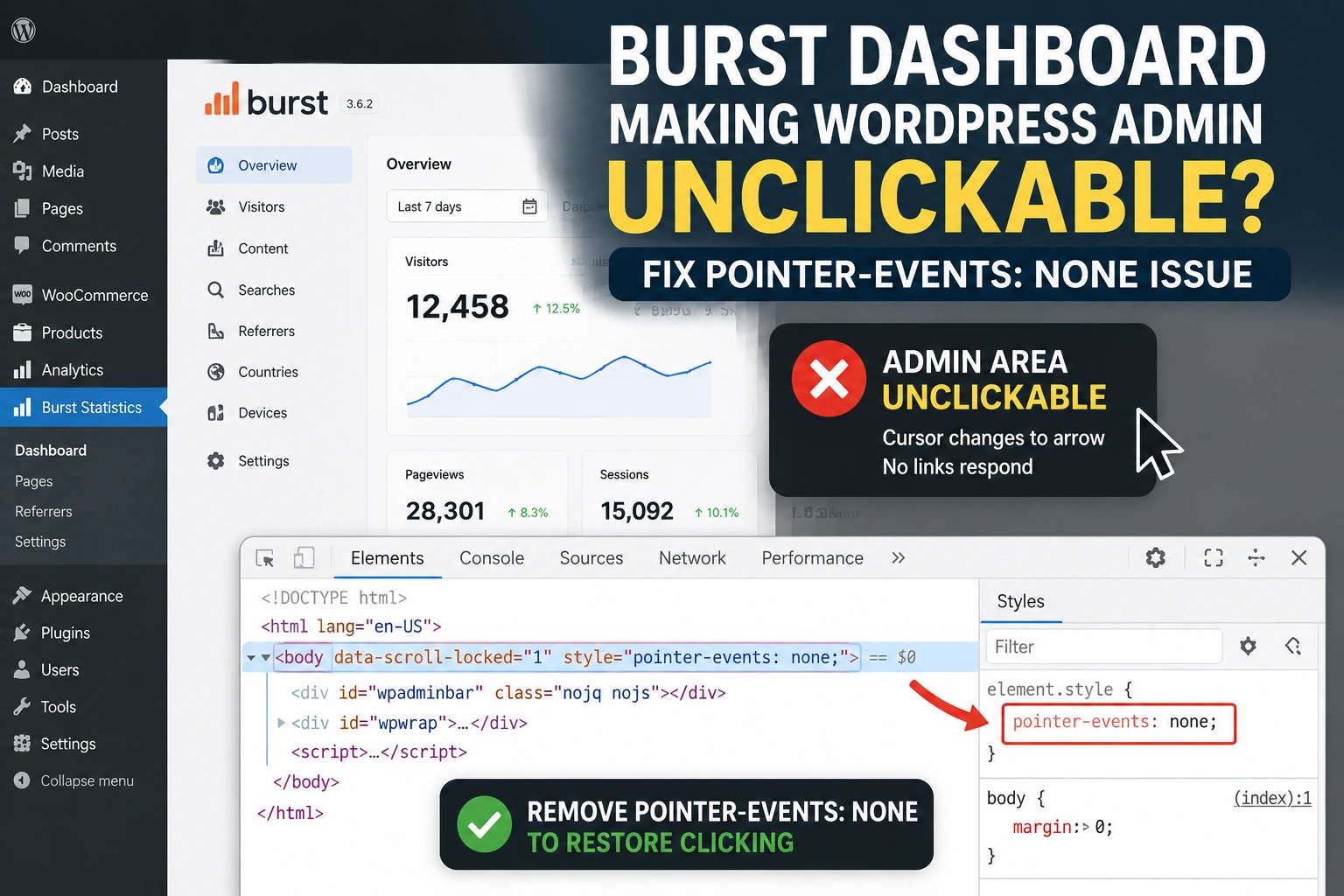
How to Fix Burst Statistics Making WordPress Admin Unclickable

Fix WordPress Admin Unclickable Issue

If WordPress becomes completely unclickable after opening the Burst Statistics dashboard, inspect the <body> element before assuming WordPress itself has frozen. A particularly useful clue is this state: pointer-events: none prevents mouse or pointer interaction with the element and its normal descendants. It is sometimes applied temporarily while a modal, dialog, dropdown, or other overlay … Read more

How to Add Conditional WordPress Login Alerts Alongside CleanTalk

Change CleanTalk Security Report Frequency in WordPress

Short answer: CleanTalk’s standard security report is described as a report generated every 24 hours. The available information does not establish a native CleanTalk setting for changing that report to a weekly or monthly conditional schedule. To reduce routine email while preserving urgent warnings, keep CleanTalk responsible for its security features and use a separate … Read more

How to Fix Claude.ai OAuth Registration Errors in Easy MCP AI for WordPress

How to Fix Claude.ai OAuth Registration Errors in Easy MCP AI for WordPress

When Claude.ai cannot connect to Easy MCP AI and reports “Unable to register with the connector’s access service”, first check whether the MCP or OAuth discovery requests are receiving a hosting-level 403 Forbidden. A request to /register can be a fallback symptom when Claude cannot read the OAuth metadata that advertises the plugin’s actual registration … Read more

How to Fix “Your File Exceeds the Upload Limit Set by Your Host Web Server” in All-in-One WP Migration

Fix All-in-One WP Migration Upload Limit

A common problem when importing a large WordPress backup through All-in-One WP Migration is the following message: Your file exceeds the upload limit set by your host web server. Our Unlimited Extension bypasses this! If you prefer a manual fix, follow our step-by-step guide on raising your upload limit. This message can be especially confusing … Read more