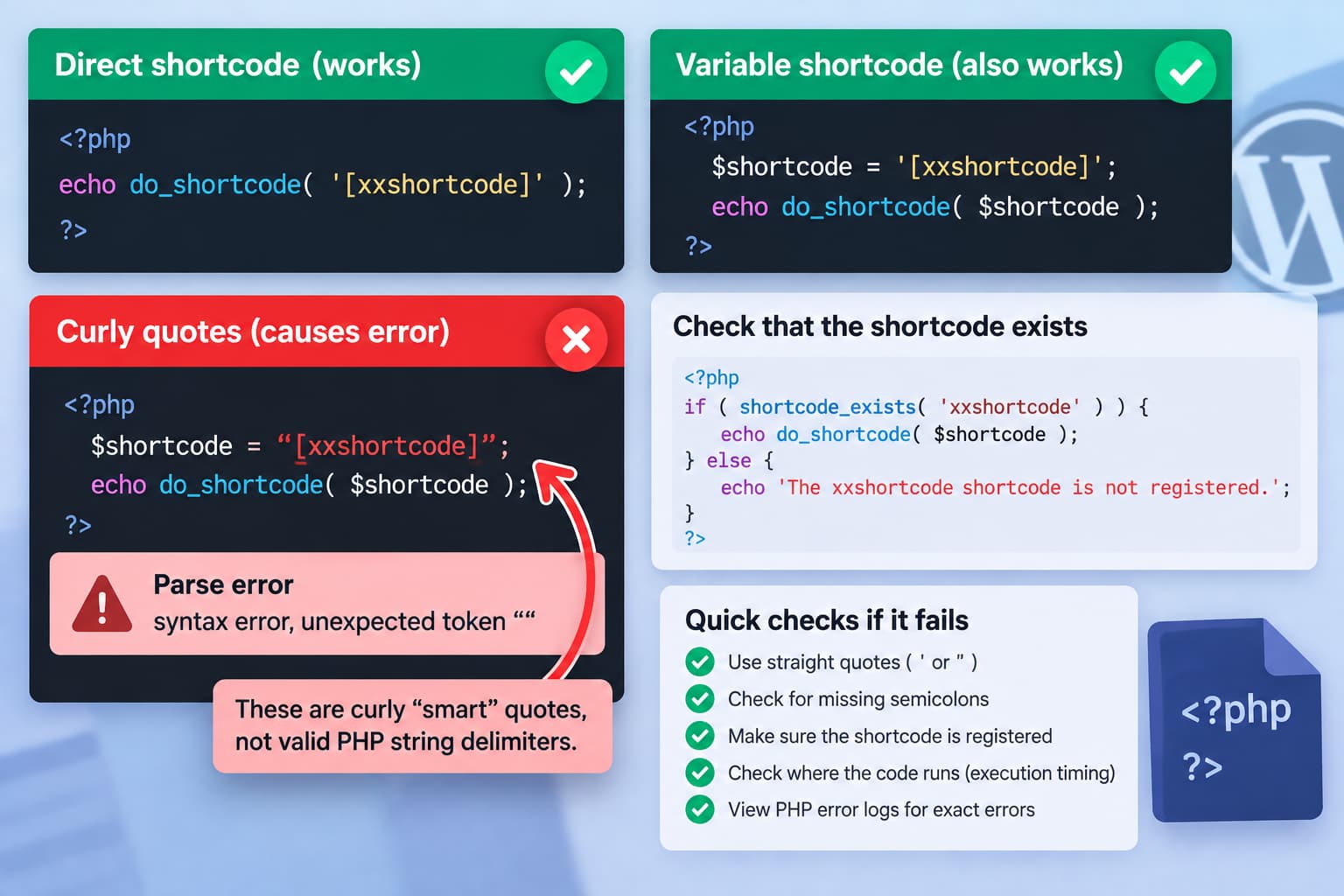
External CSS and JavaScript Snippets Stopped Working After WordPress 7.1? Here’s What to Check
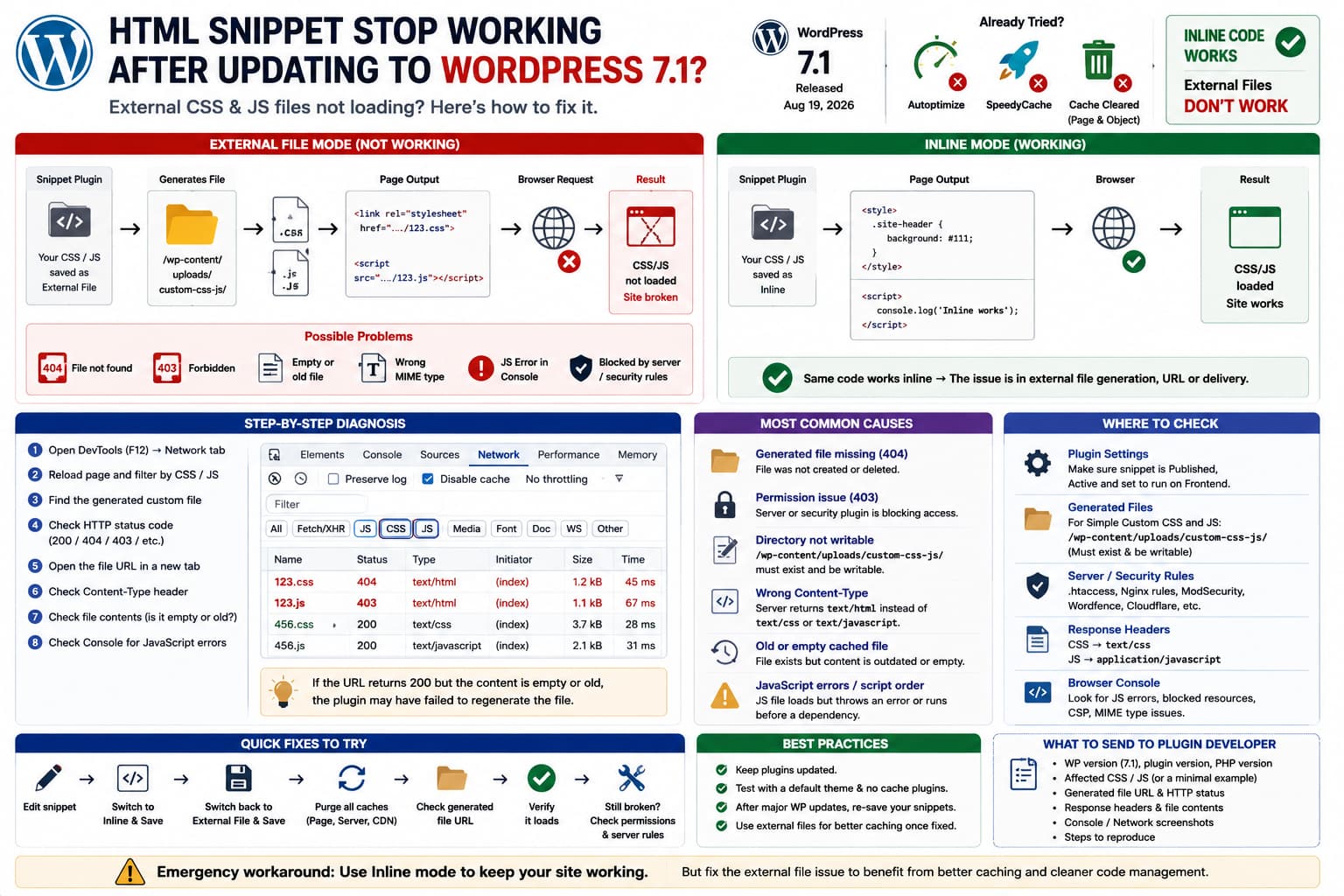
WordPress 7.1 external CSS and JavaScript snippets failing while inline code works, with troubleshooting for generated file URLs, permissions, HTTP errors and MIME types.

After upgrading to WordPress 7.1, you may find that custom CSS and JavaScript configured to load as external files suddenly stop working. The site may lose styling or JavaScript functionality even after you: But when you change the same custom code from: External File to: Inline everything starts working again. That difference is the most … Read more
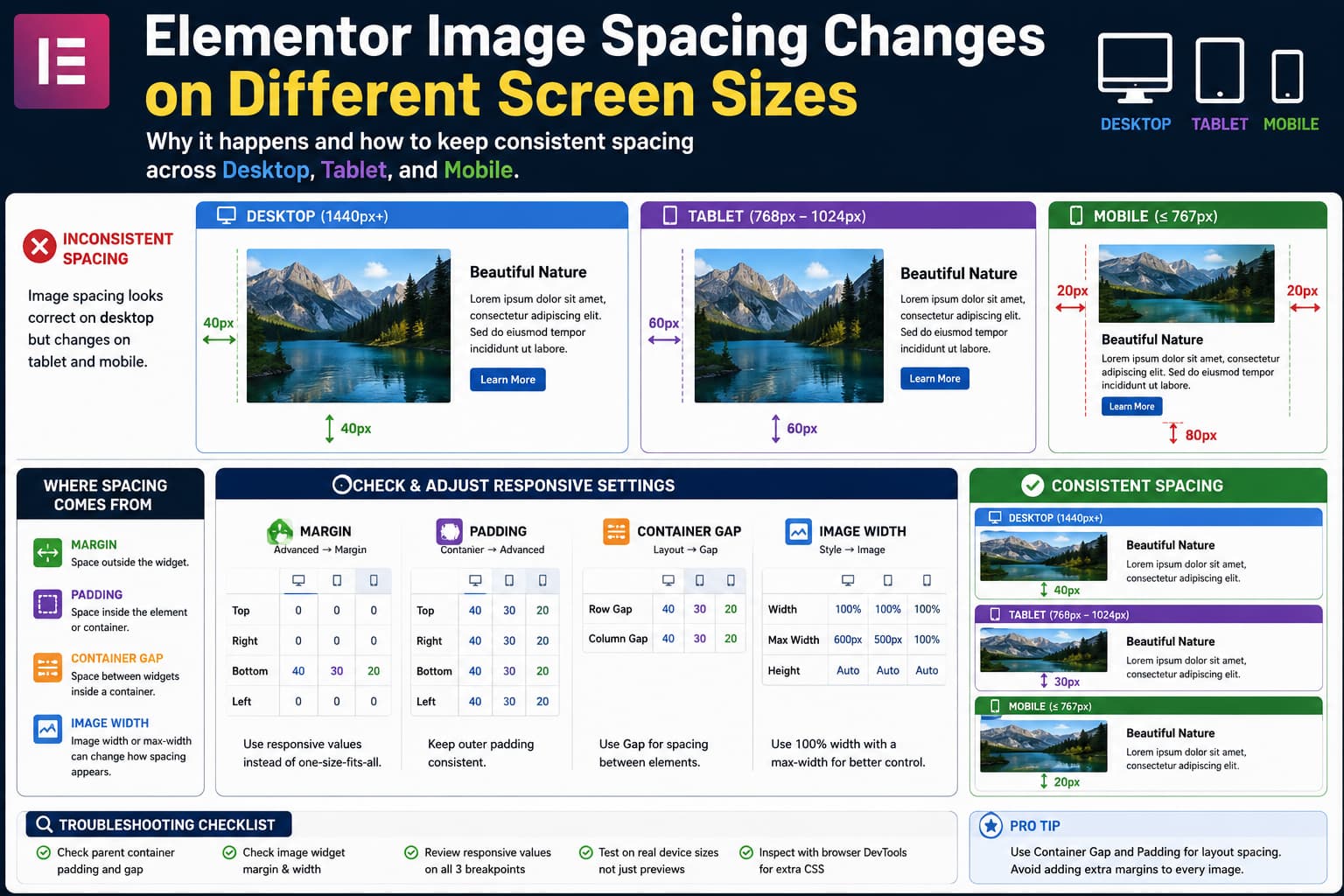
How to Fix Elementor Image Spacing That Changes on Tablet and Mobile

Elementor image spacing comparison across desktop, tablet, and mobile showing margin, padding, container gap, and responsive width settings.

When image spacing looks correct on desktop but changes unexpectedly on tablet or mobile in Elementor, the image itself is often not the real problem. The visible space around an image can come from several different places: Changing random margin values until the mobile preview looks correct can create even more inconsistencies. The better approach … Read more

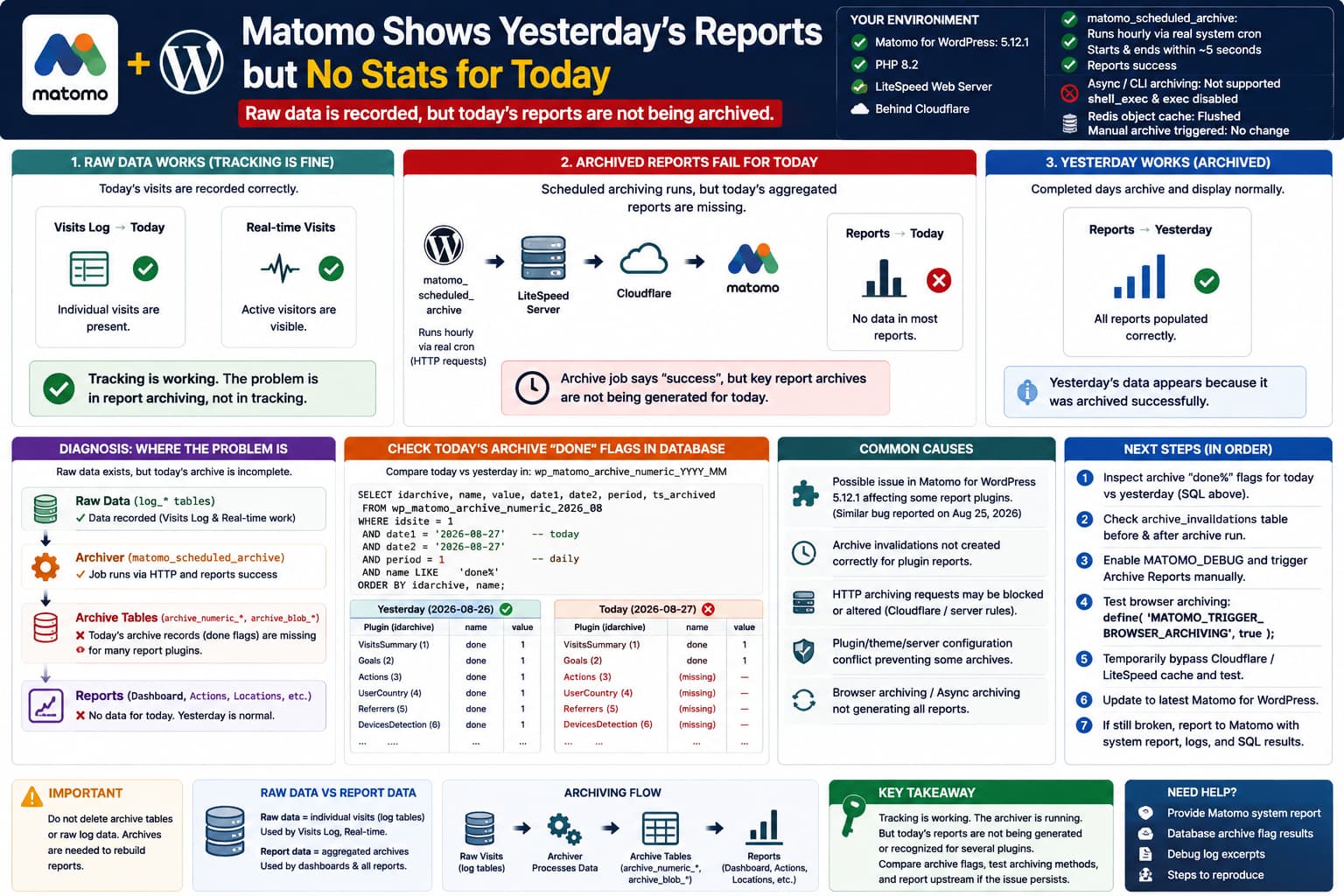
Matomo Shows Yesterday’s Stats but No Reports for Today

Matomo for WordPress 5.12.1 showing today’s visits in Real-time but no current-day aggregated reports because scheduled archiving may be creating only partial plugin archives while yesterday’s reports work normally.

A particularly confusing Matomo for WordPress problem occurs when tracking is clearly working, historical reports look normal, but the current day’s aggregated reports remain empty. The environment may look perfectly healthy: Meanwhile: That distinction is extremely important. This is almost certainly an archiving/report-generation problem, not a tracking problem. Matomo itself recommends using Visits Log or … Read more

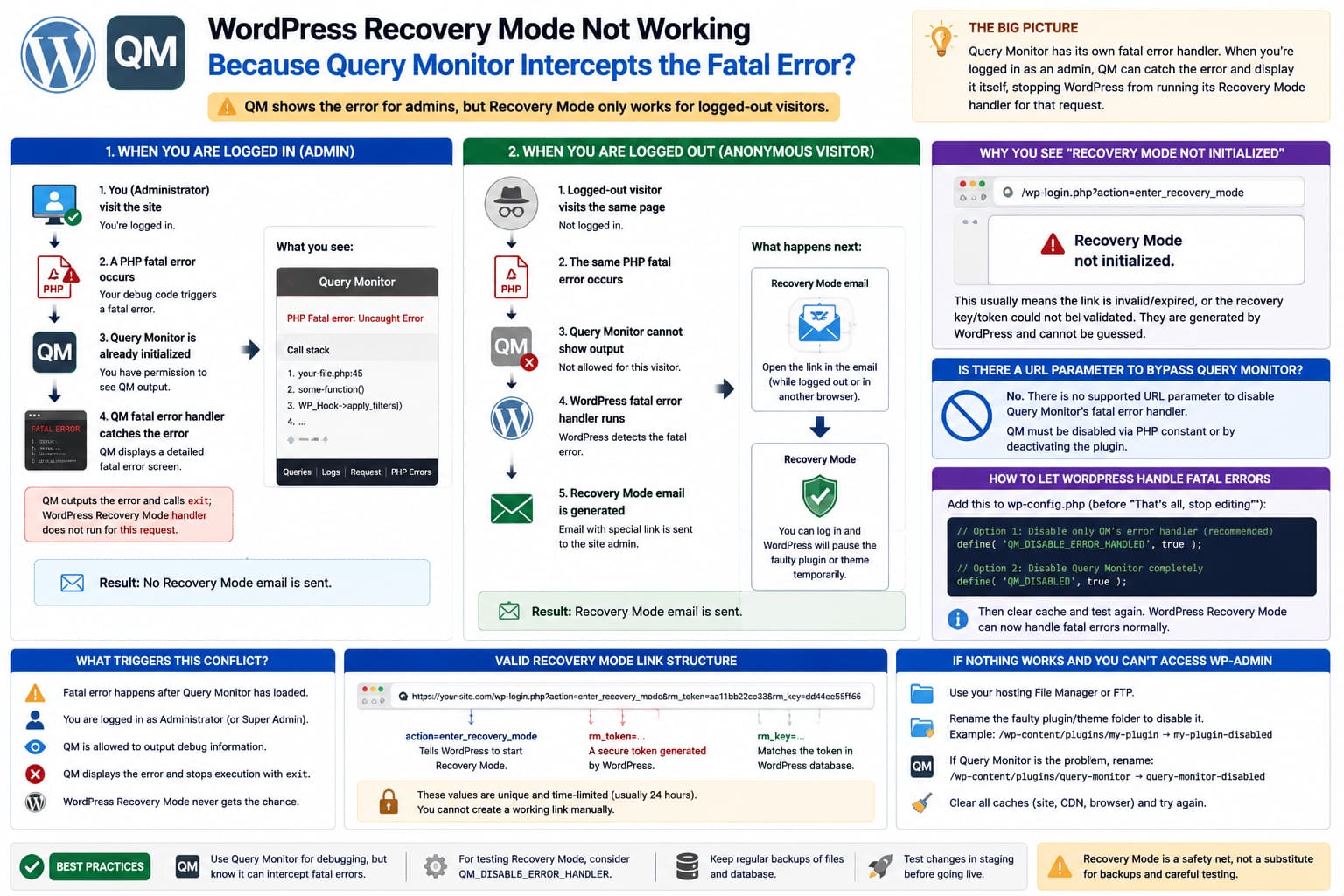
WordPress Recovery Mode Says “Not Initialized” After Query Monitor Shows a Fatal Error

Query Monitor intercepting a WordPress PHP fatal error for a logged-in administrator while a logged-out request triggers WordPress Recovery Mode, showing the QM_DISABLE_ERROR_HANDLER fix and recovery token requirements.

An unusual WordPress debugging situation can look like this: But when the same broken page is opened from another browser where nobody is logged in: Then clicking the link from that email produces: This behavior can make it appear that Query Monitor is interfering with WordPress Recovery Mode. There is actually a technical reason why … Read more

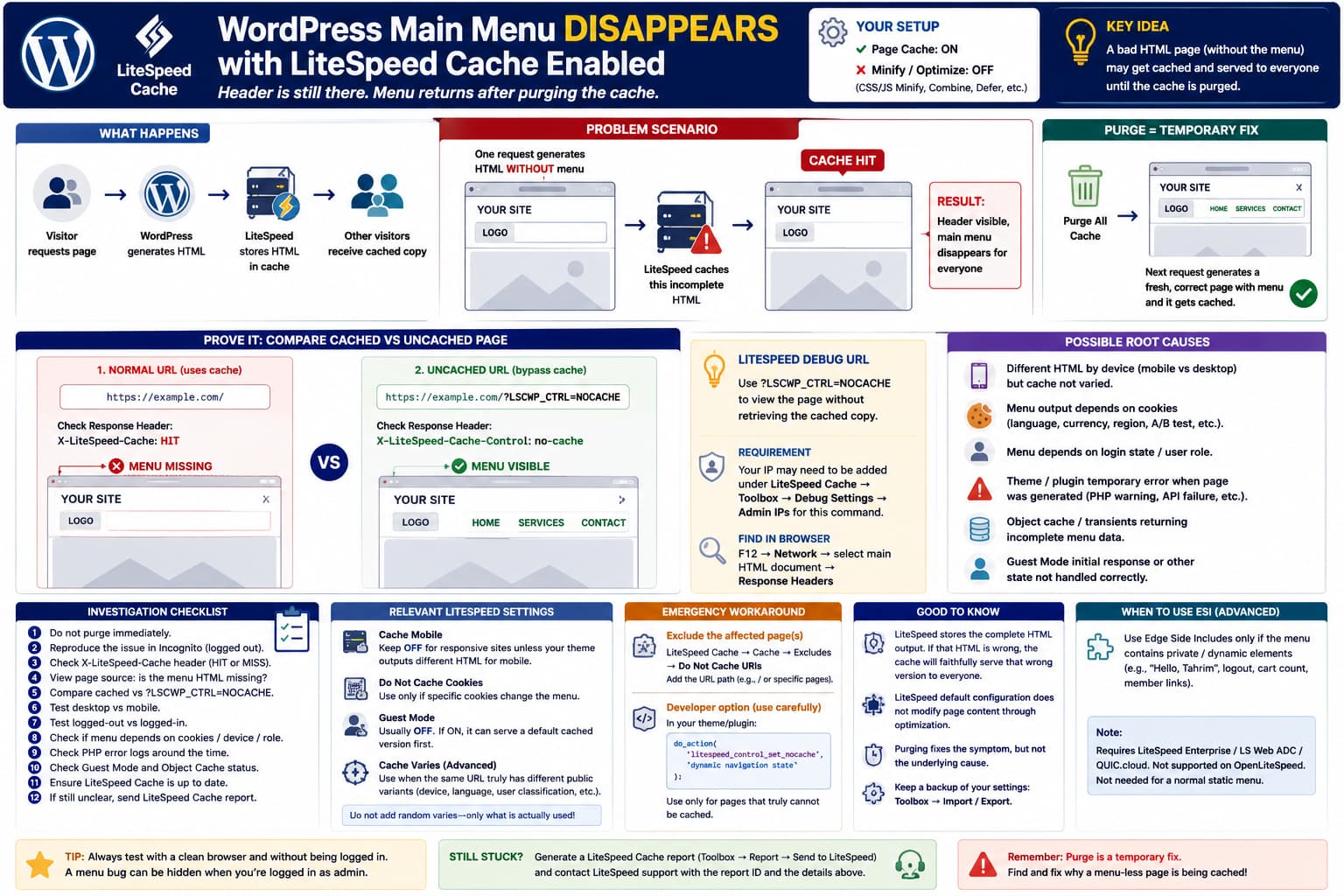
Main Menu Disappears With LiteSpeed Cache Enabled, but Returns After Purging Cache

LiteSpeed Cache serving a cached WordPress page where the header remains visible but the main menu is missing, compared with an uncached NOCACHE request where the navigation appears normally.

A strange WordPress caching problem can look like this: Then you purge LiteSpeed Cache and immediately get: Everything may remain normal for several days before the menu disappears again. If LiteSpeed Cache’s page cache is enabled but CSS/JS minification, combine, defer, and similar optimization options are disabled, this is an important clue. LiteSpeed’s own troubleshooting … Read more

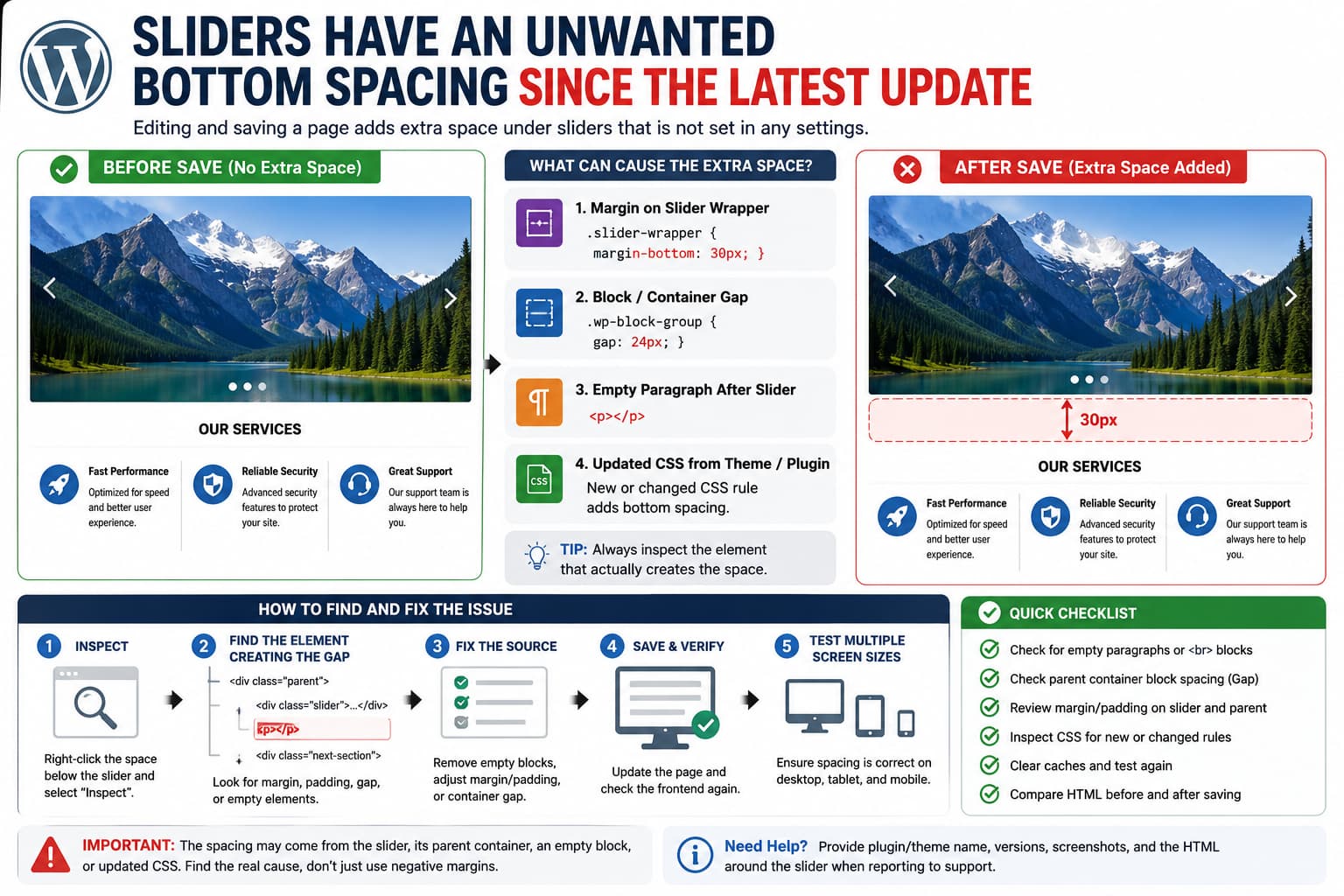
How to Fix Unwanted Bottom Spacing Below WordPress Sliders After an Update

WordPress slider showing unwanted bottom spacing after saving a page, with DevTools identifying margin, block spacing, and empty paragraph causes.

If a WordPress slider suddenly develops extra space underneath it only after the page is edited and saved, do not immediately add a negative margin to hide the gap. That behavior provides an important clue. When the slider looks correct before editing but changes after clicking Update, one of these things is usually happening: The … Read more