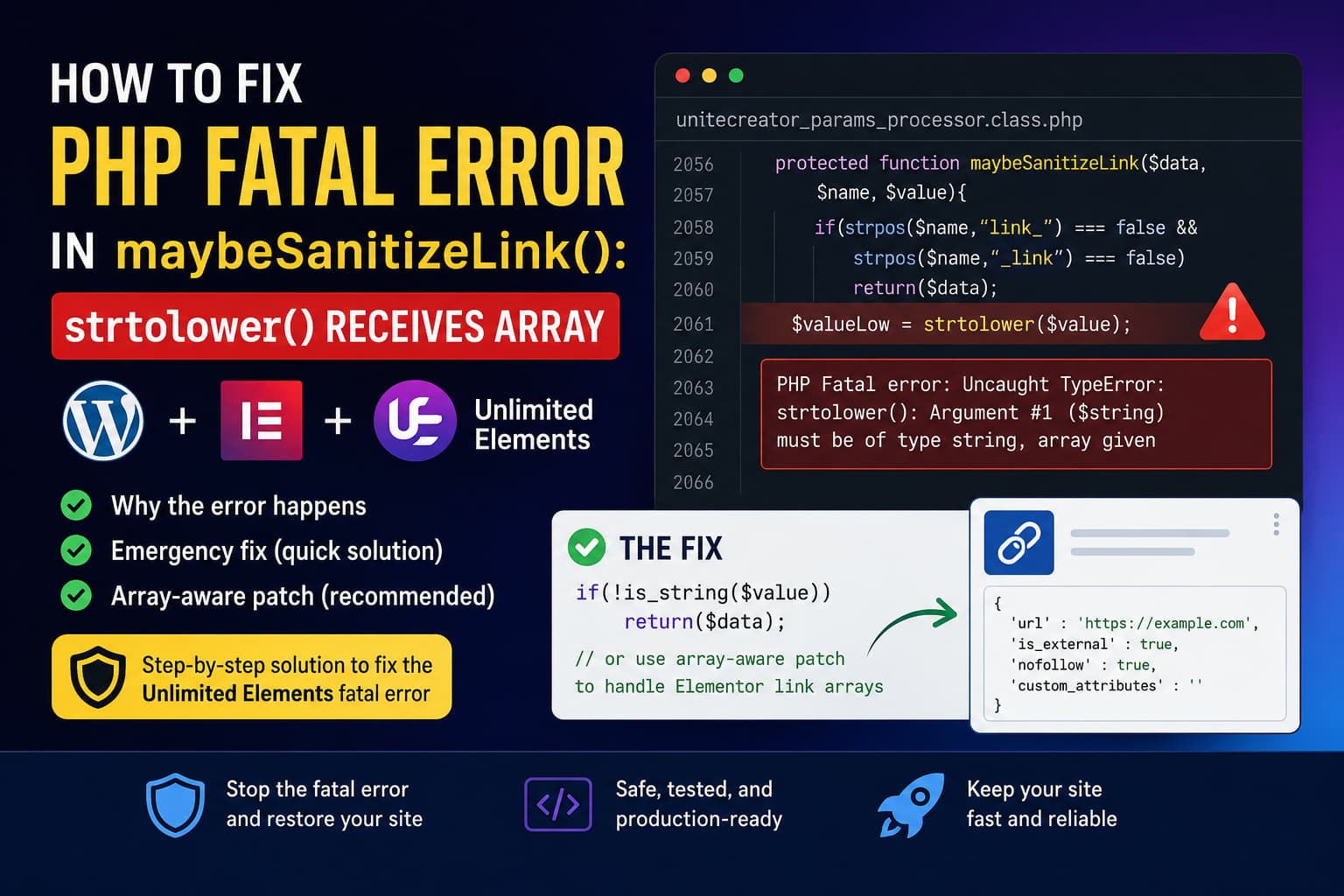
After updating WordPress, Elementor, or the Unlimited Elements for Elementor plugin, a website may display a critical error, return an HTTP 500 response, or fail while rendering a page containing an Unlimited Elements widget.
The PHP error normally looks similar to this:
PHP Fatal error: Uncaught TypeError:
strtolower(): Argument #1 ($string) must be of type string, array given
The error originates from:
wp-content/plugins/unlimited-elements-for-elementor/
inc_php/unitecreator_params_processor.class.php
The affected method is:
protected function maybeSanitizeLink($data, $name, $value){

    if(strpos($name,"link_") === false && strpos($name,"_link") === false)
        return($data);

    $valueLow = strtolower($value);

    if(strpos($valueLow,"javascript") === false)
        return($data);

    $value = UniteFunctionsUC::sanitize(
        $value,
        UniteFunctionsUC::SANITIZE_URL
    );

    $data[$name] = $value;

    return($data);
}
The error occurs because $value is sometimes an array rather than a string. Passing that array directly to strtolower() causes PHP to stop execution with a fatal TypeError.
This guide explains:
- Why Unlimited Elements receives an array
- How to restore a crashed WordPress website
- How to apply a minimal emergency patch
- Why the one-line patch is not the best permanent solution
- How to add proper support for Elementor URL-control arrays
- How to test the website after applying the fix
Quick solution
The fastest way to prevent the fatal error is to add a string-type check before strtolower():
if(!is_string($value))
    return($data);
The relevant section then becomes:
if(strpos($name,"link_") === false && strpos($name,"_link") === false)
    return($data);

if(!is_string($value))
    return($data);

$valueLow = strtolower($value);
This stops an array from being passed to strtolower() and should immediately prevent the fatal error.
However, this should be treated as a temporary crash-recovery patch. Elementor URL controls legitimately return arrays, and simply skipping every array means this method will not inspect or sanitize the URL stored inside that array.
The safer permanent fix is explained later in this guide.
Example stack trace
The stack trace may show a call resembling this:
UniteCreatorParamsProcessorWork->maybeSanitizeLink(
    Array,
    'image_link_titl...',
    Array
)
The important part is the third argument:
ArrayThe method expects to perform this operation:
strtolower($value);However, PHP defines the strtolower() input as a string. Passing an array where a string is required results in a type error. PHP’s documentation confirms that a TypeError can be thrown when an argument does not match the type required by a function.
The execution flow is therefore:
Elementor returns link-control data as an array
        ↓
Unlimited Elements identifies the parameter as a link
        ↓
maybeSanitizeLink() assumes the value is a string
        ↓
strtolower() receives an array
        ↓
PHP throws a fatal TypeError
        ↓
The page or Elementor request fails
What causes the Unlimited Elements error?
The problem is caused by an incorrect type assumption inside maybeSanitizeLink().
The method checks whether the parameter name contains either:
link_or:
_linkWhen one of those strings exists in the parameter name, the plugin assumes its value is a simple URL string.
That assumption is not always correct.
Elementor’s official developer documentation explains that its URL control is a multivalue control. It returns an array containing values such as:
[
    'url'               => 'https://example.com',
    'is_external'       => true,
    'nofollow'          => true,
    'custom_attributes' => '',
]
Therefore, receiving an array for an Elementor link control is expected behavior.
The Unlimited Elements method should support both of these formats:
Simple string link
'https://example.com'Elementor URL-control array
[
    'url'         => 'https://example.com',
    'is_external' => true,
    'nofollow'    => false,
]
The fatal error happens because the current method attempts to process both formats as strings.
Is this a WordPress, Elementor, or PHP bug?
The stack trace may appear immediately after updating WordPress or Elementor, but the fatal line is inside Unlimited Elements.
Elementor is returning a documented URL-control array. PHP is also correctly rejecting an array passed to a function that requires a string.
The compatibility problem is that Unlimited Elements does not validate the type of $value before calling:
strtolower($value);The method should determine whether $value is:
- A string
- An Elementor URL array
- An unexpected value such as
null,false, an object, or another data type
It should then process each supported format safely.
Elementor’s troubleshooting documentation also states that when a stack trace points to a third-party Elementor add-on, the error should be investigated and reported to that add-on’s developer.
Check for an official Unlimited Elements update first
Before modifying plugin files, check whether Unlimited Elements has released a newer version containing a permanent fix.
Go to:
WordPress Dashboard
→ Plugins
→ Installed Plugins
Locate:
Unlimited Elements for ElementorUpdate it on a staging website and reproduce the issue.
At the time of writing on July 28, 2026, the WordPress plugin directory lists Unlimited Elements version 2.0.15. Its published changelog does not specifically mention a fix for this maybeSanitizeLink() array error. A newer release may become available after this article is published, so always check the latest changelog before applying a manual modification.
Do not retain a manual patch when an official plugin update has already corrected the affected method.
Solution 1: Recover the website when WP Admin is inaccessible
When the fatal error prevents access to WordPress Admin, temporarily deactivate Unlimited Elements through SFTP, SSH, or the hosting file manager.
Open:
/wp-content/plugins/Find this directory:
unlimited-elements-for-elementorTemporarily rename it to:
unlimited-elements-for-elementor-disabledWordPress will no longer be able to load the plugin, allowing you to access the dashboard again.
Elementor also recommends deactivating a problematic add-on through FTP or a hosting file manager when a fatal error prevents access to WP Admin.
Be aware that pages using Unlimited Elements widgets may appear incomplete while the plugin is disabled.
After creating a backup or preparing the patch, restore the original directory name:
unlimited-elements-for-elementorSolution 2: Apply the minimal emergency patch
Use this method when the website must be restored quickly and no official update is available.
Important warning
Editing a plugin file directly has several disadvantages:
- The modification will be overwritten during the next plugin update.
- A syntax error could make the website inaccessible.
- A minimal type guard prevents the crash but does not process Elementor URL arrays.
- The permanent fix must be released by the Unlimited Elements developers.
WordPress recommends using a staging environment or creating a suitable backup before modifying website code.
Step 1: Create a backup
Before editing anything, create:
- A full website backup
- A database backup
- A copy of the Unlimited Elements plugin directory
- A staging copy of the site when available
At minimum, download the original affected file:
/wp-content/plugins/unlimited-elements-for-elementor/
inc_php/unitecreator_params_processor.class.php
Step 2: Open the affected file
Using SFTP, SSH, your hosting file manager, or a code editor, open:
/wp-content/plugins/unlimited-elements-for-elementor/
inc_php/unitecreator_params_processor.class.php
The reported error may occur around line 2060, but line numbers change between plugin releases.
Search for the method name instead:
maybeSanitizeLinkFind this line:
$valueLow = strtolower($value);Step 3: Add the string check
Add the following code immediately before the strtolower() call:
if(!is_string($value))
    return($data);
The modified method should look like this:
protected function maybeSanitizeLink($data, $name, $value){

    if(strpos($name,"link_") === false && strpos($name,"_link") === false)
        return($data);

    if(!is_string($value))
        return($data);

    $valueLow = strtolower($value);

    if(strpos($valueLow,"javascript") === false)
        return($data);

    $value = UniteFunctionsUC::sanitize(
        $value,
        UniteFunctionsUC::SANITIZE_URL
    );

    $data[$name] = $value;

    return($data);
}
PHP’s is_string() function returns true only when the provided value is a string, making it suitable for preventing arrays and other unsupported values from reaching strtolower().
What this patch does
The additional condition stops processing when $value is:
- An array
null- A Boolean
- An integer
- An object
- Any other non-string value
This prevents the fatal error.
Limitation of this patch
The method appears to exist specifically to identify and sanitize unsafe link values.
When an Elementor URL control returns this:
[
    'url'         => 'https://example.com',
    'is_external' => true,
    'nofollow'    => false,
]
the minimal patch immediately returns the original data:
if(!is_string($value))
    return($data);
That means the URL stored inside:
$value['url']is not checked by this particular method.
Other parts of Elementor or Unlimited Elements may still escape the final output, but this method should not depend on that assumption. An array-aware implementation is more complete.
Solution 3: Apply the recommended array-aware patch
A stronger implementation should:
- Continue supporting simple string URLs.
- Recognize Elementor URL-control arrays.
- Inspect the nested
urlfield. - Preserve options such as
is_externalandnofollow. - Safely ignore unsupported values.
- Avoid passing arrays to string functions.
Replace the complete maybeSanitizeLink() method with the following:
protected function maybeSanitizeLink($data, $name, $value){

    if(strpos($name, "link_") === false && strpos($name, "_link") === false)
        return($data);

    /**
     * Elementor URL controls return an array containing
     * url, is_external, nofollow and custom_attributes.
     */
    if(is_array($value)){

        if(!isset($value["url"]) || !is_string($value["url"]))
            return($data);

        if(stripos($value["url"], "javascript") === false)
            return($data);

        $value["url"] = UniteFunctionsUC::sanitize(
            $value["url"],
            UniteFunctionsUC::SANITIZE_URL
        );

        $data[$name] = $value;

        return($data);
    }

    /**
     * Ignore null, Boolean, object and other unsupported values.
     */
    if(!is_string($value))
        return($data);

    if(stripos($value, "javascript") === false)
        return($data);

    $value = UniteFunctionsUC::sanitize(
        $value,
        UniteFunctionsUC::SANITIZE_URL
    );

    $data[$name] = $value;

    return($data);
}
Do not add another opening <?php tag when replacing a method inside an existing PHP file.
Why this implementation is safer
The array-handling section first checks:
is_array($value)It then verifies that the expected URL element exists:
isset($value["url"])Finally, it confirms that the nested URL is a string:
is_string($value["url"])Only the URL value is passed to a string function:
stripos($value["url"], "javascript")The remaining Elementor link settings are preserved:
'is_external'
'nofollow'
'custom_attributes'
If sanitization is necessary, only this value is replaced:
$value["url"]The complete array is then stored back in the original data:
$data[$name] = $value;This supports Elementor’s documented URL-control structure rather than ignoring it.
Why use stripos() instead of strtolower()?
The original code performs a lowercase conversion:
$valueLow = strtolower($value);It then searches the converted string:
strpos($valueLow, "javascript")The same case-insensitive check can be performed directly with:
stripos($value, "javascript")This avoids creating an additional lowercase variable and makes it clearer that the method is performing a case-insensitive search.
The critical part is still type validation. Neither strtolower() nor stripos() should receive an array.
Can this fix be added to functions.php?
No.
The affected code is a protected method inside an Unlimited Elements class:
protected function maybeSanitizeLink(...)Adding a similarly named function to a child theme’s functions.php file will not replace the method already defined inside the plugin class.
A Code Snippets plugin will not automatically override it either.
The available options are:
- Modify the affected plugin method temporarily
- Extend or replace the relevant class only when the plugin architecture supports it
- Ask the developer to add a filter or extension point
- Install an official corrected version
- Temporarily roll back to a known working version
For most website owners, a small temporary plugin-file patch followed by an official update is the most practical approach.
Clear all caches after applying the patch
After saving the file, clear every caching layer that may retain an old version of the PHP code or Elementor data.
Clear:
- Your WordPress caching plugin
- The hosting-level page cache
- Redis or Memcached
- Cloudflare or another CDN
- PHP OPcache
- Your browser cache
When the hosting dashboard provides a PHP restart option, restart PHP to ensure that OPcache is no longer using a previously compiled copy of the file.
Also clear Elementor’s generated files and data.
In current Elementor versions, go to:
WordPress Dashboard
→ Elementor
→ Editor
→ Home
→ Tools
→ Clear Files & Data
Elementor recommends clearing files and data after plugin updates or while troubleshooting outdated generated data.
Test the complete Elementor workflow
Do not confirm the fix by checking only the homepage.
Test every page or template that uses the affected Unlimited Elements widget.
Frontend test
Check:
- The affected page loads without an HTTP 500 error
- Unlimited Elements widgets render correctly
- Images and titles display correctly
- Buttons and links lead to the expected destination
- External links open according to their settings
- Responsive layouts still work
Elementor editor test
Open the affected page with Elementor and confirm:
- The Elementor editor loads
- The widget panel loads
- Existing Unlimited Elements widgets remain editable
- Link fields display their saved URLs
- Changes can be saved
- No AJAX request returns an HTTP 500 response
Link-control test
Test a widget containing a standard Elementor link control.
Confirm that these values are preserved:
URL
Open in new window
nofollow
Custom attributes
Test:
- A normal internal URL
- A normal external URL
- An empty link field
- A link with “open in new window” enabled
- A link with
nofollowenabled - A dynamically generated link when the widget supports dynamic tags
Do not enter deliberately unsafe JavaScript URLs on a production website.
Browser developer-tools test
Open the browser’s developer tools and inspect the Network tab while loading or saving the affected Elementor page.
Look for requests to:
/wp-admin/admin-ajax.phpor Elementor REST API endpoints.
The requests should return a successful response rather than:
500 Internal Server ErrorAlso inspect the Console tab. A PHP fatal error during an AJAX request can produce secondary JavaScript errors because Elementor receives incomplete HTML or invalid JSON.
Enable WordPress debugging temporarily
When the issue continues, enable WordPress logging temporarily.
Add the following above:
/* That's all, stop editing! Happy publishing. */in wp-config.php:
define( 'WP_DEBUG', true );
define( 'WP_DEBUG_LOG', true );
define( 'WP_DEBUG_DISPLAY', false );

@ini_set( 'display_errors', 0 );
Errors will normally be written to:
/wp-content/debug.logReproduce the error and inspect the newest entries.
WordPress documents this configuration as a way to log PHP errors while preventing them from being displayed to visitors. WordPress also advises using debugging tools on development or staging installations rather than leaving them active permanently on a live website.
After troubleshooting, disable debugging:
define( 'WP_DEBUG', false );Do not leave a large or publicly accessible debug.log file on the server. Error logs may contain file paths, request details, email addresses, or other technical information.
What to do when the patch does not fix the error
If the same fatal error remains, check the following.
Confirm that the correct file was edited
Some websites may contain:
- A free version of Unlimited Elements
- A Pro version
- An old duplicated plugin directory
- A staging directory
- A server-level deployment copy
- A cached release managed by the hosting platform
Confirm that the file path in the latest stack trace matches the file you modified.
Check PHP OPcache
The server may continue executing a cached copy of the original PHP file.
Restart PHP or ask the hosting provider to reset OPcache.
Search for additional strtolower() calls
The plugin may call strtolower() from more than one location.
Search the complete stack trace for the first Unlimited Elements file and line number. Do not assume that every strtolower() TypeError comes from maybeSanitizeLink().
Unlimited Elements has previously received reports involving a different strtolower(Array) fatal error in another code path, so the exact file and method in the stack trace are important.
Check for corrupted plugin files
Delete the Unlimited Elements plugin directory and upload a clean copy of the same version.
Do not overwrite an incomplete or corrupted installation one file at a time unless you know which files differ.
Reproduce the issue with a specific widget
Temporarily duplicate the affected page on staging and remove Unlimited Elements widgets one at a time.
When the fatal error stops, the last removed widget probably contains the link parameter producing the array value.
Record:
- Widget name
- Widget version
- Control name
- Link setting
- Whether dynamic tags are enabled
- Whether the widget is inside a repeater, loop, template, or popup
This information will help the plugin developers reproduce the bug.
Should you downgrade PHP?
Downgrading PHP is not the correct permanent solution.
The application is passing an array to code that expects a string. A lower PHP version might handle the invalid input differently, but that would only hide the underlying type-validation problem.
Changing PHP versions may also:
- Reduce security
- Break other plugins
- Remove compatibility with current WordPress releases
- Hide additional coding errors
- Delay the required plugin fix
Keep PHP on a supported version and correct the invalid data handling.
A temporary PHP rollback may be used only as an emergency recovery measure when the site cannot otherwise be restored, and it should be reversed after the plugin is patched.
Should you roll back Unlimited Elements?
Rolling back to the previous working Unlimited Elements version can restore the website while waiting for an official fix.
However, it should be treated cautiously.
Recent Unlimited Elements releases include security-related changes, so remaining on an older version could reintroduce issues that newer versions corrected. The current plugin changelog contains several security fixes across recent releases.
When rolling back:
- Use a staging environment first.
- Restore only a known working version.
- Review the version’s security history.
- Disable automatic updates temporarily.
- Monitor the official changelog.
- Update immediately after the array-handling bug is fixed.
Do not copy an entire old plugin file over a newer release. Other methods and security fixes may have changed.
How the Unlimited Elements developers should fix it
The permanent upstream solution should not merely skip every non-string value.
The method should explicitly support the documented data structures it may receive.
A robust implementation should:
- Accept simple URL strings
- Accept Elementor URL-control arrays
- Sanitize the nested
urlvalue - Preserve other link-control settings
- Ignore unsupported data types without crashing
- Avoid identifying the control type only from its parameter name
- Add automated tests for strings, arrays, empty values and malformed values
The most important pattern is:
if(is_array($value)){

    if(!isset($value["url"]) || !is_string($value["url"]))
        return($data);

    // Process $value["url"] safely.
}
followed by:
if(!is_string($value))
    return($data);
Ideally, the plugin should determine the actual control type from its parameter configuration rather than assuming every parameter whose name contains link_ or _link is a string.
Suggested bug report for Unlimited Elements support
The following report can be sent to the plugin developer:
After updating WordPress, Elementor and Unlimited Elements, the plugin throws a fatal
TypeErrorinsidemaybeSanitizeLink()because$valueis an array for an Elementor link-related control. The method callsstrtolower($value)without validating the value type. Elementor URL controls officially return an array containingurl,is_external,nofollowandcustom_attributes. Please add support for the URL-control array, sanitize the nestedurlfield, and safely ignore unsupported value types. A simpleis_string()guard prevents the crash, but an array-aware implementation would preserve the method’s link-sanitization purpose.
Include:
- WordPress version
- Elementor version
- Elementor Pro version, when installed
- Unlimited Elements version
- PHP version
- Theme name and version
- Widget name
- Full stack trace
- A copy of the affected Elementor settings
- Steps required to reproduce the problem
- Whether dynamic tags are involved
- Whether the error occurs in the editor, frontend, AJAX request, or all three
Frequently asked questions
What does “strtolower() must be of type string, array given” mean?
It means the plugin passed a PHP array to strtolower(), although the function accepts a string. PHP rejects the invalid argument and throws a fatal TypeError.
Why is Elementor returning an array for a link?
Elementor’s URL control stores more than the URL. It also stores settings such as opening the link in a new window, adding nofollow, and custom attributes. Elementor therefore returns the complete link information as an array.
Is adding is_string() enough?
It is enough to prevent the fatal error:
if(!is_string($value))
    return($data);
However, it skips all processing for Elementor URL arrays. The array-aware patch is a more complete solution because it validates and sanitizes the nested URL.
Will the manual fix survive a plugin update?
No. A WordPress plugin update normally replaces the plugin directory, removing direct file modifications.
After every Unlimited Elements update:
- Read the changelog.
- Inspect
maybeSanitizeLink(). - Test the affected page on staging.
- Confirm whether an official type check was added.
- Reapply only the minimal patch when necessary.
Can the fix be placed in Code Snippets?
Not directly. The affected code is a protected class method. A standalone snippet cannot redefine an already loaded class method.
Is Elementor responsible for the error?
Elementor is returning its documented URL-control structure. Unlimited Elements must validate and process that structure before calling string-only PHP functions.
Can clearing the cache fix the error without editing code?
Cache clearing alone will not correct the invalid type handling. However, caches and PHP OPcache should be cleared after applying the patch so the server executes the updated PHP code.
Final solution
The Unlimited Elements maybeSanitizeLink() fatal error occurs because the plugin assumes every parameter whose name contains link_ or _link has a string value.
Elementor URL controls can return an array such as:
[
    'url'         => 'https://example.com',
    'is_external' => true,
    'nofollow'    => false,
]
Passing that array to:
strtolower($value);causes PHP to throw:
TypeError: strtolower(): Argument #1 ($string)
must be of type string, array given
The minimal recovery patch is:
if(!is_string($value))
    return($data);
This prevents the crash.
The better fix is to detect Elementor link arrays, validate:
$value["url"]and sanitize only the nested URL while preserving the remaining settings.
The manual modification should be treated as a temporary production hotfix. The permanent solution is an official Unlimited Elements update that supports Elementor’s documented URL-control array format and safely validates every value before passing it to a string function.
