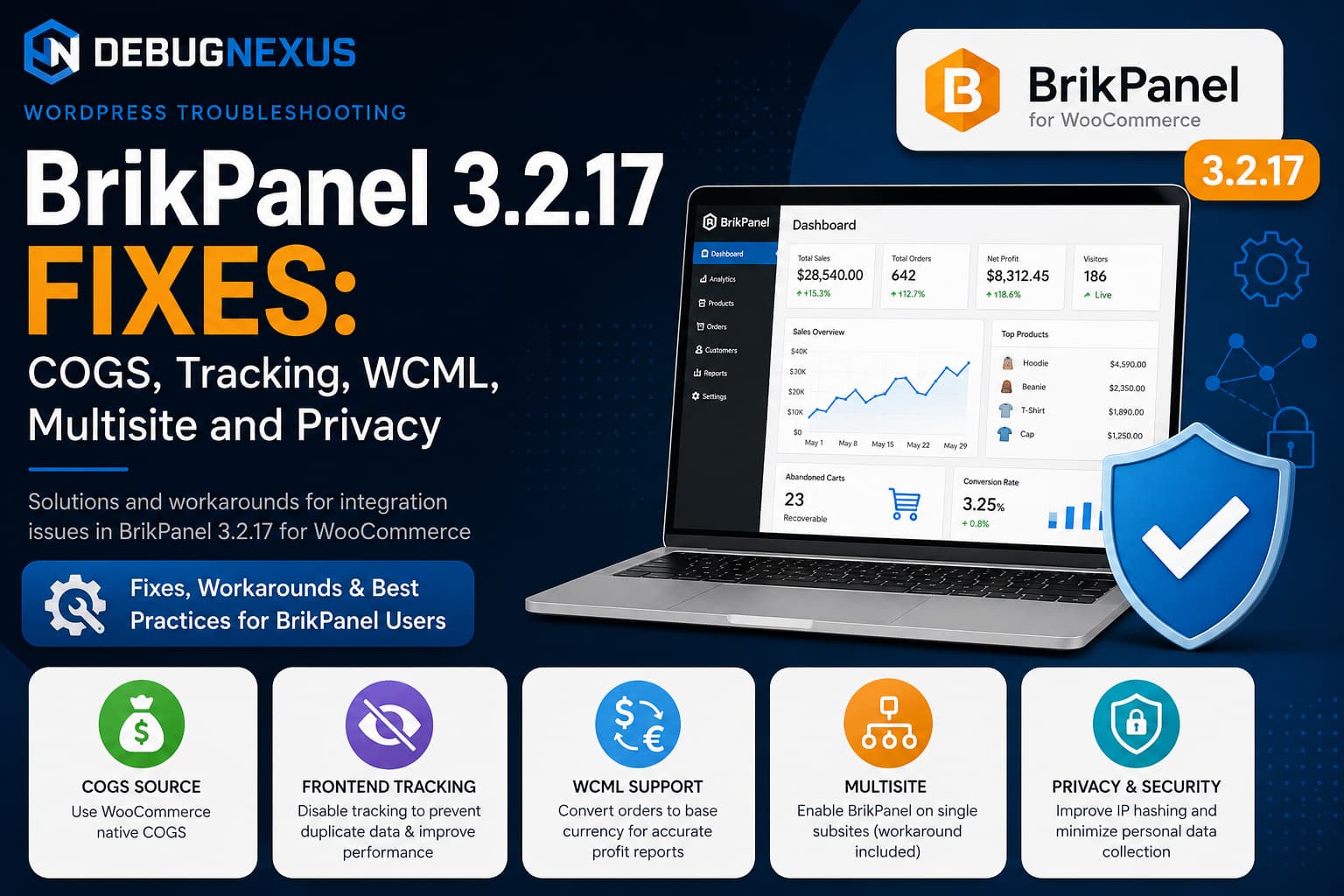
BrikPanel 3.2.17 provides WooCommerce store owners with sales analytics, inventory management, profit reporting, live visitor information, abandoned-cart tracking and product-management tools from one WordPress dashboard.
However, stores with custom Cost of Goods Sold pipelines, separate analytics systems, WCML multicurrency, WordPress Multisite or stricter privacy requirements may need additional configuration.
A detailed code review of BrikPanel 3.2.17 identified five integration concerns:
- BrikPanel can maintain its own COGS value instead of reading an existing cost source.
- Frontend visitor tracking cannot always be disabled with one setting.
- WCML foreign-currency orders may be added at face value instead of being converted to the store currency.
- The plugin’s network-only activation prevents normal per-site activation on Multisite.
- The documented visitor-IP hashing and stored live-customer data require closer examination.
This guide explains the practical BrikPanel 3.2.17 fixes and workarounds available while waiting for native options from the plugin developer.
Important: Test all PHP changes on staging and create a complete database and file backup first. BrikPanel is under active development, so internal callback names, metadata and hooks can change between releases.
Understanding the BrikPanel 3.2.17 integration issues
BrikPanel’s official plugin listing describes a self-hosted WooCommerce analytics system with conversion tracking, live visitors, COGS-based profit calculations, HPOS support and custom database tables. It states that the live-visitor widget refreshes every 30 seconds and that live visitor information is temporarily stored in a WordPress transient.
Those features are useful for stores that want BrikPanel to provide their entire reporting system. They can become unnecessary or duplicative when a store already has:
- A custom landed-cost system
- Google Analytics or another analytics platform
- A dedicated conversion-tracking plugin
- WCML multicurrency reporting
- A large full-page-cached storefront
- Specific privacy and data-minimisation requirements
The following solutions let administrators integrate BrikPanel more carefully without editing the plugin’s files directly.
Solution 1: Use WooCommerce native COGS as the source
Recent WooCommerce versions include a native Cost of Goods Sold feature. It supports simple products and variations and stores order-item cost data when an order is created. WooCommerce also exposes product methods such as get_cogs_value() and get_cogs_total_value() so integrations do not have to depend entirely on raw metadata.
A store may already populate WooCommerce’s native cost field through:
- A supplier feed
- Currency conversion
- Landed-cost calculations
- Import automation
- An inventory-management system
- A custom ERP integration
Maintaining a second _brikpanel_cogs field creates two sources of truth. If one process updates only the WooCommerce value, BrikPanel can show outdated profit figures.
The ideal plugin-level solution
The cleanest long-term solution would be a BrikPanel filter such as:
$cost = apply_filters(
	'brikpanel_product_cogs',
	$cost,
	$product_id,
	$variation_id
);
An integration could then return WooCommerce’s native value:
add_filter(
	'brikpanel_product_cogs',
	static function ( $cost, $product_id, $variation_id ) {
		$source_id = $variation_id ?: $product_id;
		$product   = wc_get_product( $source_id );

		if (
			$product instanceof WC_Product &&
			method_exists( $product, 'get_cogs_total_value' )
		) {
			return (float) $product->get_cogs_total_value();
		}

		return $cost;
	},
	10,
	3
);
This code only works when BrikPanel applies the proposed filter. Adding the snippet now is harmless, but it cannot create a missing filter inside BrikPanel.
Temporary solution: synchronize native COGS into BrikPanel
Until a native source filter is available, create an MU plugin that copies WooCommerce’s effective COGS value into BrikPanel whenever a product or variation is saved.
Create:
/wp-content/mu-plugins/debugnexus-brikpanel-compatibility.phpCreate the mu-plugins directory first if it does not exist.
Add:
<?php
/**
 * Plugin Name: DebugNexus BrikPanel Compatibility
 * Description: Compatibility fixes for BrikPanel COGS, tracking and WCML.
 */

defined( 'ABSPATH' ) || exit;

/**
 * Synchronize WooCommerce native COGS into BrikPanel.
 *
 * @param int             $product_id Product or variation ID.
 * @param WC_Product|null $product    WooCommerce product object.
 */
function debugnexus_sync_brikpanel_cogs( $product_id, $product = null ) {
	if ( ! function_exists( 'wc_get_product' ) ) {
		return;
	}

	if ( ! $product instanceof WC_Product ) {
		$product = wc_get_product( $product_id );
	}

	if (
		! $product instanceof WC_Product ||
		! method_exists( $product, 'get_cogs_total_value' )
	) {
		return;
	}

	$cost = (float) $product->get_cogs_total_value();
	$cost = wc_format_decimal( $cost, wc_get_price_decimals() );

	$current = get_post_meta(
		$product->get_id(),
		'_brikpanel_cogs',
		true
	);

	if ( (string) $current !== (string) $cost ) {
		update_post_meta(
			$product->get_id(),
			'_brikpanel_cogs',
			$cost
		);
	}
}

add_action(
	'woocommerce_new_product',
	'debugnexus_sync_brikpanel_cogs',
	20,
	2
);

add_action(
	'woocommerce_update_product',
	'debugnexus_sync_brikpanel_cogs',
	20,
	2
);

add_action(
	'woocommerce_new_product_variation',
	'debugnexus_sync_brikpanel_cogs',
	20,
	2
);

add_action(
	'woocommerce_update_product_variation',
	'debugnexus_sync_brikpanel_cogs',
	20,
	2
);
WooCommerce fires separate actions when products and variations are created or updated, making them appropriate integration points for the synchronization.
Direct database updates require an additional step
A direct SQL query does not pass through normal WordPress or WooCommerce save functions. Therefore, neither BrikPanel nor the MU plugin can detect the change automatically.
The best solution is to update costs through the WooCommerce product object:
$product = wc_get_product( $product_id );

if (
	$product instanceof WC_Product &&
	method_exists( $product, 'set_cogs_value' )
) {
	$product->set_cogs_value( 12.50 );
	$product->save();
}
When direct database writes are unavoidable, call the synchronization function after updating each product:
debugnexus_sync_brikpanel_cogs( $product_id );This eliminates the drift that occurs when _cogs_value changes but _brikpanel_cogs does not.
Solution 2: Disable unnecessary BrikPanel frontend tracking
BrikPanel includes visitor, page-view, product-view, add-to-cart and live-visitor tracking. Its official description states that the live visitor display refreshes every 30 seconds and that conversion tracking records visitors, cart events, checkout starts and orders.
This is useful when BrikPanel is the store’s primary analytics system. It can create duplicate data and additional uncached requests when another analytics platform is already installed.
A full-page-cached storefront can still generate an uncached admin-ajax.php request for every open visitor session. On a busy store, repeated live-visitor requests can add unnecessary PHP and database activity.
First check BrikPanel settings
Go to:
WooCommerce > Settings > BrikPanelDisable any visitor, conversion, live analytics or product-view modules that are available in your installed version.
BrikPanel describes its dashboard as modular and says individual modules can be disabled from its settings. However, the precise options available may differ between versions.
Temporary code-based tracking switch
When the settings screen does not fully stop frontend tracking, add the following to the same MU plugin:
/**
 * Return a readable name for a WordPress callback.
 *
 * @param mixed $callback Registered callback.
 * @return string
 */
function debugnexus_callback_name( $callback ) {
	if ( is_string( $callback ) ) {
		return $callback;
	}

	if ( is_array( $callback ) && isset( $callback[1] ) ) {
		return (string) $callback[1];
	}

	return '';
}

/**
 * Remove specifically named callbacks regardless of priority.
 *
 * @param string   $hook_name      WordPress hook.
 * @param string[] $callback_names Function names to remove.
 */
function debugnexus_remove_named_callbacks(
	$hook_name,
	array $callback_names
) {
	global $wp_filter;

	if (
		empty( $wp_filter[ $hook_name ] ) ||
		! $wp_filter[ $hook_name ] instanceof WP_Hook
	) {
		return;
	}

	foreach (
		$wp_filter[ $hook_name ]->callbacks
		as $priority => $callbacks
	) {
		foreach ( $callbacks as $registered ) {
			$callback = $registered['function'];
			$name     = debugnexus_callback_name( $callback );

			if ( in_array( $name, $callback_names, true ) ) {
				remove_action(
					$hook_name,
					$callback,
					$priority
				);
			}
		}
	}
}

/**
 * Disable known BrikPanel frontend tracking output.
 */
add_action(
	'wp_loaded',
	static function () {
		$tracking_callbacks = array(
			'brikpanel_track_page_view_js',
			'brikpanel_visitor_view_script',
			'brikpanel_product_view_script',
			'brikpanel_live_visitor_tracker_js',
		);

		$possible_hooks = array(
			'wp_head',
			'wp_footer',
			'wp_enqueue_scripts',
			'template_redirect',
			'woocommerce_add_to_cart',
		);

		foreach ( $possible_hooks as $hook_name ) {
			debugnexus_remove_named_callbacks(
				$hook_name,
				$tracking_callbacks
			);
		}
	},
	PHP_INT_MAX
);
What this code does
It removes only the four known frontend tracking callbacks. It does not globally disable all BrikPanel actions.
After adding it:
- Purge the page cache.
- Open the storefront in an incognito window.
- Open the browser’s Developer Tools.
- Select the Network tab.
- Filter for
admin-ajax.php. - Leave the page open for at least one minute.
- Confirm that the BrikPanel live-visitor request no longer repeats.
Possible side effects
Disabling tracking can affect:
- Live visitor statistics
- Page-view reports
- Product-view reports
- Conversion-rate reporting
- Funnel calculations
- Some abandoned-cart attribution
Order management, product editing, inventory tools and other admin features should not require frontend page-view tracking, but every feature should still be tested on staging.
Callback names may change in future BrikPanel versions. Check the plugin code again when frontend requests return after an update.
Solution 3: Convert WCML orders to the base currency
A multicurrency reporting system must not simply add numerical order totals together.
For example:
$100 + €100 ≠ 200 in one meaningful currencyThe foreign order must first be converted to the WooCommerce store’s default currency.
WCML exposes the wcml_exchange_rates filter, which returns exchange rates for secondary currencies relative to the default currency. WPML’s example describes a rate as the conversion from the default currency to the selected secondary currency.
Create a historical base-currency factor
Add this code to the compatibility MU plugin:
/**
 * Obtain a WCML rate for a secondary currency.
 *
 * @param string $currency Currency code.
 * @return float|null
 */
function debugnexus_get_wcml_rate( $currency ) {
	$rates = apply_filters(
		'wcml_exchange_rates',
		array()
	);

	if (
		isset( $rates[ $currency ] ) &&
		is_numeric( $rates[ $currency ] ) &&
		(float) $rates[ $currency ] > 0
	) {
		return (float) $rates[ $currency ];
	}

	return null;
}

/**
 * Calculate the factor required to convert an order into
 * the WooCommerce base currency.
 *
 * @param string $currency Order currency.
 * @return float|null
 */
function debugnexus_get_order_base_factor( $currency ) {
	$base_currency = get_woocommerce_currency();

	if ( $currency === $base_currency ) {
		return 1.0;
	}

	$rate = debugnexus_get_wcml_rate( $currency );

	if ( null === $rate ) {
		return null;
	}

	/*
	 * WCML rate represents base currency to secondary currency.
	 * Therefore, secondary to base is 1 divided by the rate.
	 */
	return 1 / $rate;
}

/**
 * Save the conversion factor when a checkout order is created.
 *
 * Storing the factor prevents future exchange-rate changes from
 * altering historical reporting for new orders.
 */
add_action(
	'woocommerce_checkout_order_created',
	static function ( $order ) {
		if ( ! $order instanceof WC_Order ) {
			return;
		}

		$factor = debugnexus_get_order_base_factor(
			$order->get_currency()
		);

		if ( null === $factor ) {
			return;
		}

		$order->update_meta_data(
			'_debugnexus_brikpanel_base_factor',
			$factor
		);

		$order->save();
	}
);

/**
 * Supply the base-currency factor to BrikPanel.
 *
 * This requires BrikPanel to apply the
 * brikpanel_order_base_factor filter.
 */
add_filter(
	'brikpanel_order_base_factor',
	static function ( $factor, $order ) {
		if ( is_numeric( $order ) ) {
			$order = wc_get_order( $order );
		}

		if ( ! $order instanceof WC_Order ) {
			return $factor;
		}

		$saved_factor = $order->get_meta(
			'_debugnexus_brikpanel_base_factor',
			true
		);

		if (
			is_numeric( $saved_factor ) &&
			(float) $saved_factor > 0
		) {
			return (float) $saved_factor;
		}

		/*
		 * Older orders may not have a saved historical factor.
		 * Use the current rate only as a fallback.
		 */
		$current_factor = debugnexus_get_order_base_factor(
			$order->get_currency()
		);

		return null !== $current_factor
			? $current_factor
			: $factor;
	},
	10,
	2
);
Important limitation for old orders
The code stores the rate snapshot only for orders created after it is installed.
For an older order without a saved factor, it uses the current WCML rate. If exchange rates have changed, the resulting historical profit can differ from the true value at the time of purchase.
Accurate historical reporting requires one of the following:
- A rate snapshot already stored with each order
- Historical rates imported from an accounting platform
- A manual backfill using records from the payment gateway
- Native WCML support added by BrikPanel
Before using the result for accounting or tax reporting, compare several converted orders against your payment or accounting records.
Solution 4: Use BrikPanel on one Multisite subsite
A WordPress plugin header containing:
Network: truemakes the plugin network-only. WordPress then prevents normal activation on one individual site and activates it across the network instead.
The proper long-term solution is for BrikPanel to remove the network-only requirement and perform its database installation separately for each activated subsite.
Why editing the BrikPanel plugin file is not recommended
Removing Network: true manually may appear to restore per-site activation, but:
- The modification will be overwritten by the next update.
- BrikPanel may assume network-wide initialization.
- Database tables or settings may not be created correctly.
- A failed update may leave different sites in inconsistent states.
Advanced temporary multisite gate
A network administrator can conditionally remove BrikPanel from the list of network plugins before WordPress loads it.
WordPress reads the active_sitewide_plugins network option to determine which files should be included across the network.
Create:
/wp-content/mu-plugins/00-brikpanel-site-gate.phpAdd:
<?php
/**
 * Plugin Name: BrikPanel Multisite Gate
 */

defined( 'ABSPATH' ) || exit;

/**
 * Restrict network-activated BrikPanel to selected site IDs.
 */
add_filter(
	'pre_site_option_active_sitewide_plugins',
	static function (
		$pre_option,
		$option,
		$network_id,
		$default_value
	) {
		global $wpdb;

		/*
		 * Change this list to the subsite IDs where
		 * BrikPanel should run.
		 */
		$allowed_site_ids = array( 2 );

		$plugins = $wpdb->get_var(
			$wpdb->prepare(
				"SELECT meta_value
			 FROM {$wpdb->sitemeta}
			 WHERE site_id = %d
			 AND meta_key = %s
			 LIMIT 1",
				$network_id,
				'active_sitewide_plugins'
			)
		);

		$plugins = maybe_unserialize( $plugins );
		$plugins = is_array( $plugins ) ? $plugins : array();

		if (
			! in_array(
				get_current_blog_id(),
				$allowed_site_ids,
				true
			)
		) {
			/*
			 * Replace this placeholder with BrikPanel's exact
			 * plugin basename as shown in active_sitewide_plugins.
			 */
			unset(
				$plugins[
					'brikpanel-admin-panel-dashboard-for-woocommerce/REPLACE-WITH-MAIN-FILE.php'
				]
			);
		}

		return $plugins;
	},
	10,
	4
);
This is an advanced workaround and must be tested carefully. Replace the placeholder with the exact BrikPanel plugin basename stored in the network’s active_sitewide_plugins option.
A safer production resolution is an official BrikPanel update supporting regular per-site activation.
Solution 5: Correct the visitor IP hashing approach
The reported BrikPanel code review found this implementation:
$hashed_ip = substr( md5( $raw_ip ), 0, 10 );At the same time, the plugin listing states that IP addresses are SHA-256 hashed.
Those two descriptions do not match.
A short, unsalted MD5 result should not be described as strong anonymisation. IPv4 addresses come from a limited input space, making deterministic hashes vulnerable to guessing and precomputation.
A stronger pseudonymous identifier would use a keyed HMAC:
$hashed_ip = hash_hmac(
	'sha256',
	$raw_ip,
	wp_salt( 'auth' )
);
For a shorter stored identifier:
$hashed_ip = substr(
	hash_hmac(
		'sha256',
		$raw_ip,
		wp_salt( 'auth' )
	),
	0,
	32
);
The key point is not merely changing MD5 to SHA-256. A site-specific secret prevents an attacker from generating one universal table of IP hashes and using it across every installation.
This change must be made by the BrikPanel developer unless the plugin exposes a filter for its visitor identifier. Editing the plugin file directly would be overwritten during an update.
Disabling frontend tracking is the safest temporary option for stores that do not need BrikPanel visitor analytics.
Solution 6: Minimise live visitor personal data
The reported code review also found that BrikPanel’s live-visitor transient can contain logged-in customers’:
- Name
- Email address
- Phone number
Access may be restricted to administrators, but access control does not remove the need for data minimisation, retention documentation and a clear purpose.
The European Commission lists names, email addresses and IP addresses as personal data. It also explains that hashed or pseudonymised data can remain personal data when re-identification is possible.
GDPR Article 5 requires personal data to be adequate, relevant and limited to what is necessary. Privacy by default also means using short retention periods and limiting accessibility.
This does not automatically mean that BrikPanel violates GDPR. Compliance depends on the store’s purpose, legal basis, notices, retention practices and jurisdiction. However, store operators should know exactly what is collected.
Recommended approach
When live customer identification is unnecessary:
- Disable BrikPanel frontend tracking.
- Purge existing live-visitor transients.
- Remove BrikPanel tracking from the privacy policy.
- Verify that no new tracking requests are generated.
When tracking remains enabled:
- Update the privacy policy.
- Document what data is collected.
- State why it is processed.
- Document the retention period.
- Restrict dashboard access.
- Store only the fields rendered in the widget.
- Prefer an anonymous or pseudonymous visitor identifier.
- Avoid storing phone numbers or email addresses unless they are necessary.
This section is technical guidance, not legal advice. EU-facing stores should obtain appropriate privacy advice for their particular configuration.
How to test all BrikPanel 3.2.17 fixes
Test native COGS synchronization
- Edit a simple product.
- Change its native WooCommerce Cost of Goods value.
- Save the product.
- Check
_brikpanel_cogsusing a database viewer or WP-CLI. - Confirm BrikPanel displays the updated cost.
- Repeat the test with a product variation.
- Place a staging order and verify the profit calculation.
Test frontend tracking removal
- Purge all caches.
- Open an incognito window.
- Open Developer Tools.
- Select the Network panel.
- Browse a product and add it to the cart.
- Leave the page open for more than 30 seconds.
- Confirm no unwanted BrikPanel AJAX ping is repeated.
- Verify cart and checkout still function.
Test WCML conversion
Assume:
Base currency: EUR
Order currency: USD
WCML rate: 1 EUR = 1.20 USD
USD order total: $120
The base-currency factor should be:
1 / 1.20 = 0.833333The converted order total should be approximately:
120 × 0.833333 = €100Compare BrikPanel’s result with the order and WCML configuration.
Test Multisite restrictions
- Back up the complete network.
- Apply the MU-plugin gate.
- Visit an allowed subsite.
- Confirm BrikPanel loads normally.
- Visit a disallowed subsite.
- Confirm BrikPanel does not initialize.
- Check Network Admin.
- Test WP-Cron and WP-CLI for each site.
- Verify database tables and settings were not created unexpectedly.
Recommended improvements for a future BrikPanel release
The plugin developer could resolve these concerns with four relatively focused changes:
Add a COGS source filter
apply_filters(
	'brikpanel_product_cogs',
	$cost,
	$product_id,
	$variation_id
);
Add a frontend tracking setting
Use BrikPanel frontend tracking: On / OffOptional controls could include:
- Live-ping interval
- Page-view tracking
- Product-view tracking
- Cart tracking
- Logged-in customer identification
- Retention period
Document and support the currency factor filter
The brikpanel_order_base_factor filter should have documented arguments, expected return value and examples for WCML and other multicurrency systems.
Allow per-site Multisite activation
Removing the network-only header would let administrators activate BrikPanel only where it is required, provided installation and upgrade routines are made site-aware.
Align privacy documentation and implementation
The plugin documentation should accurately state:
- The hashing algorithm
- Whether a site-specific secret is used
- Which customer fields are stored
- The transient lifetime
- The database retention period
- Which options disable tracking
Final recommendation
BrikPanel is a capable WooCommerce management and analytics plugin, but advanced stores may need a compatibility layer.
The most practical BrikPanel 3.2.17 fixes are:
- Synchronize WooCommerce native COGS into BrikPanel.
- Disable duplicate frontend tracking when another analytics platform is already active.
- Store a WCML base-currency factor with each new order.
- Avoid editing the plugin header for Multisite unless no safer option is available.
- Treat hashed IP identifiers as pseudonymous unless anonymisation is genuinely irreversible.
- Minimise live customer information and document the retention period.
Use the custom code only after testing it on staging. Once BrikPanel introduces equivalent native settings and filters, remove the temporary compatibility code and use the official implementation instead.
