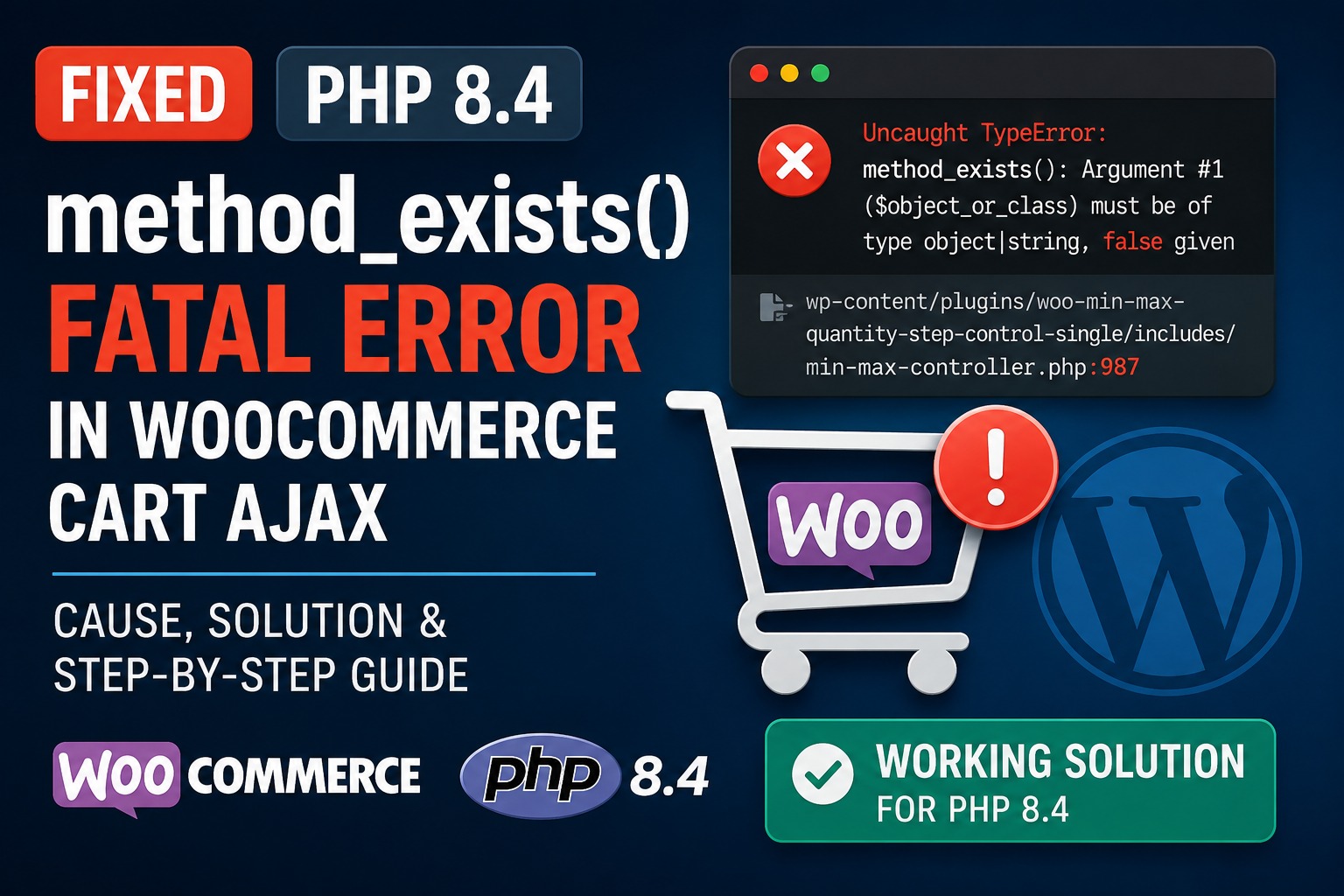
A WooCommerce website running PHP 8.4 may encounter a fatal error when a customer changes a product quantity in the cart. Instead of updating the cart, the AJAX request fails and WooCommerce may display an error, stop responding, or leave the cart quantity unchanged.
A typical error looks like this:
Uncaught TypeError: method_exists(): Argument #1 ($object_or_class)
must be of type object|string, false given
The error may originate from:
wp-content/plugins/woo-min-max-quantity-step-control-single/includes/min-max-controller.phpIn the reported case, the fatal error occurred around line 987 while the Min Max Control – Min Max Quantity & Step Control for WooCommerce plugin was validating a cart update.
This guide explains the cause of the PHP 8.4 WooCommerce method_exists() fatal error, provides a safe temporary patch, and shows how to test the complete WooCommerce cart workflow afterward.
Example environment
The issue was reported with the following environment:
WordPress: 7.0.2
WooCommerce: Current version
PHP: 8.4
Theme: Woodmart 8.5.5
Plugin: Min Max Control for WooCommerce
The public WordPress plugin directory currently lists Min Max Control version 8.0.5 and marks it as tested with WordPress 7.0.2. Its changelog also shows that a similar method_exists() TypeError was previously addressed in version 6.7, which means the current error may be a regression or a separate code path that still lacks product validation.
The complete fatal error
The error may appear in the WordPress debug log as follows:
Uncaught TypeError: method_exists():
Argument #1 ($object_or_class) must be of type object|string, false given
The backtrace may include:
#0 min-max-controller.php(987):
method_exists(false, 'is_sold_individually')

#1 class-wp-hook.php:
WC_MMQ\Includes\Min_Max_Controller->update_cart_validation(...)

#2 plugin.php:
WP_Hook->apply_filters(...)

#3 woodmart/inc/integrations/woocommerce/modules/quantity.php:
apply_filters('woocommerce_update_cart_validation', ...)

#4 wp-admin/admin-ajax.php:
do_action(...)
The important part is:
method_exists(false, 'is_sold_individually')The first argument is false, but method_exists() requires either an object or a class name.
What causes the error?
The affected plugin loads the WooCommerce product using code similar to:
$this->product = wc_get_product( $product_id );It then checks whether the product is sold individually:
method_exists( $this->product, 'is_sold_individually' )The problem is that wc_get_product() does not always return a product object. According to the official WooCommerce code reference, it can return:
WC_Product
null
false
For example, it may return false when the product ID is invalid, the product no longer exists, WooCommerce has not finished initializing, or an AJAX integration supplies incomplete product information.
PHP defines the first method_exists() parameter as:
object|stringPassing false is invalid and results in a TypeError.
The unsafe flow is therefore:
Invalid or unavailable product ID
        ↓
wc_get_product() returns false
        ↓
method_exists(false, 'is_sold_individually')
        ↓
PHP throws a fatal TypeError
        ↓
WooCommerce AJAX cart update fails
Is this actually a PHP 8.4 bug?
Not exactly.
The problem appears while running PHP 8.4, but it is primarily an input-validation bug in the WooCommerce extension.
PHP is correctly rejecting an invalid value passed to method_exists(). The plugin must verify that wc_get_product() returned a valid WC_Product object before calling product methods.
This means downgrading from PHP 8.4 is not the best permanent solution. The correct fix is to validate the product object.
The same type mismatch can also cause errors on other PHP 8 versions, so changing from PHP 8.4 to PHP 8.3 may not reliably solve it.
Is Woodmart causing the fatal error?
Woodmart appears in the backtrace because its quantity module initiates the AJAX cart update and applies the standard WooCommerce cart-validation filter.
Based on the provided stack trace, the actual fatal line is inside the Min Max Control plugin:
min-max-controller.phpWoodmart may be contributing to the conditions that produce an invalid or unavailable product reference, but the plugin should still handle that result safely.
No plugin should call:
method_exists( false, 'method_name' );A defensive validation check is required regardless of which theme or AJAX system initiated the request.
WooCommerce itself passes cart updates through the woocommerce_update_cart_validation filter before changing quantities, allowing extensions to validate the cart item.
Solution 1: Update the plugin first
Before editing any files, check whether a newer plugin update is available.
Go to:
WordPress Dashboard > Plugins > Installed PluginsLocate:
Min Max Control – Min Max Quantity & Step Control for WooCommerceUpdate it to the latest available release and test the cart again on staging.
The plugin changelog previously listed a fix for a method_exists() TypeError in version 6.7. However, if the error remains in a later version, the same validation may be missing from another function or may have been removed during subsequent code changes.
Do not apply the manual patch when an official update has already corrected the affected code.
Solution 2: Apply the product-object validation patch
When no official update is available, you can apply a temporary patch to prevent the fatal error.
Important warning
Editing a plugin file directly has two disadvantages:
- The change will be overwritten when the plugin is updated.
- An incorrect edit can break the website.
Apply the change on staging first, create a backup, and keep a copy of the original file.
The permanent solution should come from the plugin developer.
Step 1: Back up the website
Before editing the plugin, create:
- A complete database backup
- A backup of the affected plugin directory
- A staging copy when available
The affected directory is:
/wp-content/plugins/woo-min-max-quantity-step-control-single/At minimum, download a copy of:
/includes/min-max-controller.phpStep 2: Open the affected file
Using SFTP, SSH, your hosting file manager, or a code editor, open:
/wp-content/plugins/woo-min-max-quantity-step-control-single/includes/min-max-controller.phpThe reported error occurred near line 987, but the exact line number can change between plugin versions.
Instead of relying only on the line number, search for:
method_exists( $this->product, 'is_sold_individually' )You should find code similar to:
$this->product = wc_get_product( $product_id );

if (
	method_exists( $this->product, 'is_sold_individually' ) &&
	$this->product->is_sold_individually()
) {
	return $bool;
}
Step 3: Add a WC_Product validation check
Replace that section with:
$this->product = wc_get_product( $product_id );

if ( ! ( $this->product instanceof \WC_Product ) ) {
	return $bool;
}

if ( $this->product->is_sold_individually() ) {
	return $bool;
}
The complete corrected logic is:
<?php

$this->product = wc_get_product( $product_id );

/**
 * wc_get_product() can return false or null.
 * Stop this plugin's validation when no valid product object is available.
 */
if ( ! ( $this->product instanceof \WC_Product ) ) {
	return $bool;
}

/**
 * At this point, the value is a valid WooCommerce product object,
 * so calling product methods is safe.
 */
if ( $this->product->is_sold_individually() ) {
	return $bool;
}
Do not add the opening <?php tag when you are inserting the code into the middle of an existing PHP file. It is included above only to show a complete PHP example.
Minimal patch option
When you want to change as little of the original code as possible, add this validation immediately after wc_get_product():
$this->product = wc_get_product( $product_id );

if ( ! ( $this->product instanceof \WC_Product ) ) {
	return $bool;
}

if (
	method_exists( $this->product, 'is_sold_individually' ) &&
	$this->product->is_sold_individually()
) {
	return $bool;
}
This preserves the plugin’s existing method_exists() condition while ensuring that the first argument is always an object.
Why use instanceof \WC_Product?
You may see a simpler workaround such as:
if ( ! is_object( $this->product ) ) {
	return $bool;
}
That prevents false from reaching method_exists(), but it only confirms that the value is some kind of object.
A stronger validation is:
if ( ! ( $this->product instanceof \WC_Product ) ) {
	return $bool;
}
This confirms that the result is specifically a WooCommerce product object.
It protects against:
falsenull- Unexpected scalar values
- Unrelated objects
- Invalid product-loading results
The leading backslash is important because the affected plugin class uses the namespace:
WC_MMQ\IncludesWithout the leading backslash, PHP may look for:
WC_MMQ\Includes\WC_Productinstead of the global WooCommerce class:
\WC_ProductTherefore, this is the safest form:
$this->product instanceof \WC_ProductShould the function return $bool or false?
The recommended patch returns:
return $bool;The function is attached to a WooCommerce validation filter. Returning the incoming validation state preserves any result already produced by WooCommerce or another extension.
For example, when another validation has already rejected the cart update, $bool may already be false. Returning $bool preserves that decision.
Using:
return true;would be unsafe because it could override a previous validation failure.
Returning:
return false;would prevent the fatal error but could unnecessarily reject a cart update when another part of WooCommerce can still process it safely.
Therefore, preserving $bool is the least disruptive defensive behavior.
Step 4: Save the file and clear caches
After saving the change, clear all relevant caches:
- Clear your WordPress caching plugin.
- Purge the hosting-level page cache.
- Clear Redis or Memcached when enabled.
- Purge Cloudflare or another CDN.
- Restart PHP or clear OPcache when your hosting panel provides that option.
- Open the website in a private browser window.
PHP OPcache may continue using an older compiled copy of the file until it is refreshed.
Step 5: Test the WooCommerce cart AJAX update
Do not test only one product. Check the complete cart workflow.
Simple product test
- Add a simple product to the cart.
- Open the cart page.
- Increase the quantity.
- Decrease the quantity.
- Confirm that totals update correctly.
- Confirm that the AJAX request returns successfully.
Variable product test
- Add a product variation.
- Change its cart quantity.
- Confirm that the variation remains in the cart.
- Verify that its price and attributes remain correct.
Min, max and step test
Test a product with quantity rules such as:
Minimum: 2
Maximum: 10
Step: 2
Confirm that:
- Quantity 1 is rejected
- Quantity 2 is accepted
- Quantity 3 is rejected when a step of 2 is required
- Quantity 10 is accepted
- Quantity 12 is rejected
Sold-individually product test
Test a product with WooCommerce’s Sold individually option enabled.
Confirm that the customer cannot increase its quantity beyond one.
Mini-cart and side-cart test
Because Woodmart can update quantities through a mini-cart or side-cart module, test:
- Header mini-cart
- Side cart
- Standard cart page
- Mobile cart
- Checkout order summary
Check the AJAX request in browser tools
Open the browser developer tools and select the Network tab.
Change a cart quantity and inspect the AJAX request.
Depending on the Woodmart configuration, the request may be sent to:
/wp-admin/admin-ajax.phpThe request should return an HTTP success response rather than:
500 Internal Server ErrorAlso check the Console tab for JavaScript errors.
A PHP fatal error often causes the AJAX request to return an incomplete response, which may then produce a secondary JavaScript or JSON parsing error in the browser.
Enable WordPress debugging temporarily
When the problem continues, temporarily enable logging in wp-config.php:
define( 'WP_DEBUG', true );
define( 'WP_DEBUG_LOG', true );
define( 'WP_DEBUG_DISPLAY', false );
The log will normally be written to:
/wp-content/debug.logReproduce the cart error and inspect the newest entries.
Do not leave debug logging enabled permanently on a busy production website. Logs can become large and may contain sensitive technical information.
After testing, use:
define( 'WP_DEBUG', false );Or remove the temporary debugging constants if your hosting configuration manages them elsewhere.
Check for invalid or stale cart products
The patch prevents the fatal error, but it is still useful to determine why wc_get_product() returned false.
Possible causes include:
- A product was deleted while it remained in a customer’s cart
- A variation was removed or changed
- The product ID passed by an AJAX request is empty
- Old cart-session data references a nonexistent product
- A multilingual plugin maps the product to an invalid translation
- A custom cart plugin changes the validation arguments
- Woodmart’s AJAX quantity request is missing a cart-item value
- Object cache contains stale product information
- WooCommerce initialization has not completed before product loading
- A custom product type is not registered correctly
WooCommerce explicitly documents that wc_get_product() may return false, including when it is called before the required WooCommerce initialization actions have completed.
Clear stale WooCommerce sessions
When the error affects only some visitors, an old cart session may contain a deleted product or variation.
You can clear customer sessions from:
WooCommerce > Status > ToolsLook for the WooCommerce session-clearing tool.
Use this carefully because it may empty active customer carts.
You can first test by:
- Opening the store in an incognito window
- Adding products to a completely new cart
- Repeating the AJAX quantity update
If the new cart works but an older cart fails, stale session data is a likely contributor.
Confirm the product ID before loading it
For an upstream plugin fix, the developer can also sanitize and validate the ID before calling wc_get_product():
$product_id = absint( $product_id );

if ( $product_id <= 0 ) {
	return $bool;
}

$this->product = wc_get_product( $product_id );

if ( ! ( $this->product instanceof \WC_Product ) ) {
	return $bool;
}
This adds two layers of protection:
- The value must be a positive integer.
- WooCommerce must successfully return a product object.
A complete robust implementation would look like:
$product_id = absint( $product_id );

if ( $product_id <= 0 ) {
	return $bool;
}

$this->product = wc_get_product( $product_id );

if ( ! ( $this->product instanceof \WC_Product ) ) {
	return $bool;
}

if ( $this->product->is_sold_individually() ) {
	return $bool;
}
The plugin developer should determine whether $product_id is always the correct ID for variable products or whether the variation ID should be preferred in that particular function.
Why adding code to functions.php will not patch this line
Adding the following code to a child theme does not modify the plugin’s internal method:
if ( ! ( $this->product instanceof \WC_Product ) ) {
	return $bool;
}
The variables $this->product and $bool belong to the plugin class and are not available globally in functions.php.
The guard must be added inside the affected plugin function, or the plugin developer must release an official corrected version.
A Code Snippets plugin also cannot change the contents of an already-defined class method simply by adding the same lines separately.
What happens when the plugin is updated?
A WordPress plugin update replaces the plugin directory. The manual change will normally be removed.
After every Min Max Control update:
- Read the changelog.
- Check whether the PHP 8.4 compatibility issue was fixed.
- Search the new
min-max-controller.phpfile for the product validation. - Test the cart on staging.
- Reapply the temporary patch only when the new version still lacks the check.
Do not automatically copy an old full plugin file over a newer version. Other code may have changed, and replacing the complete file can reintroduce bugs or security issues.
Reapply only the small validation patch after comparing the new code.
Emergency workaround when the cart is completely broken
When the store cannot accept orders and you cannot edit the code immediately, temporarily deactivate the Min Max Control plugin.
This may restore the WooCommerce cart, but all minimum, maximum, and step-quantity restrictions provided by the plugin may stop working.
Before using this workaround, verify that customers cannot place incorrect wholesale or restricted-quantity orders.
Do not permanently solve the problem by moving to an outdated PHP version. Keeping PHP, WordPress, WooCommerce, and extensions updated is preferable to hiding an invalid-value bug.
How the plugin developer should fix it
The permanent upstream fix should validate every result from wc_get_product() before calling:
method_exists()or any product method, including:
is_sold_individually()
get_id()
get_type()
get_name()
get_price()
is_purchasable()
The recommended pattern is:
$product = wc_get_product( $product_id );

if ( ! ( $product instanceof \WC_Product ) ) {
	return $bool;
}
After that validation, method_exists() is generally unnecessary for normal methods defined by WC_Product.
The plugin should also validate the cart item passed through:
woocommerce_update_cart_validationand use the product object already stored in the WooCommerce cart item when it is available.
Suggested bug report for the plugin developer
You can report the issue with the following concise explanation:
During AJAX cart quantity updates,
wc_get_product( $product_id )can returnfalse. The plugin then passes that value tomethod_exists(), causing a fatal TypeError becausemethod_exists()accepts only an object or class-name string. Please validate that the result is an instance of\WC_Productbefore calling product methods. The issue occurs inincludes/min-max-controller.phpinsideupdate_cart_validation().
Include:
- WordPress version
- WooCommerce version
- PHP version
- Theme name and version
- Min Max Control plugin version
- Full stack trace
- Steps required to reproduce the error
- Whether the product is simple or variable
- Whether the error occurs in the normal cart, mini-cart, or both
Final solution
The PHP 8.4 WooCommerce method_exists() fatal error occurs because the Min Max Control plugin assumes that wc_get_product() always returns an object.
WooCommerce officially allows wc_get_product() to return false or null, so every product method call must be protected by a product-object validation check.
The essential fix is:
$this->product = wc_get_product( $product_id );

if ( ! ( $this->product instanceof \WC_Product ) ) {
	return $bool;
}

if ( $this->product->is_sold_individually() ) {
	return $bool;
}
This prevents false from being passed to method_exists(), allows the WooCommerce AJAX cart update to complete, and preserves the incoming validation state.
The manual edit should be treated as a temporary production hotfix. The permanent solution is an official plugin update containing equivalent validation in every affected cart and product code path.
