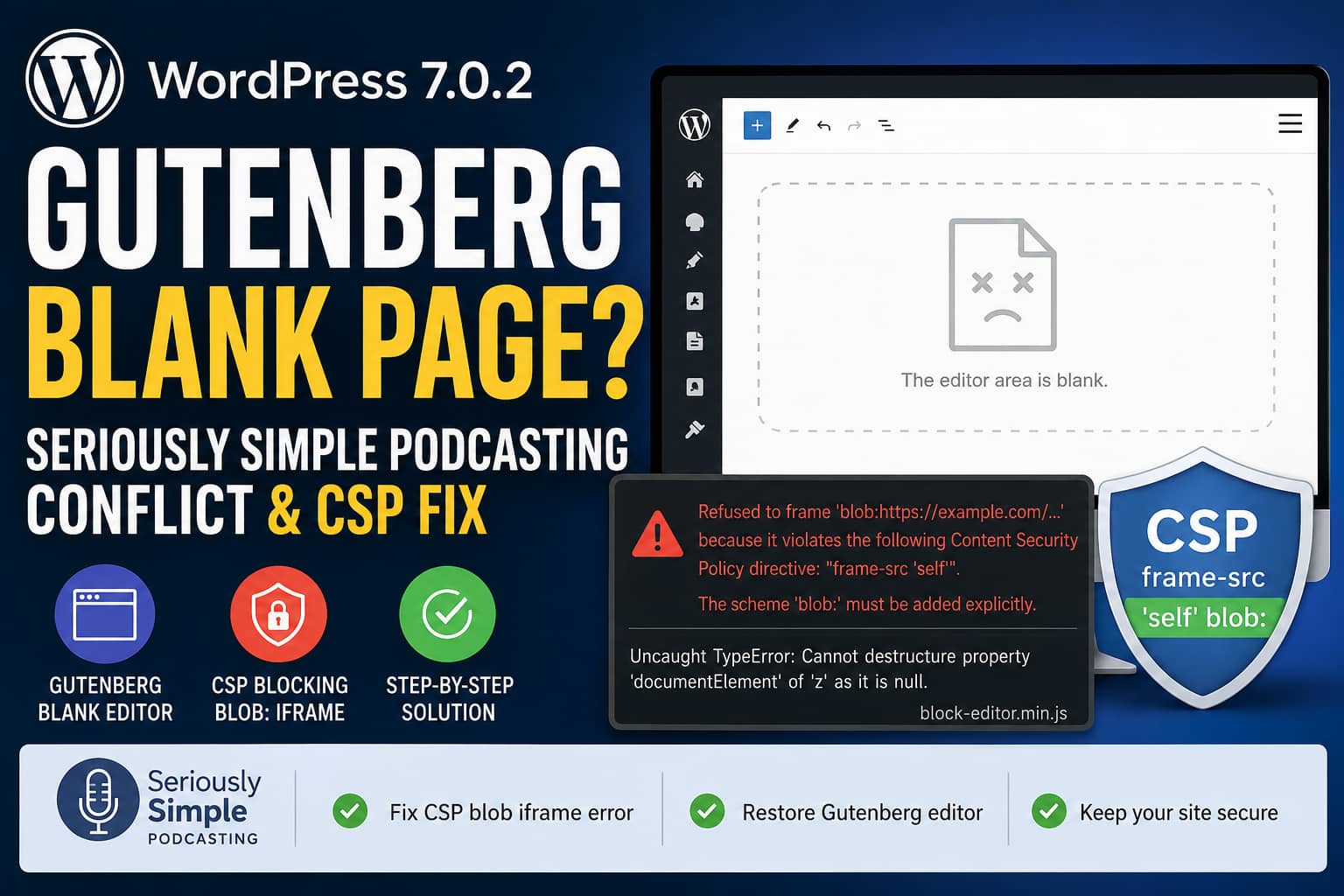
After updating to WordPress 7.0.2, the Gutenberg block editor may stop loading when the Seriously Simple Podcasting plugin is active.
Instead of displaying the editor, WordPress shows a completely blank editing screen. The rest of the WordPress dashboard may continue working normally, and deactivating Seriously Simple Podcasting may appear to restore the editor.
The browser console may show errors similar to:
Framing 'blob:https://example.com/...' violates the following
Content Security Policy directive: "frame-src 'self'".

The scheme 'blob:' must be added explicitly.
This may be followed by:
Uncaught TypeError: Cannot destructure property
'documentElement' of 'z' as it is null.

at HTMLIFrameElement.j
(block-editor.min.js)
These errors point to a Content Security Policy problem involving WordPress’s iframe-based block editor.
There is also a legitimate compatibility concern in the Seriously Simple Podcasting block code, but that concern is not enough by itself to prove that the plugin caused the blank editor.
This guide explains the actual problem, how to confirm it, how to repair the CSP safely, and what the Seriously Simple Podcasting developers may need to update for future WordPress releases.
Symptoms of the Problem
You may be experiencing this issue when:
- WordPress was recently updated to version 7.0, 7.0.1, or 7.0.2.
- The Gutenberg editor opens as a blank white page.
- Existing posts cannot be edited.
- New posts cannot be created.
- The browser console mentions
blob:,frame-src, or Content Security Policy. block-editor.min.jsreports thatdocumentElementis null.- Deactivating Seriously Simple Podcasting appears to restore the editor.
- The Classic Editor may continue working.
- The public website continues loading normally.
This is different from the traditional WordPress white screen of death caused by a PHP fatal error. In this case, the WordPress administrator page loads, but JavaScript cannot finish initializing the editor.
Important: WordPress 7.0.2 Did Not Introduce a New Block Editor Package
WordPress 7.0.2 was released on July 17, 2026 as a security release. Its official changelog lists changes to three PHP files related to queries and the REST API, and states that no WordPress JavaScript package was revised. The iframe editor behavior came from WordPress 7.0, not specifically from the 7.0.2 security patch.
The problem may still become visible immediately after the 7.0.2 update because:
- The update was automatically installed.
- Cached WordPress administrator files were refreshed.
- An editor session started using the WordPress 7.0 iframe architecture.
- A previously unnoticed CSP restriction began blocking the editor iframe.
Do not permanently downgrade WordPress 7.0.2 to solve this problem. It contains important security fixes, including fixes for critical and high-severity issues.
Is Seriously Simple Podcasting Really Causing the Conflict?
The answer is more complicated than a simple yes or no.
The current Seriously Simple Podcasting source registers its six blocks directly with registerBlockType(). Those registrations do not explicitly set an apiVersion.
WordPress documentation states that the default Block API version is version 1 when no version is specified. The current Block API version is version 3.
Therefore, it is reasonable to say that the SSP blocks need modernization.
However, that does not prove the legacy API version is the direct cause of the blank editor.
In WordPress 7.0, the editor uses an iframe when the blocks actually inserted into the current post use Block API version 3 or higher. If an inserted block uses version 2 or lower, WordPress should use the non-iframe editor as a backward-compatibility fallback.
This means the following claim is not fully accurate:
SSP uses API version 1, which makes WordPress load the iframe editor and crash.
A version 1 SSP block inserted into the content should normally have the opposite effect in WordPress 7.0. It should prevent the editor content from being rendered in an iframe.
There are still several ways SSP can appear connected to the problem:
- The plugin loads editor scripts and sidebar panels even when an SSP block is not inserted.
- A post may contain only version 3 blocks, allowing WordPress to use the iframe editor.
- The site’s CSP then blocks the
blob:iframe. - Disabling SSP may change which editor scripts, panels, post types, or blocks are loaded.
- Another plugin or theme may be adding the restrictive CSP only on certain editor screens.
The explicit blob: CSP error is therefore more useful than assuming that the SSP Block API version caused the crash.
What Is Actually Causing the Blank Editor?
WordPress 7.0 can render the post editor’s content inside an iframe.
For this process, the browser may create a temporary iframe using a URL beginning with:
blob:A restrictive Content Security Policy may allow only regular same-origin or HTTPS frames:
frame-src 'self';The 'self' source does not automatically include the blob: URL scheme.
The browser therefore refuses to load the editor iframe.
After the iframe is blocked, WordPress’s JavaScript expects to receive the iframe document. Instead, it receives a null value. The secondary error appears when block-editor.min.js attempts to access documentElement from the missing document.
The second JavaScript error is a consequence of the blocked iframe. It is not normally the original cause.
The CSP frame-src directive determines which sources may be loaded inside frames and iframes.
Evidence from a Similar WordPress 7.0 Case
A separate WordPress 7.0 support report showed the same two errors:
Framing 'blob:...' violates the following
Content Security Policy directive: "frame-src"
and:
Cannot destructure property 'documentElement'
of 'z' as it is null
The website owner later confirmed that a stray CSP directive in the site’s .htaccess file caused the problem. Removing or correcting that directive restored the editor.
This does not prove every affected website has the same .htaccess configuration, but it confirms that the CSP error itself can produce this exact Gutenberg failure.
Solution 1: Back Up the Website
Before editing server headers or plugin settings, create a complete backup containing:
- WordPress files
- WordPress database
.htaccess- Nginx configuration where available
- Cloudflare or CDN rules
- Security plugin settings
- Custom code snippets
- MU plugins
Perform the changes on staging first whenever possible.
A syntax error in .htaccess or an Nginx configuration file can make the entire website inaccessible.
Solution 2: Update Seriously Simple Podcasting
Go to:
WordPress Dashboard > Plugins > Installed PluginsUpdate Seriously Simple Podcasting to the newest available version.
At the time of writing, the WordPress plugin directory lists Seriously Simple Podcasting version 3.16.3 and marks it as tested with WordPress 7.0.2.
Being marked as tested with WordPress 7.0.2 does not guarantee that every CSP, hosting, theme, and security configuration will work. However, updating ensures that you are not troubleshooting an issue already corrected in a maintenance release.
After updating, clear:
- WordPress cache
- Hosting cache
- Object cache
- CDN cache
- Browser cache
Then open the editor in a private browser window.
Solution 3: Confirm the CSP Error
Open the affected post or create a new post.
Press:
F12Open the Console tab and reload the page.
Look for an error containing:
Content Security Policy
frame-src
blob:
documentElement
block-editor.min.js
The most important message is the one saying that a blob: frame was refused.
Next, open the Network tab:
- Reload the editor.
- Select the main document request, usually
post.phporpost-new.php. - Open the Headers section.
- Find the Response Headers.
- Look for one or more
content-security-policyheaders.
Copy the complete policy before making changes.
Do not copy only the frame-src section. You may need the complete original policy if the change causes another resource to be blocked.
Solution 4: Find Where the CSP Is Being Added
A CSP header can come from several locations.
Apache .htaccess
Open the .htaccess file in the WordPress root directory and search for:
Content-Security-Policy
Header set
Header always set
A relevant line may contain:
Header always set Content-Security-PolicyDo not remove the policy immediately. First save a copy of the complete line.
Nginx configuration
Search the site’s server or virtual-host configuration for:
add_header Content-Security-PolicyNginx configuration may be managed by your hosting provider, server panel, or DevOps administrator.
WordPress security plugins
Check plugins that manage:
- Security headers
- HTTP headers
- Content Security Policy
- Firewall rules
- Administrator hardening
- XSS protection
Cloudflare
Review Cloudflare response-header modification rules and any custom Workers that alter response headers.
Hosting control panel
Some hosting control panels allow security headers to be added without editing Apache or Nginx files directly.
Theme or custom PHP code
Search the active theme, child theme, Code Snippets plugin, and MU plugins for:
header( 'Content-Security-Policy:Also search for:
send_headers
wp_headers
Content-Security-Policy
Reverse proxy or web application firewall
The header may be added by:
- A reverse proxy
- Load balancer
- Managed firewall
- Hosting security layer
- CDN edge rule
If the policy is not present in WordPress files but appears in the browser response, ask the hosting provider where it is being added.
Solution 5: Allow blob: for the Editor Frame
Find the existing frame-src directive inside your CSP.
It may currently look like:
frame-src 'self';Change it to:
frame-src 'self' blob:;If it already allows HTTPS frames:
frame-src 'self' https:;Change it to:
frame-src 'self' https: blob:;Preserve any trusted services already listed in the directive.
For example, a site that allows YouTube and Vimeo should keep those sources while adding blob:.
You may also add or update the child-src directive:
child-src 'self' blob:;Or, when HTTPS child resources are already allowed:
child-src 'self' https: blob:;The most important directive for this error is frame-src.
Do not add blob: broadly to every CSP directive. It normally does not need to be added to:
default-src
script-src
style-src
connect-src
font-src
Allowing it specifically for frames is more limited than weakening the entire policy.
Apache Example
If the CSP is defined in .htaccess, edit the existing policy rather than adding an unrelated second policy.
Locate the frame-src section and add:
blob:For example, change only this part:
frame-src 'self' https:;to:
frame-src 'self' https: blob:;Do not replace a long existing CSP with a short example copied from another website. The existing policy may contain required sources for fonts, scripts, analytics, payment gateways, videos, forms, or external APIs.
Save .htaccess, purge all caches, and reload the editor.
If the site returns a 500 error after editing .htaccess, restore the backup immediately.
Nginx Example
If Nginx sets the CSP, find the existing:
add_header Content-Security-PolicyEdit the policy’s frame-src source list to include:
blob:Test the Nginx configuration before reloading it:
nginx -tIf the test succeeds, reload Nginx:
systemctl reload nginxThe exact command may differ on managed hosting.
Do not restart or reload Nginx when the configuration test reports an error.
Solution 6: Check for Duplicate CSP Headers
Adding a second, more permissive CSP header may not solve the problem.
When multiple CSP policies are sent, the browser enforces all of them. A frame must be permitted by every enforced policy. Therefore, one policy allowing blob: does not override another policy that blocks it.
In the browser Network panel, check whether the response contains:
content-security-policy
content-security-policy
Also check whether the page contains a CSP <meta> tag in addition to the HTTP header.
Possible duplicate sources include:
- Apache plus Cloudflare
- Nginx plus a WordPress plugin
- Hosting security headers plus
.htaccess - A response header plus a meta tag
- A reverse proxy plus the origin server
Update or remove the restrictive duplicate at its source.
Do not keep adding additional CSP headers in an attempt to override the first one.
Solution 7: Clear Every Cache Layer
Security headers can be cached by a reverse proxy, CDN, browser, or hosting cache.
After changing the CSP, clear:
- WordPress page cache
- Hosting cache
- Nginx or Varnish cache
- Cloudflare cache
- Object cache where relevant
- Browser cache
Then:
- Close all WordPress administrator tabs.
- Open a private browser window.
- Log in again.
- Create a new post.
- Edit an existing post.
- Edit a podcast episode.
- Check the browser console again.
The original blob: CSP error should disappear.
Solution 8: Test for a Plugin or Theme Conflict
If no CSP error appears, or the editor remains blank after correcting the policy, perform a controlled conflict test on staging.
Temporarily activate a default WordPress theme and leave only Seriously Simple Podcasting active.
Test the editor.
If it works, reactivate plugins one at a time, testing after each activation.
Pay particular attention to:
- Security plugins
- HTTP-header plugins
- Cache and optimization plugins
- Administrator customization plugins
- Block plugins
- Custom-field plugins
- Multilingual plugins
- Code Snippets
- MU plugins
- Theme security functions
If the problem returns after activating one plugin, inspect that plugin’s JavaScript and header configuration.
Solution 9: Check JavaScript Optimization
JavaScript minification, combination, delay, or defer settings can cause a separate Gutenberg failure.
Temporarily disable administrator-side optimization in tools such as:
- WP Rocket
- LiteSpeed Cache
- Autoptimize
- Perfmatters
- FlyingPress
- Cloudflare Rocket Loader
- Asset CleanUp
- SG Optimizer
- Breeze
The WordPress administrator area should generally be excluded from frontend JavaScript optimization.
After disabling optimization, clear caches and test again.
If the editor now works but there is no CSP error, the problem may be script loading order rather than the iframe policy.
Solution 10: Check WordPress Debug Logging
A JavaScript problem can exist alongside a PHP warning or REST API error.
Add the following to wp-config.php before:
/* That's all, stop editing! Happy publishing. */Use:
define( 'WP_DEBUG', true );
define( 'WP_DEBUG_LOG', true );
define( 'WP_DEBUG_DISPLAY', false );

@ini_set( 'display_errors', 0 );
Reload the blank editor and inspect:
/wp-content/debug.logLook for errors mentioning:
Seriously Simple Podcasting
REST API
block editor
permissions
enqueue
PHP Fatal error
Uncaught TypeError
A CSP violation is handled by the browser and may not appear in the PHP log. The browser console remains the main diagnostic source for the blocked blob: iframe.
Disable debugging after testing.
Temporary Workaround
If the website owner urgently needs to edit content before the CSP can be corrected, temporarily deactivate Seriously Simple Podcasting.
This should only be treated as a diagnostic or short-term workaround.
Do not delete the plugin, podcast posts, feeds, or settings.
Another possible temporary option is the Classic Editor, but this does not correct the underlying header configuration.
Do not permanently disable CSP. A correctly configured Content Security Policy provides useful protection against unauthorized resource loading and several browser-based attack techniques.
Do not permanently roll WordPress back from 7.0.2 because it is an important security release.
What the Seriously Simple Podcasting Developers Should Update
Although the CSP is the most likely cause of the reported blank editor, the SSP blocks still need to be prepared for WordPress’s iframe editor.
The current source registers blocks without an explicit apiVersion, which leaves them on the default Block API version 1.
A complete plugin-side modernization should include:
- Moving each block’s metadata into
block.json. - Setting:
{
  "apiVersion": 3
}- Registering block metadata on the server.
- Using
useBlockProps()where required. - Testing every block inside the iframe editor.
- Avoiding assumptions that the block shares the parent administrator document.
- Replacing global
documentandwindowaccess with element-relative references such asownerDocumentanddefaultView. - Testing editor CSS inside the isolated iframe document.
- Testing old podcast posts containing serialized legacy blocks.
- Adding block deprecations or migrations where markup changes.
WordPress’s official migration guide warns that the iframe has a different document and window from the parent administrator page. Code that queries the global administrator document may therefore stop finding elements inside the editor content.
Plugin users should not simply edit the installed plugin and add apiVersion: 3 to every block. Declaring version 3 before the blocks are actually iframe-compatible may create additional editor problems.
An official plugin update is the safer solution.
WordPress 7.1 Makes the Plugin Update More Important
WordPress’s block migration documentation states that WordPress 7.1 is expected to run the post editor inside an iframe regardless of whether inserted blocks use API version 1, 2, or 3. The old non-iframe fallback is being removed.
Therefore:
- The CSP must allow WordPress’s required editor frame.
- Legacy SSP blocks must be tested inside the iframe.
- Global DOM assumptions in plugin JavaScript must be corrected.
- Plugin-side API version migration should not be postponed indefinitely.
Correcting the CSP solves the browser-level blockage. Updating SSP’s blocks ensures long-term compatibility.
How to Confirm the Repair
After applying the changes, test all of the following:
Standard posts
- Create a new post.
- Edit an existing post.
- Add several core blocks.
- Save a draft.
- Publish or update the post.
Podcast episodes
- Create a new episode.
- Edit an existing episode.
- Add the Castos Player block.
- Add the Podcast List block.
- Save episode details.
- Preview the episode.
- Confirm the podcast feed still loads.
Browser console
Confirm that the console no longer shows:
Framing 'blob:...' violates Content Security Policyor:
Cannot destructure property 'documentElement'
of 'z' as it is null
Response headers
Confirm that the effective CSP contains:
frame-src ... blob:Check that only the intended CSP policies are present.
Frontend security
Test important frontend features after modifying the policy:
- Embedded videos
- Podcast players
- Payment forms
- Contact forms
- Analytics
- Fonts
- CDN assets
- Login
- WordPress REST API
Changing one CSP directive should not require disabling the complete policy.
Most Likely Resolution
For the specific error containing both:
Framing 'blob:...' violates Content Security Policyand:
documentElement of 'z' is nullthe most likely solution is:
- Find the existing CSP header.
- Add
blob:to itsframe-srcdirective. - Update
child-srcif it is also restricting frames. - Remove or correct any duplicate restrictive CSP.
- Clear all server, CDN, and browser caches.
- Retest Gutenberg with Seriously Simple Podcasting active.
The SSP API version is a valid future compatibility issue, but the browser’s blocked iframe should be corrected first.
Frequently Asked Questions
Is Seriously Simple Podcasting incompatible with WordPress 7.0.2?
The WordPress plugin directory currently marks SSP as tested with WordPress 7.0.2. However, its block registrations do not explicitly declare Block API version 3. This is a modernization concern, but it does not by itself prove that SSP caused the reported CSP failure.
Why does Gutenberg need a blob: iframe?
The editor can create a temporary browser-generated document for its isolated editing canvas. A blob: URL allows the browser to represent this temporary document without loading it from a normal public URL.
Is it safe to add blob: to frame-src?
Allowing blob: only in frame-src is much more limited than adding it to every CSP directive. Review the complete policy with a security professional when the website has strict compliance requirements.
Should I disable Content Security Policy?
No. Correct the specific directive that blocks the legitimate WordPress editor iframe. Disabling the complete CSP removes protections from the rest of the website.
Why did adding another CSP header not work?
Browsers enforce every active CSP policy. If one header allows blob: but another blocks it, the iframe remains blocked. Update the original restrictive policy instead of trying to override it with a second one.
Should I downgrade WordPress?
WordPress 7.0.2 is a security release. A downgrade is not recommended as a permanent solution. Correct the CSP or temporarily deactivate the conflicting plugin while testing.
Why does deactivating SSP make the editor work?
Deactivating SSP changes the blocks, editor panels, post types, and scripts loaded on the screen. This can change whether or how the iframe editor initializes, but it does not necessarily mean SSP generated the restrictive CSP header.
Final Recommendation
When Gutenberg displays a blank page after updating to WordPress 7.0.2, start with the browser console.
If it reports that a blob: iframe was blocked by frame-src, correct the site’s existing Content Security Policy before modifying WordPress core or patching the plugin.
Do not disable CSP completely, add multiple conflicting policies, or downgrade an important WordPress security release.
Seriously Simple Podcasting should also migrate its legacy block registrations to Block API version 3 and test all editor components within the iframe environment. That plugin update is important for WordPress 7.1 and later, but the immediate documentElement crash is most directly explained by the browser refusing to create the editor iframe.
A properly updated CSP should restore the Gutenberg editor while preserving the website’s security controls.
Suggested Featured Image Details
Filename:
wordpress-7-0-2-gutenberg-blank-page-ssp-csp.webpAlt text:
WordPress 7.0.2 Gutenberg blank editor caused by CSP blob iframe errorCaption:
The Gutenberg editor can appear blank when Content Security Policy blocks WordPress’s blob iframe.Suggested Tags
WordPress 7.0.2
Gutenberg
Block Editor
Seriously Simple Podcasting
Castos
Content Security Policy
CSP
JavaScript Error
WordPress Errors
Excerpt
After updating to WordPress 7.0.2, Gutenberg may show a blank page when Seriously Simple Podcasting is active. Learn how to diagnose the blocked blob: iframe, repair the Content Security Policy safely, and prepare SSP blocks for WordPress’s iframe editor.
