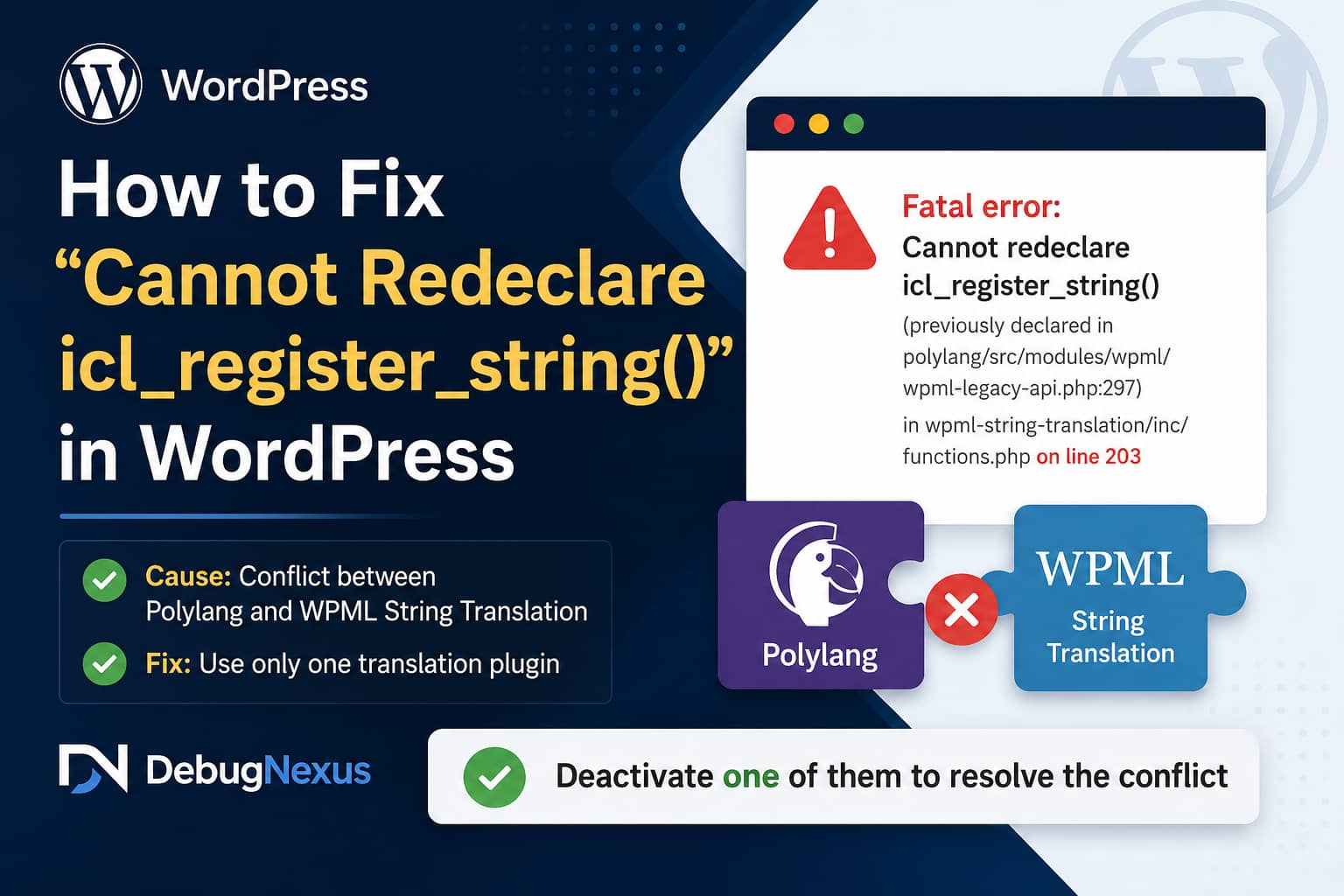
The Cannot redeclare icl_register_string error is a WordPress fatal error caused by Polylang and WPML loading two versions of the same PHP function.
A typical error message looks like this:
Fatal error: Cannot redeclare icl_register_string()
(previously declared in
/wp-content/plugins/polylang/src/modules/wpml/wpml-legacy-api.php:297)
in
/wp-content/plugins/wpml-string-translation/inc/functions.php
on line 203
The error can take down both the public website and the WordPress administration area. It commonly appears after activating WPML String Translation on a website that already uses Polylang, or after restoring a staging website where plugins from both translation systems are active.
The permanent solution is to choose either Polylang or WPML and deactivate the other multilingual plugin stack.
Quick Solution
Do not run Polylang and WPML String Translation together.
Choose which translation system the website should use:
- To keep Polylang, deactivate WPML String Translation and all other WPML components.
- To keep WPML, deactivate Polylang or Polylang Pro.
- If WordPress Admin is inaccessible, rename the conflicting plugin folder through SFTP or your hosting file manager.
- Do not delete either plugin until you have backed up and verified the website’s translation data.
WPML’s official migration documentation specifically warns that activating WPML while Polylang remains active can produce a WordPress fatal error.
Why the Error Occurs
PHP does not allow the same globally named function to be declared twice during one request.
In this case, the function is:
icl_register_string()Polylang includes a compatibility module that reproduces parts of WPML’s legacy API. This allows themes and plugins written for WPML to work with Polylang without requiring a separate integration.
As part of that compatibility layer, Polylang declares the icl_register_string() function inside:
polylang/src/modules/wpml/wpml-legacy-api.phpPolylang’s documentation confirms that it supports the legacy WPML API and provides its own implementation of icl_register_string().
WPML String Translation also declares a function with the same name inside:
wpml-string-translation/inc/functions.phpWhen WordPress loads both files, PHP reaches the second declaration and immediately stops execution.
The line numbers shown in the error may differ depending on the installed plugin versions. The important details are the two plugin paths:
/plugins/polylang/and:
/plugins/wpml-string-translation/These paths prove that both translation systems are being loaded.
This Is Not a Database Error
The message may appear after a migration, staging-site restoration, plugin update, or server change, but it is not normally caused by a damaged database table.
Reinstalling the plugins usually does not solve it either. If Polylang and WPML String Translation are activated again after reinstallation, both will declare the same function and the fatal error will return.
You do not need to modify WordPress database tables or manually remove translation records to resolve the immediate fatal error.
The first step is simply to stop both plugins from loading together.
Before Making Changes
Create a full backup containing:
- The WordPress database
- The
wp-contentdirectory - Uploaded media
- Theme files
- Plugin files
- The
wp-config.phpfile
A database backup is especially important on multilingual websites because language relationships, string translations, menu assignments, and translation metadata may be stored in different database locations.
Do not permanently delete either translation plugin until the website is accessible and its translated content has been checked.
Method 1: Fix the Error Through WordPress Admin
Use this method when you can still access:
https://example.com/wp-admin/Go to:
Plugins > Installed PluginsThen decide which multilingual system the website should continue using.
Option A: Keep Polylang
If the website was originally built with Polylang, deactivate:
- WPML Multilingual CMS
- WPML String Translation
- WPML Media Translation
- WooCommerce Multilingual
- WPML Translation Management, if present
- Any other WPML add-ons
Keep either Polylang or Polylang Pro active.
After deactivating the WPML plugins:
- Clear the WordPress cache.
- Clear the hosting cache.
- Clear any CDN cache.
- Open the website in a private browser window.
- Test each language.
- Test the language switcher.
- Check translated menus, posts, pages, and widgets.
Polylang supports WPML-style APIs for theme and plugin compatibility, so WPML String Translation is not required simply because another plugin calls icl_register_string().
Option B: Keep WPML
If the website was originally built with WPML, deactivate:
Polylangor:
Polylang ProKeep the appropriate WPML components active.
After Polylang is deactivated:
- Confirm that WPML Multilingual CMS is active.
- Confirm that WPML String Translation belongs to the same current WPML installation.
- Clear all caches.
- Test the language switcher.
- Check translated pages, products, menus, and strings.
- Resave the WordPress permalinks if translated URLs return 404 errors.
WPML provides its own String Translation interface for theme settings, plugin options, widgets, custom messages, and other non-post content.
Method 2: Disable the Plugin Through SFTP or File Manager
Use this method when the fatal error prevents access to WordPress Admin.
Connect to the website using:
- SFTP
- SSH
- cPanel File Manager
- Plesk File Manager
- Your hosting provider’s file manager
Navigate to:
/wp-content/plugins/You now need to rename the plugin directory that you do not intend to use.
To Keep Polylang
Rename:
wpml-string-translationto:
wpml-string-translation-disabledThis should stop the specific duplicate icl_register_string() declaration.
If the website still displays another WPML-related fatal error, temporarily rename the other WPML folders as well:
sitepress-multilingual-cms
wpml-media-translation
woocommerce-multilingual
wpml-translation-management
For example:
sitepress-multilingual-cms-disabled
wpml-media-translation-disabled
woocommerce-multilingual-disabled
Not every website will contain all these directories.
To Keep WPML
Rename the Polylang folder.
For Polylang Free:
polylangChange it to:
polylang-disabledFor Polylang Pro:
polylang-proChange it to:
polylang-pro-disabledReload the website after renaming the folder.
WordPress officially documents renaming plugin directories as a recovery method when the administration area cannot be accessed. The process preserves plugin settings while preventing the plugin code from loading.
Method 3: Fix It With WP-CLI
If SSH and WP-CLI are available, first list the active plugins:
wp plugin list --status=activeKeep Polylang
Deactivate the WPML components:
wp plugin deactivate wpml-string-translation
wp plugin deactivate sitepress-multilingual-cms
wp plugin deactivate wpml-media-translation
wp plugin deactivate woocommerce-multilingual
Omit any plugin that is not installed.
You can also deactivate several plugins in one command:
wp plugin deactivate \
sitepress-multilingual-cms \
wpml-string-translation \
wpml-media-translation \
woocommerce-multilingual
Keep WPML
Deactivate Polylang Free:
wp plugin deactivate polylangOr deactivate Polylang Pro:
wp plugin deactivate polylang-proFor a WordPress multisite where the plugin is network activated, add:
--networkExample:
wp plugin deactivate polylang --networkWhat to Do After the Website Is Accessible
Once the fatal error has disappeared, do not immediately reactivate every plugin.
Complete these checks first.
1. Confirm Only One Translation System Is Active
Look under:
Plugins > Installed PluginsYou should see either:
- Polylang and its compatible add-ons
or:
- WPML Multilingual CMS and its official add-ons
You should not see both Polylang and WPML active at the same time.
2. Update the Chosen Translation Plugins
Update the translation plugin you decided to keep, along with its related extensions.
For WPML, update its core and add-ons together rather than leaving an old String Translation version paired with a newer WPML core.
For Polylang, update Polylang or Polylang Pro and any WooCommerce or page-builder integration used by the website.
3. Clear Every Cache Layer
Clear:
- WordPress page cache
- Object cache
- Server cache
- Varnish
- Cloudflare or another CDN
- Browser cache
- PHP OPcache, when available
The fatal error is a PHP execution issue, but clearing caches prevents stale error pages or outdated translated content from being served after recovery.
4. Resave Permalinks
Go to:
Settings > PermalinksClick:
Save ChangesYou do not need to change the selected permalink structure.
This refreshes WordPress rewrite rules and may resolve translated URLs that return 404 errors after plugin changes.
5. Test the Multilingual Website
Check:
- Homepage in every language
- Language switcher
- Main navigation
- Footer navigation
- Posts and pages
- Custom post types
- WooCommerce products
- Product categories
- Cart and checkout
- Contact forms
- Widgets
- Theme options
- SEO titles and descriptions
- Canonical URLs
hreflangtags
Also check that switching languages sends visitors to the correct translated page rather than always returning to the homepage.
Do Not Edit the Plugin Files
A tempting workaround is to open one of the plugin files and wrap the function in a conditional:
if ( ! function_exists( 'icl_register_string' ) ) {
	// Existing plugin function.
}
Do not use this as the permanent solution.
Editing Polylang or WPML plugin files creates several problems:
- The change will be removed during the next plugin update.
- Both translation systems will remain active.
- Other duplicate functions or hooks may still conflict.
- Both plugins may attempt to control language URLs and translation relationships.
- Translation data could become inconsistent.
The correct fix is to use one multilingual system, not to patch one duplicate function while leaving the underlying conflict active.
Can Polylang’s WPML Compatibility Mode Be Disabled?
Polylang includes a constant named:
PLL_WPML_COMPATIts WPML API compatibility is enabled by default.
Disabling that compatibility layer may prevent this particular function from being declared, but it is not a recommended way to operate Polylang and WPML together.
Other conflicts may remain because both plugins manage:
- Content languages
- Translation relationships
- Language switchers
- URL structures
- Taxonomies
- Menus
- String translations
- SEO language output
Use the constant only for controlled developer testing, not as a substitute for selecting one multilingual plugin.
Migrating From Polylang to WPML
Do not simply activate WPML on top of a live Polylang website.
WPML provides an official migration process:
- Create a full database backup.
- Save and verify the existing Polylang languages.
- Deactivate Polylang.
- Install the official migration utility.
- Activate and configure WPML.
- Run the migration.
- Verify translated content and language relationships.
- Keep the old data until the migration has been thoroughly tested.
WPML explicitly states that Polylang must be disabled before activating WPML because activating both can cause a fatal error.
Migrating From WPML to Polylang
Polylang also provides a WPML-to-Polylang importer.
The documented process is:
- Back up the database.
- Deactivate WPML.
- Activate Polylang and the WPML-to-Polylang importer.
- Do not manually create languages in Polylang before importing.
- Run the importer under the Tools menu.
- Verify translated content, terms, menus, and strings.
- Deactivate the importer after migration.
- Keep the old WPML data until the new setup has been tested.
The importer can transfer languages, translated posts, terms, menus, options, and string translations without immediately deleting the original WPML data.
Always perform a migration on staging before changing the production website.
What If the Error Continues?
If the Cannot redeclare icl_register_string error remains after disabling one translation plugin, check the following.
Confirm the Correct Website Was Modified
On hosting accounts with staging and production environments, it is easy to rename a plugin folder in the wrong installation.
Confirm the complete server path shown in the fatal error matches the installation you are editing.
Check Must-Use Plugins
Inspect:
/wp-content/mu-plugins/A custom compatibility plugin or migration script may load translation functions independently of the normal Plugins screen.
Check Network-Activated Plugins
On WordPress multisite, Polylang or WPML may be network activated.
Open:
Network Admin > PluginsAlternatively, deactivate the plugin with WP-CLI using the --network option.
Search for Duplicate Plugin Folders
Look for duplicate directories such as:
polylang-old
polylang-backup
wpml-string-translation-old
wpml-string-translation-copy
Normally, inactive copied folders are not loaded by WordPress. However, custom loaders, symbolic links, or manually included files could load them.
Restart PHP
If a managed host continues showing the old fatal error after the conflicting plugin has been disabled:
- Clear the application cache.
- Purge PHP OPcache.
- Restart PHP-FPM when server access permits it.
- Ask the hosting provider to restart the PHP service.
Then inspect the newest error log entry to confirm whether the file path or error has changed.
Frequently Asked Questions
Can Polylang and WPML be active together?
They should not be active together as complete multilingual systems. They overlap in several core areas and may declare the same compatibility functions. WPML’s migration documentation warns that activating WPML while Polylang is active can cause a fatal error.
Will deactivating Polylang or WPML delete translations?
Deactivation alone normally stops the plugin code from running without deleting its database records. However, do not use a plugin’s delete or uninstall option until you have created a backup and confirmed how that plugin handles data removal.
Why does Polylang contain WPML functions?
Polylang implements parts of WPML’s documented API so themes and plugins built with WPML compatibility can also work with Polylang. Its legacy API includes icl_register_string() as a compatibility function.
Why did reinstalling the plugins not fix the error?
Reinstallation replaces the plugin files, but it does not remove the conflict. When both plugins are activated again, both attempt to declare icl_register_string() and PHP stops execution.
Should I remove the function directly from the plugin file?
No. Plugin updates will overwrite the modification, and running both multilingual systems may cause additional conflicts. Deactivate the translation system that the website does not use.
Final Solution
The Cannot redeclare icl_register_string error is caused by Polylang’s WPML compatibility layer and WPML String Translation defining the same PHP function during the same request.
To fix it permanently:
- Back up the website.
- Decide whether the website will use Polylang or WPML.
- Deactivate the other multilingual plugin system.
- Use SFTP, File Manager, or WP-CLI when WordPress Admin is inaccessible.
- Update the translation plugin you keep.
- Clear all caches.
- Test every language and translated URL.
- Use a proper migration process when changing from one translation plugin to another.
Do not edit plugin source files or keep both plugins active with a temporary function patch. Removing the duplicate translation system is the safest and most reliable solution.
