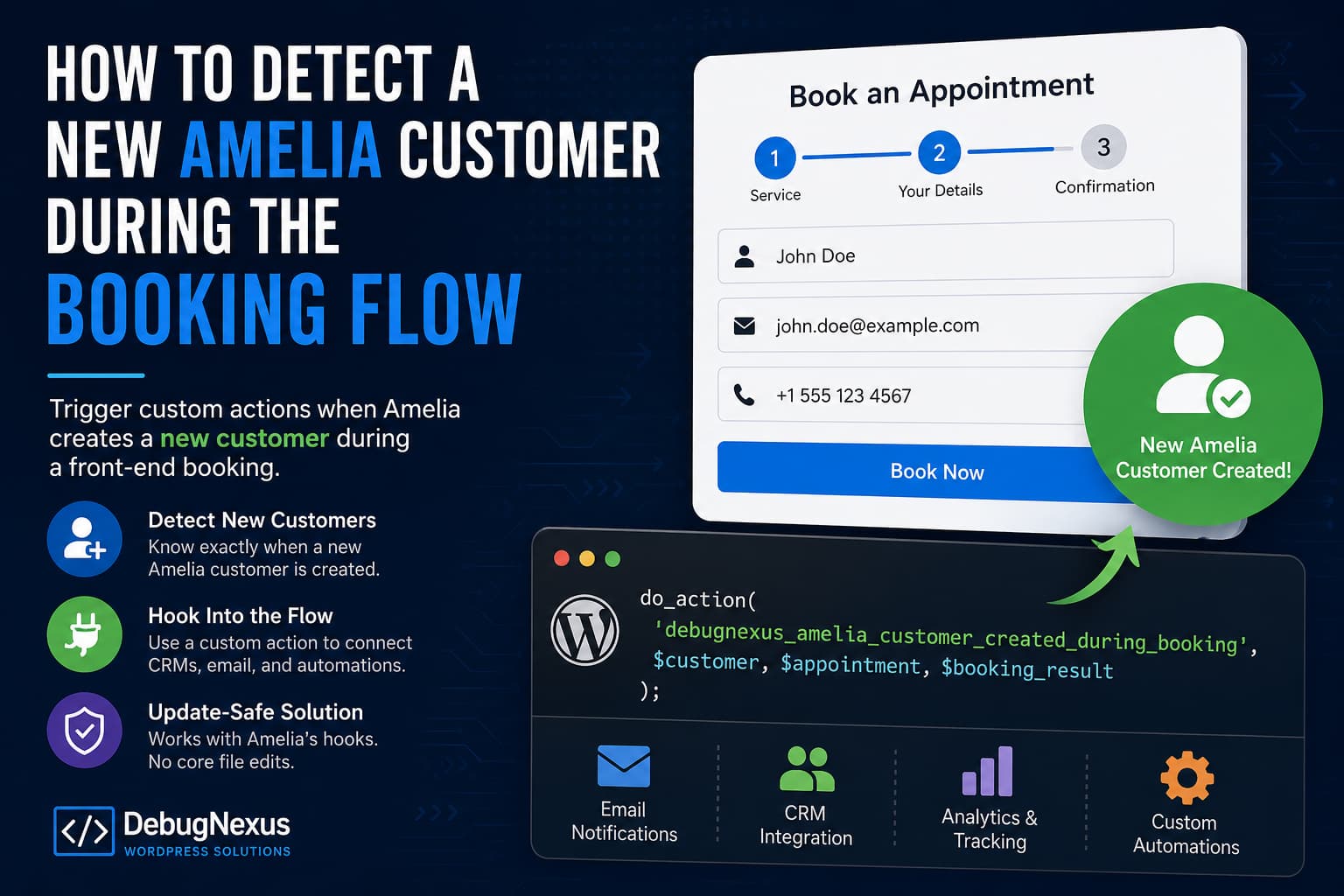
Amelia provides the following action after a booking is created:
do_action(
    'amelia_after_booking_added',
    $result ? $result->getData() : null
);
Developers can use this hook to run additional code after a front-end booking is added. However, the returned booking data does not provide a clear property indicating whether Amelia created a completely new customer or matched the booking to an existing customer.
For example, there is no dependable property such as:
$resultData['customerCreated']This becomes a problem when you need to:
- Add only new Amelia customers to a CRM.
- Send a new-customer welcome email.
- Create a record in another application.
- Apply onboarding tags.
- Track first-time customers separately.
- Trigger an automation only once per customer.
Amelia officially documents both amelia_before_booking_added and amelia_after_booking_added for the front-end booking flow. However, its documented amelia_after_customer_added action applies to customers added through the back end or employee panel, so it should not automatically be treated as a reliable front-end booking hook.
This tutorial provides an update-safe workaround without editing Amelia’s plugin files.
Understanding Amelia Customers and WordPress Users
Before implementing the solution, it is important to distinguish between two different records.
Amelia customer
An Amelia customer is stored in Amelia’s own database table:
{wordpress_prefix}_amelia_usersThe default table name is usually:
wp_amelia_usersHowever, the wp_ prefix can be different on your website.
WordPress user
Depending on Amelia’s settings, the plugin may also create a regular WordPress user and assign the Amelia Customer role.
These are related but separate events.
If you specifically need to detect the creation of a WordPress user account, Amelia already documents this action:
amelia_customer_wp_createdThe solution in this article focuses on detecting a new Amelia customer record created during a front-end booking.
How the Solution Works
Because the final booking result does not contain a dependable new-customer flag, we can determine the result ourselves:
- Extract the submitted customer email before the booking is added.
- Check whether the email already exists in Amelia’s customer table.
- Temporarily save that result.
- Check the customer again after the booking is created.
- Fire our own custom action when the customer did not exist before but exists afterward.
Our custom action will be:
debugnexus_amelia_customer_created_during_bookingYou can connect this action to a CRM, email platform, analytics service, API, or any other WordPress process.
Complete Update-Safe Solution
Instead of placing the code directly in Amelia’s files, create a small custom plugin.
Editing Amelia’s core files is not recommended because your changes will be removed during the next plugin update.
Step 1: Create the Plugin Folder
Using FTP, your hosting file manager, or SSH, open:
/wp-content/plugins/Create a new folder:
debugnexus-amelia-customer-detectorInside that folder, create this file:
debugnexus-amelia-customer-detector.phpStep 2: Add the Complete Plugin Code
Paste the following code into the PHP file:
<?php
/**
 * Plugin Name: DebugNexus – Amelia New Customer Detector
 * Description: Detects when Amelia creates a new customer during a front-end booking and fires a custom WordPress action.
 * Version: 1.0.0
 * Author: DebugNexus
 */

defined('ABSPATH') || exit;

/**
 * Convert Amelia objects or arrays into a standard array.
 *
 * Amelia's hook data can vary slightly depending on the booking
 * form, payment method, and plugin version.
 *
 * @param mixed $value
 * @return array
 */
function debugnexus_amelia_to_array($value) {
    if (is_array($value)) {
        return $value;
    }

    if (is_object($value) && method_exists($value, 'toArray')) {
        $value = $value->toArray();

        return is_array($value) ? $value : array();
    }

    if (is_object($value)) {
        $encoded = wp_json_encode($value);
        $decoded = json_decode($encoded, true);

        return is_array($decoded) ? $decoded : array();
    }

    return array();
}

/**
 * Normalize the booking payload and return the appointment data.
 *
 * The amelia_after_booking_added payload may contain the appointment
 * inside an "appointment" property.
 *
 * @param mixed $payload
 * @return array
 */
function debugnexus_amelia_get_appointment($payload) {
    $data = debugnexus_amelia_to_array($payload);

    if (
        isset($data['appointment']) &&
        (is_array($data['appointment']) || is_object($data['appointment']))
    ) {
        return debugnexus_amelia_to_array($data['appointment']);
    }

    return $data;
}

/**
 * Extract the customer information from an Amelia booking payload.
 *
 * @param mixed $payload
 * @return array
 */
function debugnexus_amelia_get_customer($payload) {
    $raw_data    = debugnexus_amelia_to_array($payload);
    $appointment = debugnexus_amelia_get_appointment($payload);
    $candidates  = array();

    if (!empty($appointment['bookings']) && is_array($appointment['bookings'])) {
        foreach ($appointment['bookings'] as $booking) {
            $booking = debugnexus_amelia_to_array($booking);

            if (!empty($booking['customer'])) {
                $candidates[] = $booking['customer'];
            }

            /*
             * Some payloads may place customer-related properties
             * directly in the booking array.
             */
            if (
                !empty($booking['email']) ||
                !empty($booking['customerId'])
            ) {
                $candidates[] = $booking;
            }
        }
    }

    if (!empty($appointment['customer'])) {
        $candidates[] = $appointment['customer'];
    }

    if (!empty($raw_data['customer'])) {
        $candidates[] = $raw_data['customer'];
    }

    if (!empty($raw_data['booking']['customer'])) {
        $candidates[] = $raw_data['booking']['customer'];
    }

    foreach ($candidates as $candidate) {
        $candidate = debugnexus_amelia_to_array($candidate);

        if (
            !empty($candidate['email']) ||
            !empty($candidate['id']) ||
            !empty($candidate['customerId'])
        ) {
            return $candidate;
        }
    }

    return array();
}

/**
 * Find an Amelia customer ID using an email address.
 *
 * This uses the active WordPress database prefix automatically.
 *
 * @param string $email
 * @return int
 */
function debugnexus_amelia_find_customer_id($email) {
    global $wpdb;

    $email = sanitize_email($email);

    if (!$email) {
        return 0;
    }

    $table_name = $wpdb->prefix . 'amelia_users';

    $customer_id = $wpdb->get_var(
        $wpdb->prepare(
            "SELECT id
             FROM `{$table_name}`
             WHERE type = %s
             AND email = %s
             LIMIT 1",
            'customer',
            $email
        )
    );

    return absint($customer_id);
}

/**
 * Create a temporary state key for the submitted email.
 *
 * @param string $email
 * @return string
 */
function debugnexus_amelia_customer_state_key($email) {
    return 'dn_am_pre_' . md5(strtolower(trim($email)));
}

/**
 * Check whether the customer exists before Amelia adds the booking.
 *
 * The global variable handles hooks executed in the same request.
 * The transient also supports booking flows that cross requests.
 *
 * @param mixed $booking_data
 * @return void
 */
function debugnexus_amelia_capture_customer_state($booking_data) {
    $customer = debugnexus_amelia_get_customer($booking_data);
    $email    = isset($customer['email'])
        ? sanitize_email($customer['email'])
        : '';

    if (!$email) {
        return;
    }

    $customer_id = debugnexus_amelia_find_customer_id($email);
    $state_key   = debugnexus_amelia_customer_state_key($email);

    $state = array(
        'email'              => $email,
        'existed_before'     => $customer_id > 0,
        'customer_id_before' => $customer_id,
        'captured_at'        => time(),
    );

    if (!isset($GLOBALS['debugnexus_amelia_customer_states'])) {
        $GLOBALS['debugnexus_amelia_customer_states'] = array();
    }

    $GLOBALS['debugnexus_amelia_customer_states'][$state_key] = $state;

    set_transient(
        $state_key,
        $state,
        15 * MINUTE_IN_SECONDS
    );
}

add_action(
    'amelia_before_booking_added',
    'debugnexus_amelia_capture_customer_state',
    10,
    1
);

/**
 * Compare the customer state after the booking has been created.
 *
 * Fires:
 *
 * debugnexus_amelia_customer_created_during_booking
 *
 * Arguments:
 * 1. Customer data
 * 2. Normalized appointment data
 * 3. Original Amelia hook payload
 *
 * @param mixed $booking_result
 * @return void
 */
function debugnexus_amelia_detect_created_customer($booking_result) {
    $customer    = debugnexus_amelia_get_customer($booking_result);
    $appointment = debugnexus_amelia_get_appointment($booking_result);

    $email = isset($customer['email'])
        ? sanitize_email($customer['email'])
        : '';

    if (!$email) {
        return;
    }

    $state_key = debugnexus_amelia_customer_state_key($email);
    $state     = null;

    if (
        !empty($GLOBALS['debugnexus_amelia_customer_states'][$state_key])
    ) {
        $state = $GLOBALS['debugnexus_amelia_customer_states'][$state_key];
    }

    if (!is_array($state)) {
        $state = get_transient($state_key);
    }

    /*
     * Do not guess when the pre-booking state is unavailable.
     * Guessing could incorrectly classify an existing customer as new.
     */
    if (!is_array($state)) {
        return;
    }

    delete_transient($state_key);

    if (!empty($GLOBALS['debugnexus_amelia_customer_states'][$state_key])) {
        unset($GLOBALS['debugnexus_amelia_customer_states'][$state_key]);
    }

    $customer_id_after = debugnexus_amelia_find_customer_id($email);

    if (
        !empty($state['existed_before']) ||
        !$customer_id_after
    ) {
        return;
    }

    /*
     * Prevent cart, recurring, or repeated callbacks from firing
     * the integration more than once for the same new customer.
     */
    $deduplication_key = 'dn_am_fired_' . $customer_id_after;

    if (get_transient($deduplication_key)) {
        return;
    }

    set_transient(
        $deduplication_key,
        1,
        DAY_IN_SECONDS
    );

    if (empty($customer['id'])) {
        $customer['id'] = $customer_id_after;
    }

    /**
     * Runs when an Amelia customer is created during a front-end booking.
     *
     * @param array $customer
     * @param array $appointment
     * @param mixed $booking_result
     */
    do_action(
        'debugnexus_amelia_customer_created_during_booking',
        $customer,
        $appointment,
        $booking_result
    );
}

add_action(
    'amelia_after_booking_added',
    'debugnexus_amelia_detect_created_customer',
    10,
    1
);
Save the file and activate DebugNexus – Amelia New Customer Detector from:
WordPress Dashboard → PluginsUsing the New Custom Action
The mini-plugin does not perform an integration by itself. It creates a dependable custom action that other code can use.
The new action is:
debugnexus_amelia_customer_created_during_bookingExample 1: Write New Customers to the Debug Log
Add this code to the same custom plugin or a second site-specific plugin:
add_action(
    'debugnexus_amelia_customer_created_during_booking',
    function ($customer, $appointment, $raw_result) {
        $customer_id = isset($customer['id'])
            ? absint($customer['id'])
            : 0;

        $email = isset($customer['email'])
            ? sanitize_email($customer['email'])
            : '';

        error_log(
            sprintf(
                'New Amelia customer created. ID: %d | Email: %s',
                $customer_id,
                $email
            )
        );
    },
    10,
    3
);
Do not log the complete booking payload on a production website because it may contain names, email addresses, phone numbers, custom fields, or other private information.
Example 2: Send an Administrator Notification
add_action(
    'debugnexus_amelia_customer_created_during_booking',
    function ($customer, $appointment, $raw_result) {
        $first_name = isset($customer['firstName'])
            ? sanitize_text_field($customer['firstName'])
            : '';

        $last_name = isset($customer['lastName'])
            ? sanitize_text_field($customer['lastName'])
            : '';

        $email = isset($customer['email'])
            ? sanitize_email($customer['email'])
            : '';

        $customer_name = trim($first_name . ' ' . $last_name);

        $subject = 'New Amelia customer created';

        $message = sprintf(
            "A new Amelia customer was created.\n\nName: %s\nEmail: %s",
            $customer_name ?: 'Not available',
            $email ?: 'Not available'
        );

        wp_mail(
            get_option('admin_email'),
            $subject,
            $message
        );
    },
    10,
    3
);
Example 3: Send the Customer to an External CRM
Replace the example URL with your CRM or automation endpoint:
add_action(
    'debugnexus_amelia_customer_created_during_booking',
    function ($customer, $appointment, $raw_result) {
        $response = wp_remote_post(
            'https://example.com/api/customers',
            array(
                'timeout' => 15,
                'headers' => array(
                    'Content-Type' => 'application/json',
                ),
                'body' => wp_json_encode(
                    array(
                        'amelia_customer_id' => isset($customer['id'])
                            ? absint($customer['id'])
                            : 0,
                        'first_name' => isset($customer['firstName'])
                            ? sanitize_text_field($customer['firstName'])
                            : '',
                        'last_name' => isset($customer['lastName'])
                            ? sanitize_text_field($customer['lastName'])
                            : '',
                        'email' => isset($customer['email'])
                            ? sanitize_email($customer['email'])
                            : '',
                        'source' => 'Amelia booking',
                    )
                ),
            )
        );

        if (is_wp_error($response)) {
            error_log(
                'Amelia CRM request failed: ' .
                $response->get_error_message()
            );
        }
    },
    10,
    3
);
For a production integration, authentication credentials should be stored securely rather than written directly into a publicly accessible theme file.
Detecting WordPress Account Creation Instead
The previous solution detects a new Amelia customer.
If the requirement is specifically to detect when Amelia creates a corresponding WordPress user, use Amelia’s dedicated action:
add_action(
    'amelia_customer_wp_created',
    function ($customer, $container) {
        $customer = debugnexus_amelia_to_array($customer);

        $email = isset($customer['email'])
            ? sanitize_email($customer['email'])
            : '';

        error_log(
            'Amelia created a WordPress account for: ' . $email
        );
    },
    10,
    2
);
Use this action only when your workflow depends on the creation of a real WordPress account. It is not a replacement for detecting every new Amelia customer. Amelia documents amelia_customer_wp_created as running after a WordPress user is created for a customer.
Understanding the Amelia Booking Data Structure
The amelia_after_booking_added hook may provide a wrapper containing the appointment:
$booking_result['appointment']Customer information is commonly found within the first booking:
$appointment['bookings'][0]['customer']For example:
$appointment = !empty($booking_result['appointment'])
    ? $booking_result['appointment']
    : $booking_result;

$customer = $appointment['bookings'][0]['customer'];
The complete solution normalizes these variations automatically instead of assuming that every booking form and payment method returns an identical structure. Amelia support has previously documented the nested appointment wrapper and the bookings[0]['customer'] structure for front-end booking results.
Troubleshooting
The Custom Action Does Not Fire
First, verify that both standard Amelia hooks fire:
add_action(
    'amelia_before_booking_added',
    function ($data) {
        error_log('Amelia before-booking hook fired.');
    }
);

add_action(
    'amelia_after_booking_added',
    function ($data) {
        error_log('Amelia after-booking hook fired.');
    }
);
Enable WordPress debugging in wp-config.php:
define('WP_DEBUG', true);
define('WP_DEBUG_LOG', true);
define('WP_DEBUG_DISPLAY', false);
Then review:
/wp-content/debug.logDo not use die(), exit(), var_dump(), or visible output inside the hook. Interrupting the request can prevent Amelia from completing and saving the booking. Amelia support has similarly warned that terminating a before-booking hook stops the booking process.
It Works With On-Site Payments but Not WooCommerce
Test every enabled payment method separately.
Older Amelia versions had a WooCommerce booking path in which amelia_after_booking_added did not fire correctly. Amelia support previously suggested modifying WooCommerceService.php, but editing plugin core files is not an update-safe solution.
The safer approach is:
- Update Amelia after testing the update on staging.
- Clear all site, object, and CDN caches.
- Test the hook using on-site payment.
- Test Stripe, PayPal, or other direct Amelia gateways.
- Test the WooCommerce gateway separately.
- Contact Amelia support if the current version still skips the documented hook.
Do not permanently patch Amelia’s plugin files unless the developer provides an official patch and you have a process for reapplying and testing it after every update.
The Integration Runs Before Payment Is Successful
amelia_after_booking_added means the booking was added. It does not necessarily mean that an online payment was captured successfully.
If your automation should run only after payment, connect it to the appropriate successful payment or order-status event.
For a WooCommerce payment flow, this may include:
woocommerce_payment_completeor a carefully selected order-status action such as:
woocommerce_order_status_processingThe correct hook depends on whether the products are virtual, whether the payment gateway changes orders to Processing or Completed, and when Amelia confirms the associated booking.
Use the customer-creation action for customer onboarding. Use a separate payment-success action for payment-dependent fulfillment.
Customers Can Book Without an Email Address
The provided solution uses email because it is normally the most dependable identifier for matching Amelia customers.
If your Amelia configuration permits email-less bookings, you will need to adapt the lookup to use another unique identifier, such as a normalized telephone number.
Do not rely only on a first and last name. Different people can have identical names.
The Hook Fires More Than Once
Cart bookings, recurring appointments, retries, or payment callbacks can execute related booking logic more than once.
The solution creates a one-day deduplication transient using the new Amelia customer ID:
dn_am_fired_{customer_id}This prevents the custom integration from processing the same newly created customer repeatedly.
For critical external integrations, also implement idempotency on the receiving API or CRM.
What Amelia Could Add Natively
The cleanest long-term solution would be for Amelia to add a boolean property to its booking result:
$result_data['customerCreated'] = true;It could also expose a dedicated action:
do_action(
    'amelia_customer_created_during_booking',
    $customer,
    $result_data
);
Developers could then check:
add_action(
    'amelia_after_booking_added',
    function ($result_data) {
        if (empty($result_data['customerCreated'])) {
            return;
        }

        // Process the new customer.
    }
);
This would eliminate the need for database comparisons and make integrations more consistent across appointment forms, events, packages, carts, and payment gateways.
Until such a property or dedicated booking-flow action is available, comparing the customer state before and after the booking is a practical update-safe workaround.
Frequently Asked Questions
Does amelia_after_booking_added mean a new customer was created?
No. It means a booking was added. Amelia may have created a new customer or connected the booking to an existing customer.
Can I use amelia_after_customer_added?
You can use it for the contexts Amelia officially supports, but its customer-hook documentation describes the add-customer actions as applying to the back end or employee panel. It should not be assumed to cover every front-end booking route.
Does this code modify Amelia?
No. It uses Amelia’s public WordPress hooks and WordPress’s database API. Amelia’s plugin files remain unchanged.
Will the customization survive Amelia updates?
Yes, provided the code is stored in a separate custom plugin and Amelia continues supporting the documented before- and after-booking hooks.
Can I add new customers to Mailchimp or another CRM?
Yes. Add the required API request inside:
debugnexus_amelia_customer_created_during_bookingMake sure you also comply with the customer’s marketing consent and applicable privacy requirements.
Does this confirm that payment succeeded?
No. Customer creation and payment confirmation are separate events. Use the appropriate payment or order-status hook when payment completion is required.
Conclusion
Amelia’s amelia_after_booking_added action provides useful appointment and customer information, but it does not clearly indicate whether the booking created a new customer.
The safest workaround is to:
- Check for the customer before the booking.
- Check again after the booking.
- Fire a custom action only when the record is newly created.
- Keep the code in a separate plugin.
- Test all enabled booking forms and payment gateways.
- Use a separate hook when successful payment is required.
This approach gives WordPress developers a reusable Amelia new-customer hook without editing plugin core files or incorrectly processing returning customers.
