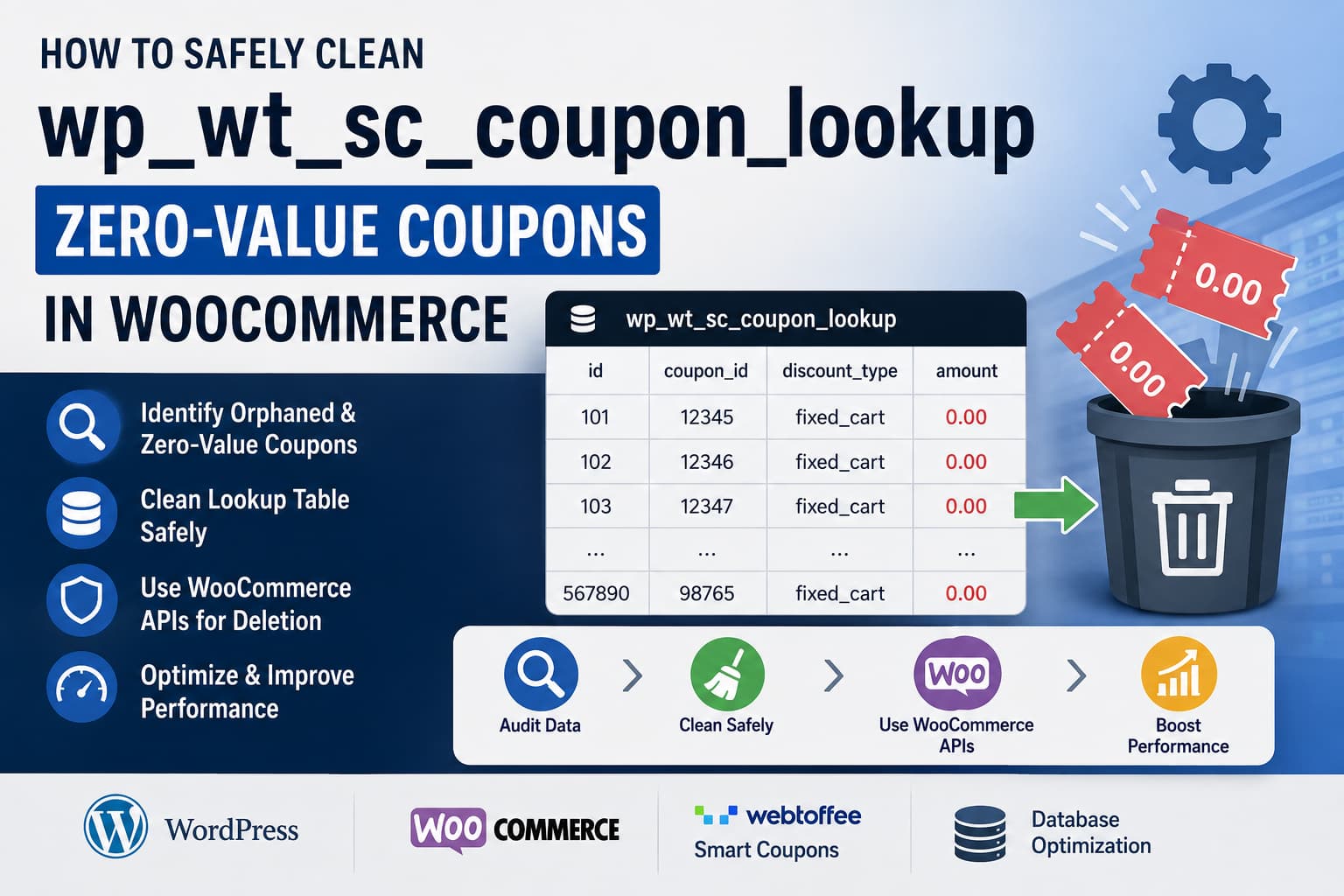
A WooCommerce website may unexpectedly accumulate hundreds of thousands of records in the following database table:
wp_wt_sc_coupon_lookupMany of these records may contain values similar to:
discount_type: fixed_cart
amount: 0.00
Once the table becomes large, queries involving it may take several seconds to complete. This can slow down the WordPress dashboard, coupon validation, cart requests, checkout processing, scheduled jobs, or other WooCommerce operations.
The obvious solution may seem to be deleting every zero-value row and removing the matching coupon records from wp_posts.
However, deleting all coupons with an amount of zero is not safe.
Some zero-value coupons can still provide free shipping, BOGO offers, giveaway products, automatic discounts, store credit behavior, or other advanced coupon functionality controlled by plugin-specific metadata.
This guide explains how to identify the records, determine which ones are safe to remove, clean the database correctly, optimize the table, and stop the records from returning.
The Quick Answer
Do not delete coupons simply because the following conditions are true:
discount_type = fixed_cart
amount = 0.00
A zero monetary amount does not necessarily mean that the coupon is unused or invalid.
Before deleting anything, determine whether the coupon:
- Provides free shipping
- Controls a BOGO or giveaway offer
- Is connected to a gift card or store credit
- Is generated by an abandoned-cart campaign
- Is automatically applied
- Has plugin-specific coupon conditions
- Is still published
- Has been used in previous orders
- Has an associated WooCommerce coupon post
Only confirmed orphaned or unnecessary records should be deleted.
Coupons should also not be removed directly from wp_posts with a raw SQL query. WordPress coupon data may also exist in wp_postmeta, taxonomy relationships, caches, plugin lookup tables, and other related records.
What Is wp_wt_sc_coupon_lookup?
The wp_wt_sc_coupon_lookup table is not one of WooCommerce’s standard core database tables.
WooCommerce registers coupons as the following custom post type:
shop_couponThe primary coupon record is normally stored in wp_posts, while coupon settings are stored in wp_postmeta. WooCommerce’s official documentation confirms that coupons use the shop_coupon post type and that WordPress core tables contain coupon information.
The wt_sc portion of the table name strongly indicates that it is associated with WebToffee’s Smart Coupons for WooCommerce plugin. This is an inference based on the plugin slug and its coupon functionality, rather than a WooCommerce core table definition. WebToffee’s plugin supports auto-applied coupons, BOGO offers, bulk coupon generation, giveaway products, signup coupons, abandoned-cart coupons, store credits, and other advanced rules.
Your WordPress database prefix may not be wp_. For example, the table could be named:
abc_wt_sc_coupon_lookupAlways use the actual prefix configured for the website.
Why Can a Zero-Value Coupon Still Be Valid?
A fixed-cart coupon with an amount of zero may appear useless, but its actual benefit may be defined elsewhere.
1. Free-shipping coupons
WooCommerce can use a coupon to enable free shipping without applying a monetary discount.
A coupon configured like this may legitimately have:
discount_type = fixed_cart
coupon_amount = 0
free_shipping = yes
Deleting it would break the free-shipping promotion.
2. BOGO and giveaway coupons
Advanced coupon plugins may create a standard WooCommerce coupon post as a container for a BOGO or giveaway rule.
The coupon’s core amount can remain zero while plugin-specific metadata determines:
- Which products must be purchased
- Which product is given away
- The quantity required
- The number of times the offer applies
- Whether a product is free or discounted
3. Automatically generated coupons
Features such as signup discounts, abandoned-cart recovery, bulk generation, and customer-specific promotions may automatically create large numbers of coupons.
A failed campaign, incorrect automation, repeated cron task, or plugin bug may leave these coupons with incomplete settings.
4. Gift cards and store credits
Some gift-card and store-credit systems use coupon records while keeping the current balance or redemption rules in separate metadata or custom tables.
The amount displayed in one lookup table may not represent the customer’s actual available credit.
Back Up the Website Before Continuing
Database cleanup should first be tested on staging.
Create:
- A complete database backup
- A full website backup
- A staging copy of the website
- A record of the installed WooCommerce and coupon-plugin versions
Also confirm that enough free disk space is available before creating temporary backup tables.
Do not begin with a production database during normal checkout traffic.
Step 1: Inspect the Table Structure
The exact structure of wp_wt_sc_coupon_lookup may differ between plugin versions.
Run:
DESCRIBE wp_wt_sc_coupon_lookup;Then inspect the complete table definition:
SHOW CREATE TABLE wp_wt_sc_coupon_lookup;Check the existing indexes:
SHOW INDEX FROM wp_wt_sc_coupon_lookup;Look for columns such as:
coupon_id
discount_type
amount
The SQL examples below assume that the related post ID is stored in a column named coupon_id. Confirm this before running any deletion query.
Step 2: Check the Table Size
Run the following query to see the approximate row count and total size:
SELECT
    TABLE_NAME,
    TABLE_ROWS,
    ROUND(DATA_LENGTH / 1024 / 1024, 2) AS data_size_mb,
    ROUND(INDEX_LENGTH / 1024 / 1024, 2) AS index_size_mb,
    ROUND((DATA_LENGTH + INDEX_LENGTH) / 1024 / 1024, 2) AS total_size_mb
FROM information_schema.TABLES
WHERE TABLE_SCHEMA = DATABASE()
  AND TABLE_NAME = 'wp_wt_sc_coupon_lookup';
Count the total number of records:
SELECT COUNT(*) AS total_rows
FROM wp_wt_sc_coupon_lookup;
Count the affected zero-value rows:
SELECT COUNT(*) AS zero_value_fixed_cart_rows
FROM wp_wt_sc_coupon_lookup
WHERE discount_type = 'fixed_cart'
  AND amount = 0;
This establishes the size of the problem without changing anything.
Step 3: Check Whether Lookup Records Have Matching Coupons
The safest records to remove are generally lookup rows whose related coupon post no longer exists.
Count orphaned lookup records:
SELECT COUNT(*) AS orphaned_lookup_rows
FROM wp_wt_sc_coupon_lookup AS lookup_table
LEFT JOIN wp_posts AS posts
    ON posts.ID = lookup_table.coupon_id
WHERE posts.ID IS NULL;
Check whether any lookup rows point to something other than a coupon:
SELECT COUNT(*) AS invalid_post_type_rows
FROM wp_wt_sc_coupon_lookup AS lookup_table
INNER JOIN wp_posts AS posts
    ON posts.ID = lookup_table.coupon_id
WHERE posts.post_type <> 'shop_coupon';
Group zero-value coupons by WordPress status:
SELECT
    COALESCE(posts.post_status, 'missing') AS coupon_status,
    COUNT(*) AS row_count
FROM wp_wt_sc_coupon_lookup AS lookup_table
LEFT JOIN wp_posts AS posts
    ON posts.ID = lookup_table.coupon_id
WHERE lookup_table.discount_type = 'fixed_cart'
  AND lookup_table.amount = 0
GROUP BY COALESCE(posts.post_status, 'missing')
ORDER BY row_count DESC;
The results may include:
publish
draft
pending
private
trash
missing
Published zero-value coupons require the most careful review.
Step 4: Inspect Free Shipping, Usage and Expiration
Use the following query to inspect a sample of zero-value coupons:
SELECT
    lookup_table.coupon_id,
    posts.post_title AS coupon_code,
    posts.post_status,
    posts.post_date,
    MAX(
        CASE
            WHEN postmeta.meta_key = 'free_shipping'
            THEN postmeta.meta_value
        END
    ) AS free_shipping,
    MAX(
        CASE
            WHEN postmeta.meta_key = 'usage_count'
            THEN postmeta.meta_value
        END
    ) AS usage_count,
    MAX(
        CASE
            WHEN postmeta.meta_key = 'date_expires'
            THEN postmeta.meta_value
        END
    ) AS date_expires
FROM wp_wt_sc_coupon_lookup AS lookup_table
INNER JOIN wp_posts AS posts
    ON posts.ID = lookup_table.coupon_id
LEFT JOIN wp_postmeta AS postmeta
    ON postmeta.post_id = posts.ID
WHERE lookup_table.discount_type = 'fixed_cart'
  AND lookup_table.amount = 0
  AND posts.post_type = 'shop_coupon'
GROUP BY
    lookup_table.coupon_id,
    posts.post_title,
    posts.post_status,
    posts.post_date
ORDER BY posts.post_date DESC
LIMIT 200;
Do not delete a coupon merely because usage_count is zero. A newly created or scheduled coupon may not have been used yet.
However, the query helps separate active coupons from obvious old or abandoned records.
Step 5: Identify Plugin-Specific Metadata
Before deleting published or draft coupons, inspect the metadata attached to them.
The following query shows which meta keys commonly appear on zero-value coupons:
SELECT
    postmeta.meta_key,
    COUNT(DISTINCT postmeta.post_id) AS coupon_count
FROM wp_postmeta AS postmeta
INNER JOIN wp_wt_sc_coupon_lookup AS lookup_table
    ON lookup_table.coupon_id = postmeta.post_id
INNER JOIN wp_posts AS posts
    ON posts.ID = lookup_table.coupon_id
WHERE lookup_table.discount_type = 'fixed_cart'
  AND lookup_table.amount = 0
  AND posts.post_type = 'shop_coupon'
GROUP BY postmeta.meta_key
ORDER BY coupon_count DESC, postmeta.meta_key ASC;
Review unfamiliar keys associated with:
- BOGO rules
- Giveaway products
- Automatic application
- Gift cards
- Store credit
- Cart abandonment
- Signup promotions
- URL coupons
- Customer restrictions
If thousands of coupons share the same plugin-specific metadata, they may belong to the same automated campaign.
Step 6: Find Out When the Coupons Were Created
A date-based report can reveal whether an automation suddenly started generating coupons.
SELECT
    DATE(posts.post_date) AS creation_date,
    posts.post_status,
    COUNT(*) AS coupon_count
FROM wp_posts AS posts
INNER JOIN wp_wt_sc_coupon_lookup AS lookup_table
    ON lookup_table.coupon_id = posts.ID
WHERE posts.post_type = 'shop_coupon'
  AND lookup_table.discount_type = 'fixed_cart'
  AND lookup_table.amount = 0
GROUP BY DATE(posts.post_date), posts.post_status
ORDER BY creation_date DESC, coupon_count DESC;
Look for patterns such as:
- Thousands created on one day
- A fixed number generated every hour
- Records starting after a plugin update
- Records starting after a marketing campaign was enabled
- Coupons generated by the same WordPress user
- Repeated creation despite an expired campaign
Also inspect the author:
SELECT
    posts.post_author,
    users.user_login,
    COUNT(*) AS coupon_count
FROM wp_posts AS posts
INNER JOIN wp_wt_sc_coupon_lookup AS lookup_table
    ON lookup_table.coupon_id = posts.ID
LEFT JOIN wp_users AS users
    ON users.ID = posts.post_author
WHERE posts.post_type = 'shop_coupon'
  AND lookup_table.discount_type = 'fixed_cart'
  AND lookup_table.amount = 0
GROUP BY posts.post_author, users.user_login
ORDER BY coupon_count DESC;
Automatically created records often use the administrator ID, user ID 0, or another system account.
Step 7: Capture the Actual Six-Second Query
Deleting rows may reduce the table size, but it does not necessarily fix the underlying query.
First capture the exact slow SQL statement using:
- The hosting provider’s MySQL slow-query log
- Query Monitor
- New Relic
- MySQL Performance Schema
- Another application-performance monitoring tool
Run EXPLAIN against the slow SELECT query:
EXPLAIN
SELECT ...
FROM wp_wt_sc_coupon_lookup
WHERE ...;
MySQL’s EXPLAIN output shows how the optimizer intends to access the table, which indexes it can use, and whether it expects to scan a large number of rows.
Pay attention to:
type
possible_keys
key
rows
filtered
Extra
Potential problems include:
typeisALL- The
keycolumn is empty - The estimated
rowsvalue is extremely high - A join uses an unindexed
coupon_id - The query creates a temporary table
- The query performs filesorting
- The filter matches most of the table
Do not add an index based only on a guessed query.
For example, an index on discount_type may provide little benefit when nearly every record has the same discount type. A composite index may help only when its column order matches the actual query conditions and joins.
Compare the query plan before and after any index change.
Step 8: Safely Remove Orphaned Lookup Rows
An orphaned lookup row has no corresponding record in wp_posts.
These are generally safer to remove because the related coupon no longer exists.
Back up the orphaned rows
Change the date in the backup-table name before running this query:
CREATE TABLE wp_wt_sc_coupon_lookup_orphan_backup_20260801
LIKE wp_wt_sc_coupon_lookup;
Copy only orphaned rows:
INSERT INTO wp_wt_sc_coupon_lookup_orphan_backup_20260801
SELECT lookup_table.*
FROM wp_wt_sc_coupon_lookup AS lookup_table
LEFT JOIN wp_posts AS posts
    ON posts.ID = lookup_table.coupon_id
WHERE posts.ID IS NULL;
Verify the backup:
SELECT COUNT(*)
FROM wp_wt_sc_coupon_lookup_orphan_backup_20260801;
Delete orphaned rows in batches
Deleting hundreds of thousands of rows in a single transaction can cause locking, replication lag, high disk activity, or a PHP/database timeout.
Use a batch such as 5,000 coupon IDs:
DELETE lookup_table
FROM wp_wt_sc_coupon_lookup AS lookup_table
INNER JOIN (
    SELECT coupon_id
    FROM (
        SELECT DISTINCT lookup_source.coupon_id
        FROM wp_wt_sc_coupon_lookup AS lookup_source
        LEFT JOIN wp_posts AS posts
            ON posts.ID = lookup_source.coupon_id
        WHERE posts.ID IS NULL
        LIMIT 5000
    ) AS selected_ids
) AS deletion_batch
    ON deletion_batch.coupon_id = lookup_table.coupon_id;
Run the query repeatedly until it reports zero affected rows.
Recheck the count:
SELECT COUNT(*) AS remaining_orphans
FROM wp_wt_sc_coupon_lookup AS lookup_table
LEFT JOIN wp_posts AS posts
    ON posts.ID = lookup_table.coupon_id
WHERE posts.ID IS NULL;
Step 9: Delete Actual Coupons Through WooCommerce
Do not use this:
DELETE FROM wp_posts
WHERE ID IN (...);
A direct deletion from wp_posts may leave behind:
- Coupon post metadata
- Taxonomy relationships
- Cached coupon data
- Plugin lookup records
- Plugin-specific references
- Records that should have been handled by deletion hooks
WordPress’s wp_delete_post() function deletes associated post metadata and taxonomy relationships and fires the normal deletion hooks.
WooCommerce’s coupon data store also provides a coupon deletion method. When a coupon is force-deleted, WooCommerce calls WordPress’s deletion function, clears the coupon cache, and fires the WooCommerce coupon deletion hook.
Safest first cleanup: coupons already in Trash
The lowest-risk coupon cleanup is usually permanently deleting coupons that have already been reviewed and moved to Trash.
Run this command from the WordPress installation directory:
wp eval '
$ids = get_posts(
    array(
        "post_type"      => "shop_coupon",
        "post_status"    => "trash",
        "posts_per_page" => 500,
        "fields"         => "ids",
        "orderby"        => "ID",
        "order"          => "ASC",
    )
);

if ( empty( $ids ) ) {
    WP_CLI::success( "No trashed coupons found." );
    return;
}

foreach ( $ids as $id ) {
    $coupon = new WC_Coupon( $id );

    if ( ! $coupon->get_id() ) {
        WP_CLI::warning( "Coupon {$id} could not be loaded." );
        continue;
    }

    $coupon->delete( true );
    WP_CLI::log( "Permanently deleted coupon {$id}." );
}

WP_CLI::success( "Batch complete." );
'
The command deletes up to 500 trashed coupons per run. Repeat it until no trashed coupons remain.
Test the command on staging first.
Deleting a Reviewed List of Coupon IDs
Published or draft coupons should be reviewed before deletion.
Create a text file named:
approved-coupon-ids.txtPlace one approved coupon ID on each line:
123
456
789
Create a PHP file named:
delete-approved-coupons.phpAdd:
<?php

if ( ! defined( 'WP_CLI' ) || ! WP_CLI ) {
	exit( "Run this file with WP-CLI.\n" );
}

$id_file = __DIR__ . '/approved-coupon-ids.txt';

if ( ! file_exists( $id_file ) ) {
	WP_CLI::error( 'approved-coupon-ids.txt was not found.' );
}

$ids = file(
	$id_file,
	FILE_IGNORE_NEW_LINES | FILE_SKIP_EMPTY_LINES
);

if ( empty( $ids ) ) {
	WP_CLI::error( 'The approved coupon ID file is empty.' );
}

foreach ( $ids as $raw_id ) {
	$id = absint( $raw_id );

	if ( $id <= 0 ) {
		WP_CLI::warning( "Skipped invalid ID: {$raw_id}" );
		continue;
	}

	$post = get_post( $id );

	if ( ! $post ) {
		WP_CLI::warning( "Coupon {$id} no longer exists." );
		continue;
	}

	if ( 'shop_coupon' !== $post->post_type ) {
		WP_CLI::warning( "Post {$id} is not a shop_coupon." );
		continue;
	}

	try {
		$coupon = new WC_Coupon( $id );

		if ( ! $coupon->get_id() ) {
			WP_CLI::warning( "Coupon {$id} could not be loaded." );
			continue;
		}

		$coupon->delete( true );
		WP_CLI::log( "Deleted coupon {$id}." );
	} catch ( Throwable $error ) {
		WP_CLI::warning(
			"Coupon {$id} failed: " . $error->getMessage()
		);
	}
}

WP_CLI::success( 'Approved coupon cleanup completed.' );
Run:
wp eval-file delete-approved-coupons.phpThis method ensures that only coupon IDs that were manually reviewed are deleted.
Step 10: Remove Any Remaining Orphaned Lookup Records
After deleting the actual coupon posts, check the lookup table again:
SELECT COUNT(*) AS remaining_orphans
FROM wp_wt_sc_coupon_lookup AS lookup_table
LEFT JOIN wp_posts AS posts
    ON posts.ID = lookup_table.coupon_id
WHERE posts.ID IS NULL;
A well-behaved plugin may remove its lookup record through a deletion hook. If it does not, use the orphan cleanup query again.
Step 11: Update Table Statistics
After deleting a large number of records, update MySQL’s table statistics:
ANALYZE TABLE wp_wt_sc_coupon_lookup;ANALYZE TABLE performs a key-distribution analysis and stores statistics that MySQL can use when selecting indexes and join order. It can briefly acquire a read lock, so it should still be run carefully on a busy production store.
Run the slow query again and compare its execution time and EXPLAIN output.
Step 12: Consider OPTIMIZE TABLE
When a substantial portion of the table has been deleted, you may optionally run:
OPTIMIZE TABLE wp_wt_sc_coupon_lookup;For InnoDB, this may rebuild the table and reorganize its data and indexes. It can help reclaim disk space after substantial deletions, but it may also create heavy disk activity and require additional temporary storage.
Do not run OPTIMIZE TABLE during peak checkout traffic.
On a large production database, consult the hosting provider or database administrator first.
Step 13: Stop the Coupons From Returning
Cleanup is only temporary when an active process continues creating coupons.
Review Smart Coupons settings
Inspect any enabled features related to:
- Bulk coupon generation
- Signup coupons
- Abandoned-cart coupons
- Gift cards
- Store credits
- Automatic coupons
- URL coupons
- Customer-specific coupons
- Scheduled promotions
Disable expired campaigns and remove abandoned automation rules.
Check Action Scheduler
WooCommerce extensions frequently use Action Scheduler for background tasks.
Search for coupon-related actions:
SELECT
    hook,
    status,
    COUNT(*) AS action_count
FROM wp_actionscheduler_actions
WHERE hook LIKE '%coupon%'
   OR hook LIKE '%wt_sc%'
   OR hook LIKE '%webtoffee%'
GROUP BY hook, status
ORDER BY action_count DESC;
The actual Action Scheduler table prefix may differ.
A large number of repeatedly scheduled coupon actions may identify the source of the records.
Check WordPress cron events
Using WP-CLI:
wp cron event listSearch the output for hooks containing terms such as:
coupon
wt_sc
smart_coupon
webtoffee
abandoned
signup
gift
credit
Update the coupon plugins
Update:
- WooCommerce
- Smart Coupons for WooCommerce
- Any premium Smart Coupons add-on
- Gift-card or store-credit extensions
- Abandoned-cart extensions
- Coupon import or bulk-generation plugins
Test all updates on staging first.
Contact the plugin developer
Provide the developer with:
- Plugin version
- WooCommerce version
- WordPress version
- PHP version
- MySQL or MariaDB version
- Total lookup-table row count
- Number of zero-value rows
- Creation-date pattern
- A sample of the affected coupon metadata
- The exact six-second SQL query
- The
EXPLAINresult - Relevant Action Scheduler or cron hooks
This gives the developer enough information to determine whether the records are expected or caused by a plugin bug.
Testing After Cleanup
Test more than the WordPress dashboard.
Verify:
- A normal coupon can be applied.
- Invalid coupons are rejected.
- Fixed-cart discounts calculate correctly.
- Percentage coupons calculate correctly.
- Free-shipping coupons still work.
- BOGO offers still add or discount the correct products.
- Giveaway products work.
- Auto-apply coupons still apply.
- Gift cards and store credits retain the correct balances.
- Coupon usage limits are enforced.
- Checkout completes successfully.
- Existing orders still display their coupon information.
- Scheduled coupon campaigns still run correctly.
- No new PHP or database errors appear.
- The slow query completes faster.
Also monitor the lookup-table row count over the following days.
SELECT
    COUNT(*) AS total_rows,
    SUM(
        discount_type = 'fixed_cart'
        AND amount = 0
    ) AS zero_value_rows
FROM wp_wt_sc_coupon_lookup;
If the count immediately begins rising again, the coupon-generation source has not been fixed.
Should You Delete Only the Lookup Rows?
Only orphaned lookup records should normally be deleted without removing a coupon.
If the matching shop_coupon post still exists, deleting its lookup row may cause:
- The plugin to stop finding the coupon
- Auto-apply rules to fail
- Incorrect coupon listings
- Repeated database rebuilding
- The row to be recreated automatically
- Inconsistent plugin behavior
Review the plugin’s expected lookup-table synchronization before deleting rows belonging to existing coupons.
Should You Delete All Zero-Value Coupon Posts?
No.
A zero value alone is not a reliable deletion condition.
A safer deletion candidate would satisfy several conditions, such as:
- Confirmed to belong to an obsolete campaign
- Not configured for free shipping
- Not connected to BOGO or giveaway rules
- Not a gift card or store-credit coupon
- Not automatically applied
- Expired for a reasonable period
- Never used
- Not referenced by another plugin
- Manually reviewed
- Approved for deletion
Even with these conditions, use WooCommerce or WordPress deletion APIs rather than raw SQL against wp_posts.
Final Solution
A large wp_wt_sc_coupon_lookup table can cause serious WooCommerce performance problems, but deleting every fixed_cart record with an amount of 0.00 is not a safe solution.
The correct process is:
- Back up and test on staging.
- Inspect the lookup-table schema and indexes.
- Count and classify the zero-value records.
- Separate orphaned rows from existing coupons.
- Check free-shipping and plugin-specific metadata.
- Identify when and how the coupons were generated.
- Capture and analyze the actual slow query.
- Delete orphaned lookup rows in batches.
- Delete approved coupons through WooCommerce.
- Update table statistics.
- Optimize the table only when appropriate.
- Disable or repair the process that keeps generating coupons.
- Test every coupon and checkout workflow.
The most important rule is simple:
Zero coupon amount does not automatically mean an invalid coupon.Only delete records after confirming what each coupon is designed to do.
