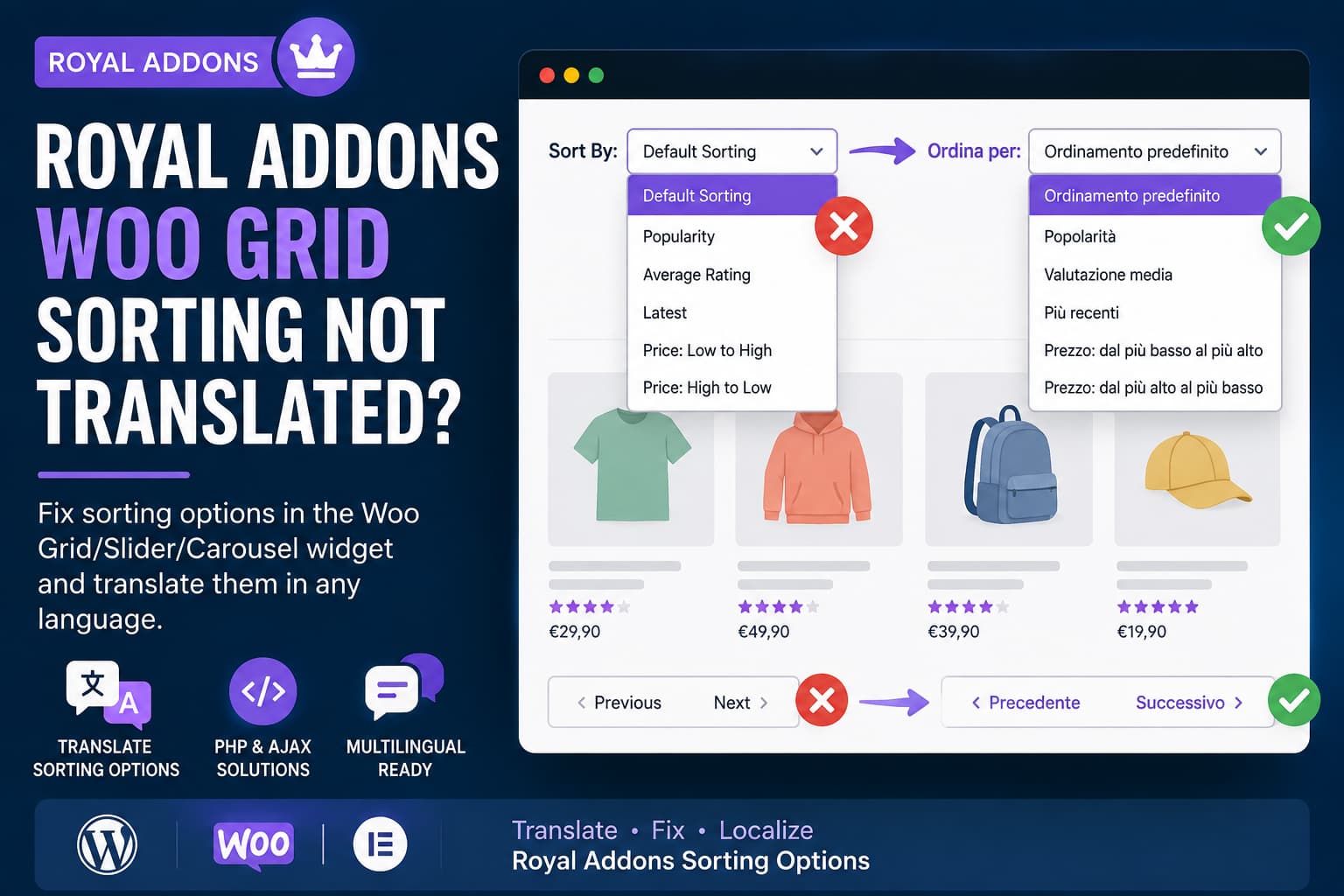
When the Royal Addons for Elementor Woo Grid, Slider, or Carousel widget shows sorting labels in English, start by checking the active WordPress locale and rescanning the plugin translation source with Loco Translate. If the labels are translated but still render in English, a targeted PHP gettext filter may help. Use the JavaScript fallback only when the labels are added or recreated in the browser after the initial page response.
Plugin compatibility information
Plugin: Royal Addons for Elementor – Addons and Templates Kit for Elementor
- Current version: 1.7.1069
- WordPress.org last updated: October 15, 2026
- Minimum PHP version declared: 5.6 or higher
- Requires WordPress: 5.0 or higher
- Tested up to WordPress: 7.1.3
Source: official WordPress.org plugin listing.
Common untranslated labels include:
- Sort By
- Default Sorting
- Popularity
- Average Rating
- Latest
- Price: Low to High
- Price: High to Low
- Previous
- Next
Choose the appropriate method
- Labels are missing from Loco Translate: confirm the locale, source location, plugin text domain, and translation template, then synchronize the source.
- Labels are present in the translation file but remain in English: identify the exact text domain and source text before trying the PHP filter.
- Labels appear after JavaScript runs or return after sorting or filtering: inspect the rendered markup and AJAX response before considering the frontend fallback.
Why the labels may remain in English
The cause depends on how the affected Royal Addons release registers and renders the strings. Possible causes include an outdated translation template, an incomplete source scan, separate free and Pro plugin translation files, an incorrect locale, a different text domain, or labels generated by JavaScript or AJAX.
Loco Translate and PHP gettext filters can translate only text that passes through WordPress’s internationalization functions. Text hardcoded in JavaScript or inserted directly into markup may require a different approach.
Before changing the site
Create a backup and use a staging site when possible. Do not edit files inside either plugin directory:
/wp-content/plugins/royal-elementor-addons//wp-content/plugins/wpr-addons-pro/Plugin updates can overwrite direct edits. Place custom PHP in Code Snippets, a small custom plugin, a must-use plugin, or a child theme’s functions.php file. A custom plugin or Code Snippets keeps the code independent of the active theme, but any custom PHP can still cause a site or frontend error if it is invalid or incompatible. Keep a recovery path available so the snippet can be disabled if necessary.
Solution 1: Rescan and translate the strings with Loco Translate
Use this method when the labels are registered for translation but are not available in the language editor.
1. Confirm the site language
Open:
Settings > General > Site LanguageChoose the language used on the public page. For an Italian site, the usual locale is:
it_ITThe wording of the relevant setting can differ between plugin versions and installations. A translation saved under another locale may not load for the active page.
2. Open the relevant plugin translation
Open:
Loco Translate > PluginsSelect Royal Addons for Elementor. If Royal Elementor Addons Pro is listed separately, inspect that translation separately as well. Some strings may be provided by the free plugin, the Pro extension, or WooCommerce, so identify the source rather than assuming that every label belongs to one domain.
3. Check the source scan setting
Loco Translate installations may expose a PHP or source-file size setting with wording such as:
- Maximum file size
- PHP file size
- Skip PHP files larger than
- Source file size limit
Check whether the source file containing the widget strings is being excluded. If it is, adjust the setting shown by the installed version and rescan. Do not rely on a specific setting name or size value when the installed version has not been identified.
4. Synchronize the translation template
Open the language editor and select:
SyncSome installations may first require the plugin template to be scanned or regenerated. Then search for complete phrases and partial terms such as:
Sort By
Sort by
Default
Default Sorting
Popularity
Average Rating
Rating
Latest
Newest
Price: Low to High
Price: High to Low
Sort by popularity
Sort by average rating
Sort by latest
Sort by price: low to high
Sort by price: high to low
Previous
Next
Capitalization and punctuation can differ between releases. Add the appropriate translations and save them in a custom location, such as:
wp-content/languages/loco/plugins/Do not store custom translations inside the plugin directory.
5. Clear relevant caches
Clear the caches used by the site, which may include the translation or application cache, page cache, server cache, object cache, CDN cache, and browser cache. If the site uses Elementor-generated assets, the relevant Elementor tool is:
Elementor > ToolsRegenerate CSS & DataSolution 2: Use a targeted PHP gettext filter
Consider this method only after confirming the exact source text and text domain in the affected installation. The example below contains Italian translations and targets the two Royal Addons domains used by the original article. Those domains may differ between releases or between the free and Pro plugins, so an incorrect domain will not match the strings.
Add the snippet through Code Snippets
Open:
Snippets > Add NewName the snippet:
Translate Royal Addons Woo Grid SortingPaste the following code without adding another opening <?php tag:
/**
 * Translate sorting and navigation labels generated by the
 * Royal Addons Woo Grid/Slider/Carousel widget.
 */
function debugnexus_wpr_sorting_dictionary() {
	return array(
		'it' => array(
			'Sort By'                     => 'Ordina per',
			'Sort by'                     => 'Ordina per',
			'Sort By:'                    => 'Ordina per:',
			'Sort by:'                    => 'Ordina per:',

			'Default'                     => 'Predefinito',
			'Default Sorting'             => 'Ordinamento predefinito',
			'Default sorting'             => 'Ordinamento predefinito',
			'Sort by Default'             => 'Ordinamento predefinito',

			'Popularity'                  => 'Popolarità',
			'Sort by Popularity'          => 'Ordina per popolarità',
			'Sort by popularity'          => 'Ordina per popolarità',

			'Rating'                      => 'Valutazione',
			'Average Rating'              => 'Valutazione media',
			'Sort by Average Rating'      => 'Ordina per valutazione media',
			'Sort by average rating'      => 'Ordina per valutazione media',

			'Latest'                      => 'Più recenti',
			'Newest'                      => 'Più recenti',
			'Sort by Latest'              => 'Ordina dal più recente',
			'Sort by latest'              => 'Ordina dal più recente',
			'Sort by Newest'              => 'Ordina dal più recente',

			'Price: Low to High'          => 'Prezzo: dal più basso al più alto',
			'Price: low to high'          => 'Prezzo: dal più basso al più alto',
			'Price (Low to High)'         => 'Prezzo: dal più basso al più alto',
			'Sort by Price: Low to High'  => 'Ordina per prezzo: dal più basso al più alto',
			'Sort by price: low to high'  => 'Ordina per prezzo: dal più basso al più alto',

			'Price: High to Low'          => 'Prezzo: dal più alto al più basso',
			'Price: high to low'          => 'Prezzo: dal più alto al più basso',
			'Price (High to Low)'         => 'Prezzo: dal più alto al più basso',
			'Sort by Price: High to Low'  => 'Ordina per prezzo: dal più alto al più basso',
			'Sort by price: high to low'  => 'Ordina per prezzo: dal più alto al più basso',

			'Previous'                    => 'Precedente',
			'Next'                        => 'Successivo',
		),
	);
}

/**
 * Handle normal gettext translations.
 */
function debugnexus_translate_wpr_sorting_gettext( $translated, $text, $domain ) {
	$is_ajax = function_exists( 'wp_doing_ajax' )
		? wp_doing_ajax()
		: ( defined( 'DOING_AJAX' ) && DOING_AJAX );

	// Do not change normal WordPress administrator labels.
	if ( is_admin() && ! $is_ajax ) {
		return $translated;
	}

	$allowed_domains = array(
		'wpr-addons',
		'wpr-addons-pro',
	);

	if ( ! in_array( $domain, $allowed_domains, true ) ) {
		return $translated;
	}

	$language   = strtolower( substr( get_locale(), 0, 2 ) );
	$dictionary = debugnexus_wpr_sorting_dictionary();

	if (
		isset( $dictionary[ $language ] &&
		isset( $dictionary[ $language ][ $text ]
	) {
		return $dictionary[ $language ][ $text ];
	}

	return $translated;
}
add_filter(
	'gettext',
	'debugnexus_translate_wpr_sorting_gettext',
	99,
	3
);

/**
 * Handle strings registered with a gettext context.
 */
function debugnexus_translate_wpr_sorting_context(
	$translated,
	$text,
	$context,
	$domain
) {
	return debugnexus_translate_wpr_sorting_gettext(
		$translated,
		$text,
		$domain
	);
}
add_filter(
	'gettext_with_context',
	'debugnexus_translate_wpr_sorting_context',
	99,
	4
);
Set the snippet to run everywhere and activate it. The context filter in this example does not use the context value, so it may not distinguish identical source text used in different contexts. The two-letter locale lookup also covers only the language keys included in the dictionary and may not suit every regional language configuration.
WooCommerce text domain
If inspection shows that the phrase comes from WooCommerce rather than Royal Addons, the allowed-domain array can be changed from:
$allowed_domains = array(
	'wpr-addons',
	'wpr-addons-pro',
);
to:
$allowed_domains = array(
	'wpr-addons',
	'wpr-addons-pro',
	'woocommerce',
);
This broadens the filter and may affect matching WooCommerce labels outside the widget.
Add another language
The dictionary currently contains the it key. Another language can be added using its two-letter code. For example:
'de' => array(
	'Sort By'            => 'Sortieren nach',
	'Default Sorting'    => 'Standardsortierung',
	'Popularity'         => 'Beliebtheit',
	'Average Rating'     => 'Durchschnittliche Bewertung',
	'Latest'             => 'Neueste',
	'Price: Low to High' => 'Preis: niedrig nach hoch',
	'Price: High to Low' => 'Preis: hoch nach niedrig',
	'Previous'           => 'Zurück',
	'Next'               => 'Weiter',
),
Use fr for French, de for German, es for Spanish, pt for Portuguese, nl for Dutch, or tr for Turkish. Add translations appropriate to the target language.
Solution 3: Frontend fallback for JavaScript or AJAX labels
Use this only when the label is absent from the initial HTML response or is recreated in English after sorting, filtering, pagination, Load More, or another AJAX update. The selectors in the example are installation-dependent. Broad selectors may affect other controls inside the same widget, and a MutationObserver may add work on pages with frequent DOM changes. Inspect the affected markup and adapt the selectors before using this code.
The PHP snippet below contains mixed PHP and HTML. The code manager must support that format; otherwise, place it in a small custom plugin using the format accepted by that plugin. The code should be tested with the widget’s sorting, filtering, pagination, accessibility attributes, and other controls.
/**
 * Frontend fallback for Royal Addons sorting labels that are
 * inserted or regenerated through JavaScript/AJAX.
 */
function debugnexus_wpr_sorting_ajax_translation() {
	if ( is_admin() ) {
		return;
	}
	?>
	<script>
	(function () {
		'use strict';

		var dictionaries = {
			it: {
				'Sort By': 'Ordina per',
				'Sort by': 'Ordina per',
				'Sort By:': 'Ordina per:',
				'Sort by:': 'Ordina per:',

				'Default': 'Predefinito',
				'Default Sorting': 'Ordinamento predefinito',
				'Default sorting': 'Ordinamento predefinito',
				'Sort by Default': 'Ordinamento predefinito',

				'Popularity': 'Popolarità',
				'Sort by Popularity': 'Ordina per popolarità',
				'Sort by popularity': 'Ordina per popolarità',

				'Rating': 'Valutazione',
				'Average Rating': 'Valutazione media',
				'Sort by Average Rating': 'Ordina per valutazione media',
				'Sort by average rating': 'Ordina per valutazione media',

				'Latest': 'Più recenti',
				'Newest': 'Più recenti',
				'Sort by Latest': 'Ordina dal più recente',
				'Sort by latest': 'Ordina dal più recente',
				'Sort by Newest': 'Ordina dal più recente',

				'Price: Low to High': 'Prezzo: dal più basso al più alto',
				'Price: low to high': 'Prezzo: dal più basso al più alto',
				'Price (Low to High)': 'Prezzo: dal più basso al più alto',
				'Sort by Price: Low to High': 'Ordina per prezzo: dal più basso al più alto',
				'Sort by price: low to high': 'Ordina per prezzo: dal più basso al più alto',

				'Price: High to Low': 'Prezzo: dal più alto al più basso',
				'Price: high to low': 'Prezzo: dal più alto al più basso',
				'Price (High to Low)': 'Prezzo: dal più alto al più basso',
				'Sort by Price: High to Low': 'Ordina per prezzo: dal più alto al più basso',
				'Sort by price: high to low': 'Ordina per prezzo: dal più alto al più basso',

				'Previous': 'Precedente',
				'Next': 'Successivo'
			}
		};

		var language = (
			document.documentElement.lang || ''
		).toLowerCase().split('-')[0];

		var translations = dictionaries[language];

		// Keep English and unsupported languages unchanged.
		if (!translations) {
			return;
		}

		var widgetSelector =
			'.elementor-widget-wpr-woo-grid, .wpr-woo-grid';

		var sortingSelector = [
			'select',
			'.wpr-grid-sorting',
			'.wpr-grid-sort',
			'.wpr-grid-orderby',
			'[class*="sorting"]',
			'[class*="orderby"]',
			'[data-sort-by]',
			'[data-orderby]'
		].join(',');

		function replaceExactText(root) {
			if (!root || root.nodeType !== 1) {
				return;
			}

			var walker = document.createTreeWalker(
				root,
				NodeFilter.SHOW_TEXT,
				null,
				false
			);

			var nodes = [];

			while (walker.nextNode()) {
				nodes.push(walker.currentNode);
			}

			nodes.forEach(function (node) {
				var parent = node.parentElement;

				if (!parent) {
					return;
				}

				var sortingContainer = parent.closest(sortingSelector);

				if (!sortingContainer) {
					return;
				}

				var original = node.nodeValue.trim();

				if (!translations[original]) {
					return;
				}

				node.nodeValue = node.nodeValue.replace(
					original,
					translations[original]
				);
			});

			root.querySelectorAll('[aria-label], [title]').forEach(
				function (element) {
					['aria-label', 'title'].forEach(function (attribute) {
						var original = element.getAttribute(attribute);

						if (original && translations[original]) {
							element.setAttribute(
								attribute,
								translations[original]
							);
						}
					});
				}
			);
		}

		function processWidgets(root) {
			if (!root || !root.querySelectorAll) {
				return;
			}

			if (
				root.nodeType === 1 &&
				root.matches &&
				root.matches(widgetSelector)
			) {
				replaceExactText(root);
			}

			root.querySelectorAll(widgetSelector).forEach(
				replaceExactText
			);
		}

		function initializeTranslation() {
			processWidgets(document);

			var observer = new MutationObserver(function (mutations) {
				mutations.forEach(function (mutation) {
					mutation.addedNodes.forEach(function (node) {
						if (node.nodeType === 1) {
							processWidgets(node);
						}
					});
				});
			});

			observer.observe(document.body, {
				childList: true,
				subtree: true
			});
		}

		if (document.readyState === 'loading') {
			document.addEventListener(
				'DOMContentLoaded',
				initializeTranslation
			);
		} else {
			initializeTranslation();
		}
	})();
	</script>
	<?php
}
add_action(
	'wp_footer',
	'debugnexus_wpr_sorting_ajax_translation',
	99
);
How to identify the failure type
Check the source and rendered HTML
Search the Royal Addons plugin files for an exact phrase such as:
Sort ByIf the phrase appears inside a function such as:
__()
_e()
esc_html__()
esc_attr__()
the normal translation system or PHP gettext filter may be relevant. If the phrase is hardcoded in JavaScript or appears only after the page loads, the translation file may not be sufficient.
Inspect the browser Network panel
Open Developer Tools, select the Network tab, and change the sorting option. Requests may include:
admin-ajax.php- WooCommerce AJAX requests
- REST API requests
- Royal Addons widget requests
If an AJAX response contains the English label, the relevant translation must also be available during that request. If the response does not contain the label and the browser inserts it afterward, inspect the generated markup and selectors before using the frontend fallback.
WPML and Polylang considerations
For WPML, scan the relevant plugins under:
WPML > Theme and Plugins LocalizationThen search the strings under:
WPML > String TranslationCheck the free Royal Addons plugin, the Pro extension when present, and WooCommerce when inspection identifies its text domain.
For Polylang, confirm that each page and product has the intended language and that the translated page uses the expected widget or template. The PHP example reads the current WordPress locale, while the JavaScript example reads the document language. These values may not cover every multilingual configuration or regional variant.
Cache and logged-out behavior
If the translation appears for a logged-in administrator but not for visitors, caching may be serving an earlier response. Clear the applicable page, hosting, CDN, object, and browser caches, and ensure that cached pages are separated by language. Test in a private browser window or while logged out.
Verify the result
After applying one method, check all of the following on each active language:
- The initial product page load.
- Every sorting option.
- Category and product filters.
- Pagination, including Previous and Next.
- Load More or infinite scrolling when enabled.
- Any AJAX refresh after sorting or filtering.
- Visible labels, option values, titles, and ARIA labels.
- Logged-out or private-window behavior.
- Desktop and mobile layouts.
- Other controls in the widget, to ensure that unrelated text was not changed.
If a snippet causes a PHP error, frontend regression, or incorrect replacements, disable it through the code manager or the available hosting recovery method and return to the translation-file approach.
Why CSS is not a translation method
Replacing text with CSS pseudo-elements is unreliable. The original text or option value may remain available to assistive technology, native select options are not consistently replaced, AJAX can recreate the original label, and visual text can differ from the accessible or submitted value. Use a translation file, a correctly scoped PHP filter, or a frontend replacement only when the rendering method requires it.
Frequently asked questions
Why is the Royal Addons Woo Grid sorting option only in English?
The translation source may be incomplete, the relevant file may not have been scanned, the string may belong to another text domain, or the widget may generate it through JavaScript or AJAX.
Why can’t Loco Translate find “Sort By”?
The source file may be excluded, the template may be outdated, or the phrase may use different capitalization or wording. Synchronize the template and search for partial terms such as Sort, Price, or Rating.
Will a plugin update remove the translation?
Files stored inside a plugin directory can be overwritten. Store custom translations in Loco Translate’s custom location or the global WordPress languages location. Store custom PHP outside the plugin directory as well.
Can the PHP example be used for another language?
The dictionary can be extended with another language key and the required translations. The example’s two-letter lookup supports only keys that have been added and may not distinguish regional language variants.
Why does the translation disappear after selecting a filter?
The widget may be replacing the translated markup after an AJAX request. Inspect the response and regenerated markup. The PHP filter may apply during the request, while the frontend fallback is intended for labels inserted or recreated in the browser.
Conclusion
Start with the translation file: confirm the locale, identify the source plugin and text domain, synchronize the template, and save the translation outside the plugin directory. Use the PHP filter only after confirming that the source text and domain match. Use the JavaScript example only when inspection shows that the widget adds or recreates the labels after the initial response.
