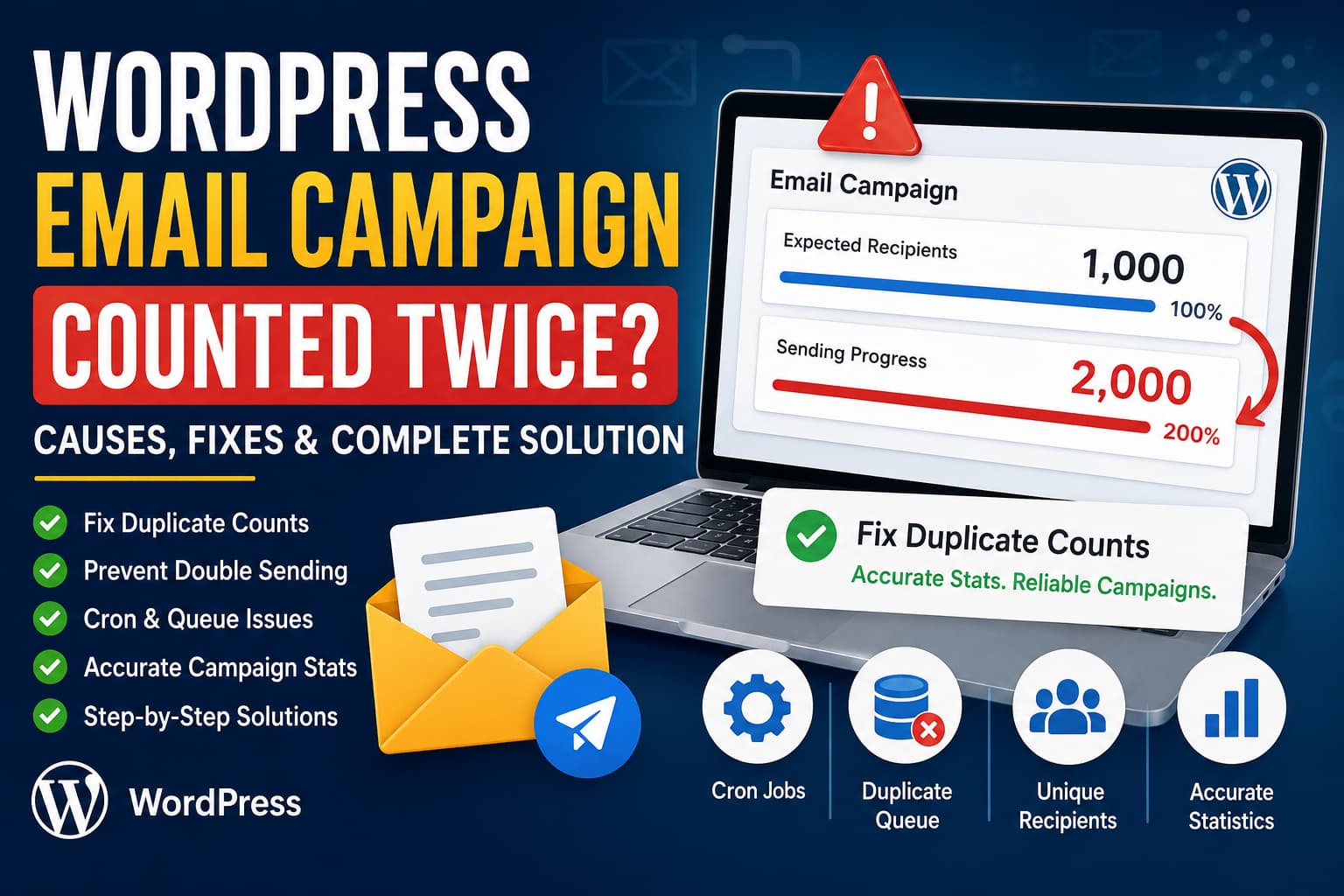
A WordPress user reported an issue where the progress counter for an email campaign displayed twice the expected number of emails.
For example, a campaign created for 1,000 recipients showed 2,000 processed emails in the campaign progress.
This problem can have two very different causes:
- Each email is sent only once, but the statistics are counted twice.
- The campaign processor is actually sending two emails to every recipient.
Before changing the plugin code, you must determine which situation is occurring.
First, Check Whether Emails Are Actually Being Sent Twice
Create a small test campaign with two or three email addresses that you control.
After running the campaign, check:
- How many emails each recipient received
- The recipient count stored in the campaign
- The number of queued recipients
- The sent counter displayed in the admin panel
- The campaign activity or error log
- Scheduled WordPress cron events
- Action Scheduler jobs, when the plugin uses Action Scheduler
The result will normally fall into one of these categories.
Scenario 1: One Email Received, but the Counter Doubles
This means the sending process is probably working correctly. The bug is in the progress calculation, database counter, or JavaScript interface.
Scenario 2: Two Emails Are Received
This means the campaign worker is running twice, the same recipient was inserted into the queue twice, or two background processes are claiming the same queue record.
Common Reasons an Email Campaign Is Counted Twice
1. The Counter Is Updated When Queued and Again When Sent
A common implementation mistake looks like this:
// Incremented when the email enters the queue.
$sent_count++;

// Email is processed.
wp_mail( $to, $subject, $message );

// Incremented again after processing.
$sent_count++;
The first action represents a queued email, not a sent email. Only the successful status transition should affect the sent total.
Use separate counters:
$queued_count++;
$sent_count++;
$failed_count++;
Each counter should represent one specific campaign state.
2. The Browser Adds a Cumulative Count Repeatedly
Campaign dashboards often use AJAX polling to refresh the progress bar.
Suppose the server returns the total number of sent emails:
{
  "sent": 100
}
The following JavaScript is incorrect when response.sent already contains the cumulative total:
sentCount += Number(response.sent);If the first request returns 100 and the second request also returns 100, the interface displays 200.
Replace the displayed value instead:
sentCount = Number(response.sent);

document.querySelector('.campaign-sent-count').textContent = sentCount;
A safe progress calculation would be:
const sent = Number(response.sent || 0);
const failed = Number(response.failed || 0);
const total = Number(response.total || 0);
const processed = sent + failed;

const percentage = total > 0
    ? Math.min(100, Math.round((processed / total) * 100))
    : 0;

document.querySelector('.campaign-sent-count').textContent = sent;
document.querySelector('.campaign-progress-bar').style.width =
    `${percentage}%`;
Open the browser developer tools and inspect the campaign progress request under the Network tab. Determine whether the server returns:
- The latest cumulative total
- Only the number processed in the most recent batch
Add the value only when the endpoint explicitly returns a batch delta.
3. The Recipient Query Returns Duplicate Records
A database query may return the same recipient more than once, especially when users are joined with metadata, subscriptions, tags, orders, or mailing lists.
An unsafe query might look like this:
SELECT users.ID, users.user_email
FROM wp_users AS users
INNER JOIN wp_usermeta AS meta
    ON users.ID = meta.user_id
WHERE meta.meta_key IN ('customer_group', 'email_status');
A user with multiple matching metadata records can appear multiple times.
Use a distinct recipient identifier:
SELECT DISTINCT users.ID, users.user_email
FROM wp_users AS users
INNER JOIN wp_usermeta AS meta
    ON users.ID = meta.user_id
WHERE meta.meta_key IN ('customer_group', 'email_status');
For email-based campaigns, normalize the email address before deduplication:
$recipients = array_map(
    static function ( $email ) {
        return strtolower( trim( $email ) );
    },
    $recipients
);

$recipients = array_values(
    array_unique(
        array_filter( $recipients, 'is_email' )
    )
);
The campaign total should be calculated after normalization and deduplication:
$total_recipients = count( $recipients );Do not calculate the total from the original unfiltered query result.
4. Duplicate Records Exist in the Campaign Queue
Check the campaign queue table for repeated recipient records.
Replace the table and column names in this example with those used by the plugin:
SELECT
    campaign_id,
    recipient_id,
    COUNT(*) AS duplicate_count
FROM wp_email_campaign_queue
GROUP BY campaign_id, recipient_id
HAVING COUNT(*) > 1;
For campaigns based directly on email addresses:
SELECT
    campaign_id,
    LOWER(TRIM(email_address)) AS normalized_email,
    COUNT(*) AS duplicate_count
FROM wp_email_campaign_queue
GROUP BY campaign_id, LOWER(TRIM(email_address))
HAVING COUNT(*) > 1;
After cleaning existing duplicate records, add a database-level unique constraint:
ALTER TABLE wp_email_campaign_queue
ADD UNIQUE KEY campaign_recipient_unique (
    campaign_id,
    recipient_id
);
This prevents the same recipient from being inserted into the same campaign twice.
Back up the database and test the query on staging before altering a live table.
5. The WordPress Cron Event Is Scheduled More Than Once
WordPress allows the same hook to be scheduled repeatedly. Plugin code should check for an existing event before creating another one.
WordPress specifically recommends using wp_next_scheduled() to prevent duplicate scheduled events. The hook arguments must match exactly because WordPress uses them to identify an event.
Use the following pattern:
function dn_schedule_campaign_batch( int $campaign_id ): void {
    $hook = 'dn_process_campaign_batch';
    $args = array( $campaign_id );

    if ( ! wp_next_scheduled( $hook, $args ) ) {
        wp_schedule_single_event(
            time() + 5,
            $hook,
            $args
        );
    }
}
An incorrect version might omit the arguments from the check:
if ( ! wp_next_scheduled( 'dn_process_campaign_batch' ) ) {
    wp_schedule_single_event(
        time() + 5,
        'dn_process_campaign_batch',
        array( $campaign_id )
    );
}
Because the arguments do not match, WordPress may fail to find the existing event and create another one.
Inspect Campaign Cron Events With WP-CLI
Run:
wp cron event list --fields=hook,next_run_gmt,recurrence,argsTo filter campaign-related events:
wp cron event list --fields=hook,next_run_gmt,recurrence,args \
    | grep campaign
WP-CLI officially supports listing, running, deleting, and unscheduling WordPress cron events.
To remove all instances of a specific duplicate hook:
wp cron event unschedule dn_process_campaign_batchDo this only after fixing the code that created the duplicates. Otherwise, the duplicate events will return.
You can also clear matching events programmatically:
$campaign_id = 123;

wp_clear_scheduled_hook(
    'dn_process_campaign_batch',
    array( $campaign_id )
);
wp_clear_scheduled_hook() removes all scheduled events matching the supplied hook and arguments.
6. Duplicate Action Scheduler Jobs Are Created
Many WordPress email, WooCommerce, and automation plugins use Action Scheduler rather than processing large campaigns in a single request.
Action Scheduler supports unique jobs through the $unique argument. It also provides as_has_scheduled_action() to check whether a matching action is pending or in progress.
Use a unique campaign action:
function dn_enqueue_campaign_batch( int $campaign_id ): int {
    if ( ! function_exists( 'as_enqueue_async_action' ) ) {
        return 0;
    }

    return as_enqueue_async_action(
        'dn_process_campaign_batch',
        array(
            'campaign_id' => $campaign_id,
        ),
        'dn-email-campaigns',
        true
    );
}
The fourth parameter, true, tells Action Scheduler that the job should be unique.
Alternatively:
function dn_enqueue_campaign_batch( int $campaign_id ): int {
    $hook  = 'dn_process_campaign_batch';
    $args  = array(
        'campaign_id' => $campaign_id,
    );
    $group = 'dn-email-campaigns';

    if (
        function_exists( 'as_has_scheduled_action' ) &&
        as_has_scheduled_action( $hook, $args, $group )
    ) {
        return 0;
    }

    return as_enqueue_async_action(
        $hook,
        $args,
        $group,
        true
    );
}
Action Scheduler APIs should be called only after the scheduler has initialized, normally after init priority 1 or through the action_scheduler_init hook.
Check pending and completed jobs under:
WordPress Dashboard → Tools → Scheduled Actions
On some WooCommerce installations, the screen appears under:
WooCommerce → Status → Scheduled Actions
Look for multiple pending actions containing the same:
- Campaign ID
- Hook
- Recipient ID
- Batch number
- Action group
7. Two Workers Process the Same Recipient
Checking the queue record and updating it later is not safe:
$row = $wpdb->get_row(
    $wpdb->prepare(
        "SELECT * FROM {$queue_table}
         WHERE id = %d AND status = 'pending'",
        $queue_id
    )
);

if ( $row ) {
    wp_mail( $row->email, $subject, $message );

    $wpdb->update(
        $queue_table,
        array( 'status' => 'sent' ),
        array( 'id' => $queue_id )
    );
}
Two workers can read the pending record before either worker changes its status. Both workers then send the email.
Use an atomic claim operation:
function dn_claim_campaign_recipient( int $queue_id ): bool {
    global $wpdb;

    $table = $wpdb->prefix . 'email_campaign_queue';

    $claimed = $wpdb->query(
        $wpdb->prepare(
            "UPDATE {$table}
             SET status = 'processing',
                 locked_at = UTC_TIMESTAMP()
             WHERE id = %d
               AND status = 'pending'",
            $queue_id
        )
    );

    return 1 === $claimed;
}
Only one worker can successfully change the row from pending to processing.
Process the recipient only after claiming it:
function dn_process_campaign_recipient( int $queue_id ): void {
    global $wpdb;

    $table = $wpdb->prefix . 'email_campaign_queue';

    if ( ! dn_claim_campaign_recipient( $queue_id ) ) {
        return;
    }

    $recipient = $wpdb->get_row(
        $wpdb->prepare(
            "SELECT *
             FROM {$table}
             WHERE id = %d",
            $queue_id
        )
    );

    if ( ! $recipient ) {
        return;
    }

    $mail_sent = wp_mail(
        $recipient->email_address,
        $recipient->email_subject,
        $recipient->email_content
    );

    if ( $mail_sent ) {
        $wpdb->query(
            $wpdb->prepare(
                "UPDATE {$table}
                 SET status = 'sent',
                     sent_at = UTC_TIMESTAMP()
                 WHERE id = %d
                   AND status = 'processing'",
                $queue_id
            )
        );

        return;
    }

    $wpdb->query(
        $wpdb->prepare(
            "UPDATE {$table}
             SET status = 'failed',
                 attempts = attempts + 1,
                 last_attempt_at = UTC_TIMESTAMP()
             WHERE id = %d
               AND status = 'processing'",
            $queue_id
        )
    );
}
This prevents two workers from processing the same pending row simultaneously.
8. The Sent Counter Is Incremented More Than Once
Avoid maintaining the campaign count from multiple callbacks like this:
update_post_meta(
    $campaign_id,
    'sent_count',
    $current_count + 1
);
This code is vulnerable to both duplicate callbacks and concurrent updates.
A safer approach is to calculate the count directly from queue statuses:
function dn_get_campaign_statistics( int $campaign_id ): array {
    global $wpdb;

    $table = $wpdb->prefix . 'email_campaign_queue';

    $results = $wpdb->get_results(
        $wpdb->prepare(
            "SELECT status, COUNT(*) AS total
             FROM {$table}
             WHERE campaign_id = %d
             GROUP BY status",
            $campaign_id
        ),
        OBJECT_K
    );

    return array(
        'pending'    => isset( $results['pending'] )
            ? (int) $results['pending']->total
            : 0,
        'processing' => isset( $results['processing'] )
            ? (int) $results['processing']->total
            : 0,
        'sent'       => isset( $results['sent'] )
            ? (int) $results['sent']->total
            : 0,
        'failed'     => isset( $results['failed'] )
            ? (int) $results['failed']->total
            : 0,
    );
}
The displayed sent total then becomes:
$statistics = dn_get_campaign_statistics( $campaign_id );

echo esc_html( $statistics['sent'] );
This creates one source of truth. The dashboard displays the number of queue records currently marked as sent rather than relying on a counter that may have been incremented twice.
9. Count Only a Successful State Transition
When a separate campaign counter is required for performance, update it only when a queue record changes from processing to sent.
$updated = $wpdb->query(
    $wpdb->prepare(
        "UPDATE {$queue_table}
         SET status = 'sent',
             sent_at = UTC_TIMESTAMP()
         WHERE id = %d
           AND status = 'processing'",
        $queue_id
    )
);

if ( 1 === $updated ) {
    $wpdb->query(
        $wpdb->prepare(
            "UPDATE {$campaign_table}
             SET sent_count = sent_count + 1
             WHERE id = %d",
            $campaign_id
        )
    );
}
When the callback runs again, the first update affects zero rows because the record is already marked as sent. The campaign counter is therefore not incremented again.
10. Retries Are Incorrectly Counted as New Emails
A retry is an additional delivery attempt, not an additional recipient.
Store separate values:
recipient_count = 1000
processed_count = 1000
sent_count = 995
failed_count = 5
attempt_count = 1007
In this example, seven messages were retried. The campaign still has only 1,000 recipients.
Do not calculate campaign progress using the total number of attempts:
// Incorrect.
$processed = $attempt_count;
Use final recipient states:
$processed = $sent_count + $failed_count;Log Successful WordPress Mail Attempts
WordPress provides the wp_mail_succeeded hook after PHPMailer processes a message without throwing an error. However, this does not guarantee that the recipient received the email. It means the sending method accepted the request without an error.
Use this temporary logger on a staging site:
add_action(
    'wp_mail_succeeded',
    static function ( array $mail_data ): void {
        $recipients = (array) ( $mail_data['to'] ?? array() );

        $recipient_hashes = array_map(
            static function ( $email ): string {
                return hash(
                    'sha256',
                    strtolower( trim( (string) $email ) )
                );
            },
            $recipients
        );

        error_log(
            sprintf(
                '[DN Campaign Mail] Recipients: %s | Subject: %s | Time: %s',
                implode( ',', $recipient_hashes ),
                sanitize_text_field(
                    (string) ( $mail_data['subject'] ?? '' )
                ),
                gmdate( 'c' )
            )
        );
    }
);
Hashing the addresses prevents plain recipient email addresses from being stored in the debug log.
Do not leave detailed email logging enabled permanently.
Enable WordPress Debug Logging
Add the following above the line that says /* That's all, stop editing! */ in wp-config.php:
define( 'WP_DEBUG', true );
define( 'WP_DEBUG_LOG', true );
define( 'WP_DEBUG_DISPLAY', false );
WordPress will normally write messages to:
wp-content/debug.logWP_DEBUG_LOG is useful for AJAX requests and WP-Cron processes because those errors may not appear on the visible page.
Disable debug mode after completing the investigation:
define( 'WP_DEBUG', false );Recommended Permanent Fix
For a reliable email campaign system, use the following architecture:
- Normalize and deduplicate recipients before queue creation.
- Add a unique database key for the campaign and recipient.
- Create only one campaign worker per campaign or batch.
- Use
wp_next_scheduled()for WP-Cron jobs. - Use the Action Scheduler unique option when applicable.
- Atomically change queue records from
pendingtoprocessing. - Send only records successfully claimed by the current worker.
- Change each record from
processingtosentonly once. - Calculate statistics from queue statuses.
- Track delivery attempts separately from recipient totals.
- Replace cumulative AJAX totals instead of repeatedly adding them.
- Test the complete campaign flow on staging before deploying the fix.
Final Diagnosis
When a campaign for 1,000 recipients displays 2,000 emails, the most likely causes are:
- The interface adds the cumulative sent total during every AJAX refresh.
- The plugin increments the counter both when an email is queued and when it is sent.
- The same background campaign action is scheduled twice.
- The recipient query or campaign queue contains duplicate records.
- Two workers process the same pending queue record.
- Retry attempts are included in the recipient count.
Start by confirming whether recipients actually receive two messages. If each recipient receives only one email, focus on the statistics endpoint and JavaScript progress calculation.
If recipients receive duplicate messages, inspect WP-Cron, Action Scheduler, queue uniqueness, and the record-claiming logic.
The most dependable fix is to treat the campaign queue as the source of truth and count records by their final status instead of manually incrementing a campaign total from several different parts of the plugin.
Frequently Asked Questions
Why does my WordPress campaign show twice as many sent emails?
The counter may be incremented during both queue creation and email processing. It can also happen when JavaScript repeatedly adds a cumulative server total.
Can WP-Cron send the same campaign twice?
Yes. The same hook can be scheduled multiple times when the plugin does not check wp_next_scheduled() with the correct hook arguments.
How do I check duplicate WordPress cron jobs?
Run:
wp cron event list --fields=hook,next_run_gmt,recurrence,argsYou can also use a WordPress cron-management plugin when SSH or WP-CLI is unavailable.
Does wp_mail() returning true mean the email was delivered?
No. A true result means the sending method processed the request without reporting an error. It does not confirm delivery to the recipient’s inbox.
Should retries increase the sent count?
No. Retries should increase an attempt counter. Each recipient should contribute only once to the final sent or failed total.
