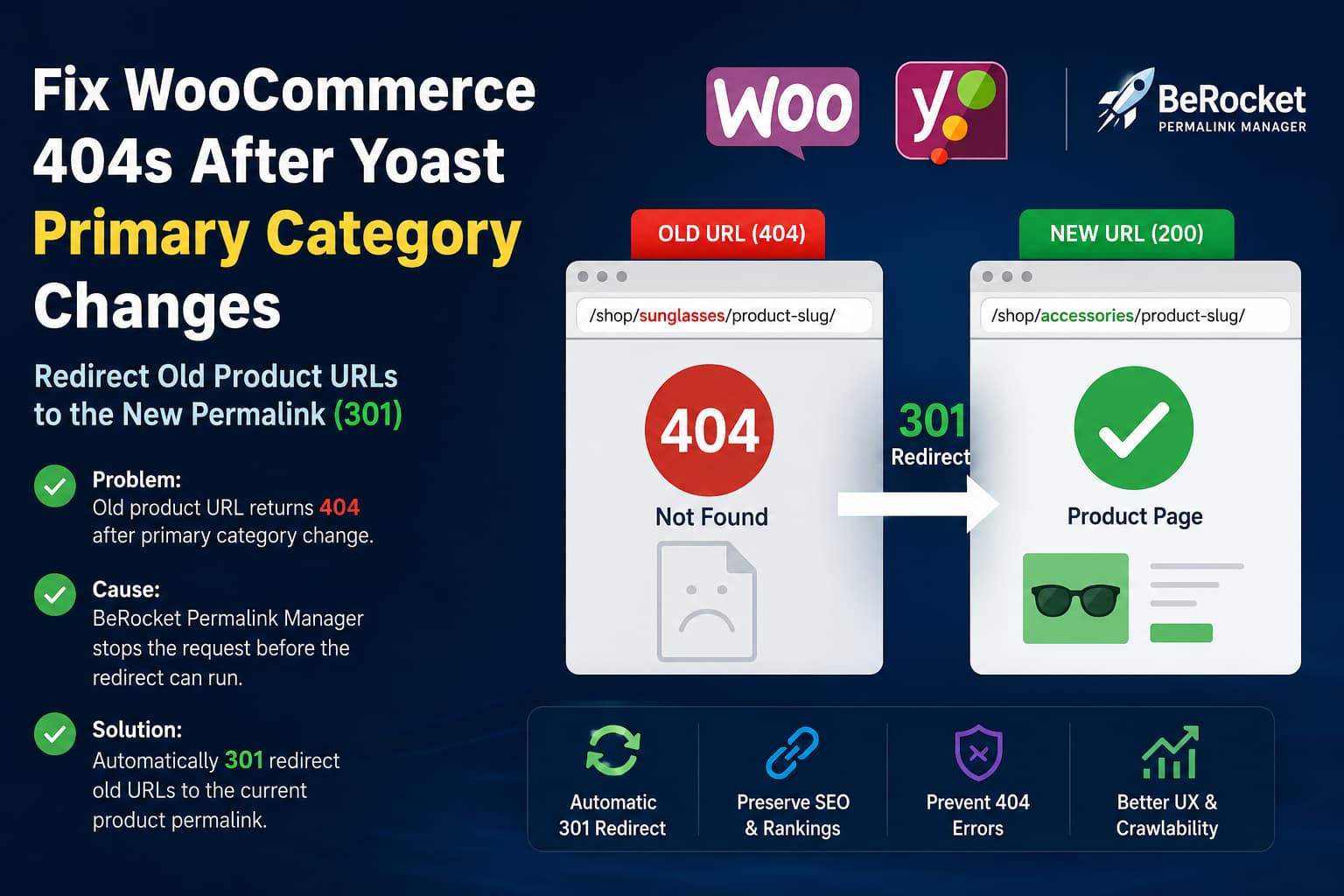
Changing a product’s Yoast primary category can also change its permalink when the category is included in the WooCommerce product URL.
For example, the original product URL might be:
https://example.com/shop/sunglasses/product-slug/After changing the primary category, WooCommerce may generate:
https://example.com/shop/accessories/product-slug/The expected behavior is for the old URL to return a permanent 301 redirect to the new URL.
However, when the Permalink Manager for WooCommerce by BeRocket plugin is active, the old category-based URL may return a 404 Not Found response instead.
This can happen even when the plugin’s Redirect old links option is enabled.
The plugin advertises automatic 301 redirects for previous URLs and support for Yoast SEO primary categories, so a category path change would normally be expected to redirect rather than return a 404.
Symptoms
This problem normally has the following characteristics:
- The product itself still exists and is published.
- The product slug has not changed.
- Only the primary category or category path has changed.
- The new product URL works correctly.
- The old category-based URL returns a 404.
- The old URL redirects correctly when BeRocket Permalink Manager is disabled.
- The plugin’s Redirect old links setting is already enabled.
- Old default WooCommerce URLs such as
/product/product-slug/may still redirect correctly.
This means the issue is not usually caused by a missing product, deleted slug, or unflushed permalink rule.
Why the old product URL returns a 404
The important part of the problem occurs inside the plugin’s request handling.
The plugin can identify a product from the final URL slug. However, when the requested URL does not exactly match the current value returned by get_permalink(), the request handler returns without allowing WordPress to load the product as a normal product request.
The relevant logic resembles this:
add_filter(
    'do_redirect_guess_404_permalink',
    '__return_true',
    99999999
);

return $request;
At this point, the WordPress query remains a 404.
The plugin’s separate redirect_301() method normally checks whether the current request is a product page. The problem is that is_product() is never true for the outdated category path because the product was not loaded into the main query.
The request therefore follows this sequence:
Old product URL requested
        |
Product found from final slug
        |
Requested URL does not match current permalink
        |
Request remains unresolved
        |
WordPress marks request as 404
        |
is_product() remains false
        |
Plugin redirect_301() does not run
The redirect option can still work for old default WooCommerce product URLs because those requests may be resolved through a different rewrite or canonical redirect path.
Why saving permalinks does not fix it
When WooCommerce product pages return 404 errors, saving Settings > Permalinks is normally an appropriate first troubleshooting step. WooCommerce documents that saving this page flushes WordPress rewrite rules.
That can fix problems caused by stale rewrite rules.
It does not fix this particular issue because the requested URL is already reaching WordPress. The failure happens later, during product detection and canonical redirect processing.
You should still save the permalink settings once after changing the URL structure, but repeatedly flushing rewrite rules will not correct the plugin’s request logic.
Recommended solution
The safest workaround is to add a small custom plugin that helps WordPress resolve the outdated URL during its built-in 404 canonical redirect process.
WordPress provides the pre_redirect_guess_404_permalink filter specifically for short-circuiting its 404 permalink guessing and supplying the correct destination URL.
The solution will:
- Run only for frontend 404 requests.
- Read the final slug from the requested URL.
- Check whether a published WooCommerce product uses that slug.
- Retrieve the product’s current permalink.
- Return the current permalink to WordPress.
- Allow WordPress to issue the permanent 301 redirect.
- Avoid redirecting unpublished or nonexistent products.
Because the fix is stored separately, it will not be overwritten when BeRocket updates its plugin.
Add the fix as an MU plugin
Using an MU plugin is preferable to editing the theme’s functions.php file because the redirect remains active when the theme changes.
Create the following file:
wp-content/mu-plugins/debugnexus-old-product-url-redirect.phpCreate the mu-plugins directory if it does not already exist.
Add this code:
<?php
/**
 * Plugin Name: DebugNexus Old WooCommerce Product URL Redirect
 * Description: Redirects outdated category-based WooCommerce product URLs
 *              to the product's current permalink.
 * Version:     1.0.0
 * Author:      DebugNexus
 */

defined( 'ABSPATH' ) || exit;

/**
 * Supply the current WooCommerce product permalink when an outdated
 * category-based product URL produces a 404.
 *
 * Example:
 *
 * Old:
 * /shop/sunglasses/product-slug/
 *
 * Current:
 * /shop/accessories/product-slug/
 *
 * @param null|string|false $redirect Existing redirect-guess result.
 * @return null|string|false
 */
function debugnexus_redirect_old_wc_product_url( $redirect ) {

    /*
     * Respect a redirect that another plugin or WordPress has
     * already identified.
     */
    if ( null !== $redirect ) {
        return $redirect;
    }

    /*
     * Only process frontend 404 requests.
     */
    if ( is_admin() || ! is_404() ) {
        return $redirect;
    }

    /*
     * Canonical redirects should only be used for GET and HEAD requests.
     */
    $request_method = isset( $_SERVER['REQUEST_METHOD'] )
        ? strtoupper( sanitize_text_field( wp_unslash( $_SERVER['REQUEST_METHOD'] ) ) )
        : 'GET';

    if ( ! in_array( $request_method, array( 'GET', 'HEAD' ), true ) ) {
        return $redirect;
    }

    if ( empty( $_SERVER['REQUEST_URI'] ) ) {
        return $redirect;
    }

    $request_uri = wp_unslash( $_SERVER['REQUEST_URI'] );
    $request_path = wp_parse_url( $request_uri, PHP_URL_PATH );

    if ( ! is_string( $request_path ) || '' === $request_path ) {
        return $redirect;
    }

    /*
     * Remove leading and trailing slashes and split the URL.
     */
    $relative_path = trim( $request_path, '/' );

    if ( '' === $relative_path ) {
        return $redirect;
    }

    $segments = array_values(
        array_filter(
            explode( '/', $relative_path ),
            'strlen'
        )
    );

    /*
     * Category-based product URLs should contain more than one segment.
     * This also avoids redirecting a random root-level 404 too aggressively.
     */
    if ( count( $segments ) < 2 ) {
        return $redirect;
    }

    $last_segment = end( $segments );

    if ( ! is_string( $last_segment ) || '' === $last_segment ) {
        return $redirect;
    }

    /*
     * Decode and normalize the final URL segment as a WordPress slug.
     */
    $product_slug = sanitize_title(
        rawurldecode( $last_segment )
    );

    if ( '' === $product_slug ) {
        return $redirect;
    }

    /*
     * Products are non-hierarchical, so only the final product slug
     * is needed when using get_page_by_path().
     */
    $product = get_page_by_path(
        $product_slug,
        OBJECT,
        'product'
    );

    if (
        ! $product instanceof WP_Post ||
        'product' !== $product->post_type ||
        'publish' !== $product->post_status
    ) {
        return $redirect;
    }

    $current_permalink = get_permalink( $product );

    if ( ! is_string( $current_permalink ) || '' === $current_permalink ) {
        return $redirect;
    }

    /*
     * Prevent an unnecessary redirect or redirect loop when the requested
     * path already matches the current product path.
     */
    $current_path = wp_parse_url(
        $current_permalink,
        PHP_URL_PATH
    );

    if (
        is_string( $current_path ) &&
        untrailingslashit( $request_path ) === untrailingslashit( $current_path )
    ) {
        return $redirect;
    }

    return $current_permalink;
}

add_filter(
    'pre_redirect_guess_404_permalink',
    'debugnexus_redirect_old_wc_product_url',
    20
);
For non-hierarchical post types such as WooCommerce products, WordPress supports looking up the post using its slug together with the post type in get_page_by_path().
How the code works
Suppose the visitor requests:
/shop/sunglasses/classic-black-frames/The product’s current URL is:
/shop/accessories/classic-black-frames/The code extracts:
classic-black-framesIt then searches for a published product with that exact slug.
When the product is found, the code calls:
get_permalink( $product );This allows WooCommerce, Yoast SEO, and BeRocket Permalink Manager to generate the current official product URL.
The code returns that URL through:
pre_redirect_guess_404_permalinkWordPress then uses its canonical redirect process to send the visitor to the current product permalink with a 301 response.
WordPress’s canonical redirect function processes GET and HEAD requests, attempts to resolve suitable destinations for 404 URLs, preserves applicable query parameters, and issues permanent redirects when a different canonical URL is found.
Why this is safer than redirecting every matching slug manually
You could add individual redirects through Yoast Premium, Redirection, Rank Math, .htaccess, or an Nginx configuration.
For example:
/shop/sunglasses/product-one/
    -> /shop/accessories/product-one/

/shop/sunglasses/product-two/
    -> /shop/accessories/product-two/
That works for a small number of URLs.
It becomes difficult to maintain when:
- Hundreds of products are affected.
- Products belong to multiple categories.
- Primary categories change regularly.
- Category parents are renamed.
- Category hierarchies are reorganized.
- Products are imported or updated automatically.
The PHP solution dynamically retrieves the current permalink. You do not need to update the redirect every time the current primary category changes.
Do not edit the BeRocket plugin directly
It may be tempting to modify:
wp-content/plugins/permalink-manager-for-woocommerce/classes/BeRocketLinkManager.phpThat is not recommended.
Any direct modification will normally be removed during the next plugin update. It also makes future troubleshooting more difficult because the installed plugin will no longer match its official release.
Keep the workaround in one of these locations instead:
wp-content/mu-plugins/or:
wp-content/plugins/debugnexus-product-url-redirect/An MU plugin is the simplest option because it is loaded automatically and cannot be accidentally deactivated from the normal Plugins screen.
How to test the redirect
Test the fix on a staging website before applying it to production.
1. Find a product with multiple categories
For example, assign a product to:
Sunglasses
Accessories
Set Sunglasses as the Yoast primary category.
Confirm that the product URL is:
/shop/sunglasses/product-slug/2. Change the primary category
Change the Yoast primary category to:
AccessoriesConfirm that the current product URL becomes:
/shop/accessories/product-slug/3. Clear all caches
Clear:
- WordPress page cache
- LiteSpeed, WP Rocket, or other caching plugins
- Server cache
- CDN or Cloudflare cache
- Object cache, if applicable
- Browser cache
A cached 404 response can make a successful fix appear not to work.
4. Test the old URL
Open the original URL in a private browser window:
https://example.com/shop/sunglasses/product-slug/It should redirect to:
https://example.com/shop/accessories/product-slug/5. Verify the HTTP status
Use curl:
curl -I https://example.com/shop/sunglasses/product-slug/The first response should contain something similar to:
HTTP/2 301
location: https://example.com/shop/accessories/product-slug/
Then test the destination:
curl -I https://example.com/shop/accessories/product-slug/The current URL should return:
HTTP/2 200You can also follow the redirect automatically:
curl -IL https://example.com/shop/sunglasses/product-slug/The desired response chain is:
301 -> 200Avoid a chain such as:
301 -> 301 -> 301 -> 200Google recommends permanent server-side redirects, including HTTP 301 and 308 responses, when a URL has permanently moved.
Test important edge cases
After enabling the fix, confirm that it does not affect unrelated requests.
Test:
A valid product URL
A valid product category URL
A nonexistent product slug
A draft product
A private product
The shop page
The cart page
The checkout page
The account page
The WordPress REST API
A URL with UTM parameters
Expected results:
| Request | Expected behavior |
|---|---|
| Old category-based product URL | 301 to current product URL |
| Current product URL | 200 with no redirect |
| Random nonexistent URL | 404 |
| Draft or private product URL | 404 for unauthorized visitors |
| Category archive | Normal category response |
| Cart and checkout | Normal WooCommerce response |
What if the redirect still does not work?
Confirm the MU plugin is loaded
Go to:
WordPress Dashboard > Plugins > Must-Use PluginsYou should see:
DebugNexus Old WooCommerce Product URL RedirectIf the Must-Use Plugins section is missing, confirm that the file is located directly inside:
wp-content/mu-plugins/Do not place it inside another nested directory unless you add a loader file.
Correct:
wp-content/mu-plugins/debugnexus-old-product-url-redirect.phpIncorrect:
wp-content/mu-plugins/debugnexus-redirect/debugnexus-old-product-url-redirect.phpConfirm the product slug did not change
This fix assumes that only the category path changed.
It can redirect:
/shop/old-category/product-slug/to:
/shop/new-category/product-slug/It cannot automatically identify the product when both the category and product slug changed:
/shop/old-category/old-product-slug/to:
/shop/new-category/new-product-slug/For changed product slugs, create an explicit redirect or use WordPress’s old-slug history where available.
Check whether canonical redirects are disabled
Search the active theme, custom plugins, and MU plugins for code such as:
remove_action( 'template_redirect', 'redirect_canonical' );Also check for:
add_filter( 'redirect_canonical', '__return_false' );The recommended solution uses WordPress’s canonical redirect system. If another customization has disabled that system, the filter will not be reached.
Check for a redirect plugin conflict
Temporarily disable other redirect or permalink plugins on staging, including:
- Redirection
- Rank Math Redirections
- Yoast Redirect Manager
- Custom Permalinks
- Premmerce Permalink Manager
- Server-side redirect managers
- Cloudflare redirect rules
Only one system should be responsible for resolving the same old URL.
Check server-level 404 handling
Some hosting configurations serve cached or server-generated 404 pages before WordPress runs.
Confirm that the request reaches WordPress by checking:
- PHP access logs
- WordPress debug logs
- Server access logs
- CDN cache status headers
- LiteSpeed or Nginx cache headers
SEO cleanup after fixing the redirect
After the 301 redirect works:
- Update internal links to use the current product URL.
- Regenerate the XML sitemap if necessary.
- Clear all sitemap and page caches.
- Submit the current sitemap in Google Search Console.
- Inspect one old URL and one current URL.
- Confirm that the old URL reports a redirect.
- Confirm that the new URL is indexable.
- Check that the new product page has a self-referencing canonical URL.
- Remove old URLs from menus, product feeds, structured data, and campaign links.
- Monitor the site’s 404 log for other outdated category paths.
A 301 redirect protects visitors and search engines that still use the old address, but internal links should still be updated to point directly to the current URL.
Frequently asked questions
Why does changing the Yoast primary category change the product URL?
The product permalink structure includes the product category. When the plugin is configured to use the Yoast primary category, changing that primary category changes the category segment used in the product’s generated permalink.
Why does the old product URL work when BeRocket is disabled?
Without the plugin’s custom request handling, WordPress and WooCommerce may successfully identify the product from the slug and redirect the noncanonical path. With the plugin active, the mismatched category path may remain a 404 before the product query is established.
Does enabling “Redirect old links” fix the problem?
It may redirect older default WooCommerce URL formats. In the reported scenario, it does not handle the outdated hierarchical category path because the plugin’s redirect method expects the request to already be recognized as a product page.
Is this caused by Yoast SEO?
Yoast determines the selected primary category, but the 404 occurs because the permalink manager does not complete the redirect after the category path changes. The conflict appears in how the plugins interact rather than in the existence of the Yoast primary category itself.
Can I use the Redirection plugin instead?
Yes, for a small number of affected URLs. A dynamic PHP solution is more practical when many products or frequent category changes are involved.
Will this redirect random 404 URLs?
The code only redirects when the final URL segment exactly matches the slug of a published WooCommerce product and the requested path differs from the product’s current permalink. Unmatched URLs continue returning a normal 404.
Will the fix redirect draft or private products?
No. The code requires the product status to be publish.
Should I use a 301 or 302 redirect?
Use a 301 when the old product URL has permanently moved to the new category-based permalink. A 302 is intended for temporary changes. Google documents permanent redirects as signals that the destination should be treated as the canonical URL.
Final result
The issue occurs because the old category-based URL remains a 404 and never becomes a valid WooCommerce product query. As a result, the plugin’s later product-only redirect does not run.
The MU-plugin workaround resolves the product from the unchanged final slug during WordPress’s 404 redirect process and returns the current permalink.
After applying the fix, the expected behavior is:
/shop/sunglasses/product-slug/
        |
        | 301 Moved Permanently
        v
/shop/accessories/product-slug/
        |
        | 200 OK
        v
Current product page
This restores the expected redirect behavior without editing the BeRocket plugin and continues working when the product’s primary category changes again.
