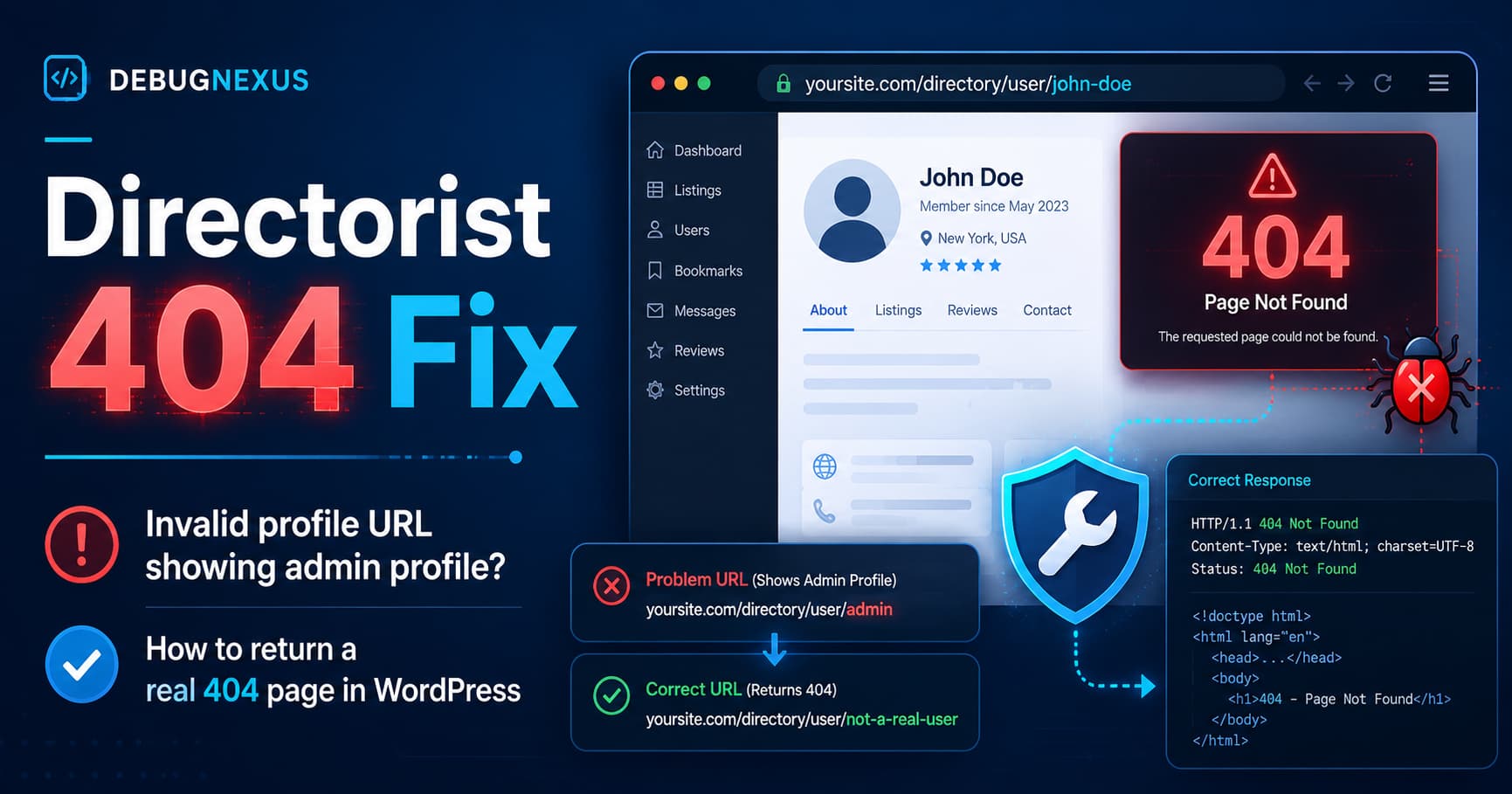
Directorist normally creates public profile URLs similar to:
https://example.com/author-profile/username/However, some Directorist websites show unexpected behavior when someone enters a nonexistent username:
https://example.com/author-profile/random-fake-user/Instead of returning the website’s normal 404 Not Found page, the URL may display the profile of the currently logged-in user. When testing as an administrator, this often appears to be the administrator’s profile.
This creates confusing profile pages, potentially exposes profile information, and can cause search engines to discover invalid URLs that return normal page content instead of the correct HTTP 404 response.
The solution below validates the requested Directorist username before the profile shortcode is rendered. When the username does not exist, WordPress returns the theme’s normal 404 page with the correct HTTP status.
Why Directorist Displays the Admin Profile
Directorist uses a WordPress page containing the following shortcode for public profiles:
[directorist_author_profile]That page must also be assigned as the Author Profile page in the Directorist page settings.
Directorist then adds a rewrite rule that converts a URL such as:
/author-profile/john/into an internal WordPress request containing:
author_id=johnThe plugin’s current rewrite code places the requested profile segment in the author_id query variable.
Directorist-generated profile links use the account’s WordPress login name as the profile URL segment.
The problem occurs during profile ID resolution. Directorist initially falls back to get_current_user_id() when the requested value is not numeric. It replaces that fallback only when get_user_by( 'login', $user_id ) finds a matching account.
Therefore, when a logged-in administrator opens an invalid profile URL:
- Directorist receives the fake username.
- The username lookup fails.
- The fallback remains the currently logged-in user ID.
- The administrator’s profile is displayed.
A similar issue was reported previously in the Directorist support forum, where incorrect profile URLs displayed an administrator profile instead of returning 404.
Update Directorist Before Applying the Snippet
First, create a complete website backup and update Directorist on a staging site.
At the time of writing, Directorist 8.9.2 was the current WordPress.org release. Because plugin updates may include fixes, security improvements, and routing changes, always test the newest stable version before adding custom code.
After updating:
- Clear all WordPress and server caches.
- Go to Settings > Permalinks.
- Click Save Changes without changing anything.
- Test an invalid profile URL again.
- Apply the snippet below if the issue remains.
Directorist Profile 404 Fix Snippet
Add the following code using the Code Snippets plugin, a small custom plugin, an MU plugin, or the functions.php file of a child theme.
Do not edit Directorist plugin files directly because your changes will be removed during the next plugin update.
/**
 * Return a real WordPress 404 for invalid Directorist
 * author-profile URLs.
 */
function debugnexus_directorist_invalid_profile_404() {
    if ( is_admin() || wp_doing_ajax() ) {
        return;
    }

    /*
     * Get the page assigned as the Directorist
     * Author Profile page.
     */
    $profile_page_id = function_exists( 'get_directorist_option' )
        ? absint( get_directorist_option( 'author_profile_page' ) )
        : 0;

    /*
     * Shortcode detection provides an additional fallback
     * for custom profile page configurations.
     */
    $queried_page = get_queried_object();

    $has_profile_shortcode = $queried_page instanceof WP_Post
        && has_shortcode(
            (string) $queried_page->post_content,
            'directorist_author_profile'
        );

    /*
     * Do not affect normal WordPress pages or profile
     * systems created by other plugins.
     */
    if (
        ! ( $profile_page_id && is_page( $profile_page_id ) )
        && ! $has_profile_shortcode
    ) {
        return;
    }

    $requested_author = get_query_var( 'author_id' );

    /*
     * Keep the main profile page working when there is
     * no username in the URL.
     *
     * Change this value to false if the bare profile page,
     * such as /author-profile/, should also return 404.
     */
    $allow_bare_profile_page = true;

    if ( '' === $requested_author || null === $requested_author ) {
        if ( $allow_bare_profile_page ) {
            return;
        }

        $user = false;
    } else {
        $requested_author = sanitize_text_field(
            urldecode( (string) $requested_author )
        );

        /*
         * Mirror Directorist's handling of numeric IDs
         * and username-based profile URLs.
         */
        if ( is_numeric( $requested_author ) ) {
            $user = get_user_by(
                'id',
                absint( $requested_author )
            );
        } else {
            $user = get_user_by(
                'login',
                $requested_author
            );
        }
    }

    /*
     * A matching user exists, so allow Directorist
     * to display the profile normally.
     */
    if ( $user instanceof WP_User ) {
        return;
    }

    /*
     * The requested account does not exist.
     * Convert the request into a real WordPress 404.
     */
    global $wp_query;

    $wp_query->set_404();
    status_header( 404 );
    nocache_headers();
}

add_action(
    'template_redirect',
    'debugnexus_directorist_invalid_profile_404',
    1
);
The snippet has been checked for PHP syntax errors.
How the Snippet Works
1. It runs only on frontend requests
The code ignores WordPress administration and AJAX requests:
if ( is_admin() || wp_doing_ajax() ) {
    return;
}
This prevents the fix from interfering with Directorist dashboard operations, profile editing, search requests, or backend user management.
2. It confirms that the request belongs to Directorist
The snippet checks the page assigned under Directorist’s Author Profile setting. It also looks for the [directorist_author_profile] shortcode as a fallback.
This is important because author_id could potentially be used by another customization. The code should not convert unrelated WordPress pages into 404 responses.
3. It validates the requested account
Directorist normally builds profile URLs using the WordPress user login. The snippet retrieves the requested value and checks whether that user actually exists.
Valid profile:
/author-profile/real-username/Result:
200 OKInvalid profile:
/author-profile/this-user-does-not-exist/Result:
404 Not Found4. It uses WordPress’s normal 404 system
The code does not redirect the visitor to the homepage and does not print a custom error message.
Instead, it calls:
$wp_query->set_404();
status_header( 404 );
nocache_headers();
WordPress itself uses these functions when marking a request as not found. set_404() resets the query flags and marks the request as a 404, while the status and no-cache functions send the appropriate response headers.
Your active theme’s normal 404.php template should then be displayed automatically.
Should the Main Author Profile Page Return 404?
By default, the snippet allows the main profile page to continue working:
https://example.com/author-profile/This preserves installations where the bare profile page is intentionally used to display the current user’s profile.
To make the bare profile page return 404 as well, change:
$allow_bare_profile_page = true;to:
$allow_bare_profile_page = false;After making the change, both of these URLs will return 404:
/author-profile/
/author-profile/nonexistent-user/
Existing usernames will continue to work normally.
How to Install the Fix With Code Snippets
Using a snippets plugin is usually safer than modifying a theme file.
- Install and activate the Code Snippets plugin.
- Open Snippets > Add New.
- Enter a title such as:
Directorist Invalid Profile 404 Fix- Paste the PHP snippet.
- Select the option to run it everywhere.
- Save and activate the snippet.
- Clear every active cache.
Do not include another opening <?php tag when the snippets plugin already provides the PHP environment.
Clear All Caches
An invalid profile may already have been stored as a successful page response by a cache layer.
After activating the fix, clear:
- WordPress caching plugin cache
- Server or hosting cache
- CDN cache
- Cloudflare cache
- Object cache, if enabled
- Browser cache
Also test the URL in a private or incognito browser window.
How to Test the Directorist 404 Fix
Test the website while logged in as an administrator and while logged out.
Test 1: Existing profile
Open a valid profile:
https://example.com/author-profile/real-user/Expected result:
The correct Directorist profile loads normally.
HTTP status: 200
Test 2: Invalid profile while logged in
Open:
https://example.com/author-profile/not-a-real-user/Expected result:
The theme's 404 page appears.
HTTP status: 404
The logged-in administrator’s profile should no longer appear.
Test 3: Invalid profile while logged out
Open the same invalid URL in an incognito window.
Expected result:
The same 404 page appears.
HTTP status: 404
Test 4: Bare profile page
Open:
https://example.com/author-profile/When $allow_bare_profile_page is set to true, the existing Directorist behavior should remain.
When it is set to false, the page should return 404.
Verify the HTTP Status
Seeing a “Page Not Found” message is not enough. The server must return an actual HTTP 404 status.
You can verify it using:
- Browser developer tools
- The Network panel
- An online HTTP status checker
- A command-line request
Example command:
curl -I https://example.com/author-profile/fake-user/The response should contain:
HTTP/2 404It should not return:
HTTP/2 200Google describes a nonexistent page that returns a successful 200 response as a soft 404. For unavailable content, Google recommends returning an actual 404 or 410 status so that the invalid URL is not treated as a working page.
Do Not Redirect Every Invalid Profile to the Homepage
Redirecting all nonexistent profiles to the homepage is not the best solution.
A homepage redirect tells browsers and search engines that the missing profile has moved to the homepage, which is usually untrue. It can also hide broken links and create confusing search results.
Use a 301 redirect only when a deleted profile has a genuine replacement.
For example:
Old profile:
 /author-profile/old-company/

Replacement:
 /author-profile/new-company/
In that case, a specific 301 redirect is appropriate.
For random usernames, malformed URLs, bots, and genuinely missing profiles, a normal 404 response is the correct behavior.
Troubleshooting
The invalid profile still displays after adding the snippet
Check the following:
- Confirm that the snippet is active.
- Clear all caching layers.
- Confirm that the correct page is assigned as the Directorist Author Profile page.
- Save the WordPress permalink settings again.
- Temporarily disable other redirect or SEO redirect rules.
- Check whether the profile page is being served from a CDN cache.
- Test while logged in and logged out.
The valid profile also returns 404
Directorist profile URLs normally use the WordPress user_login, not necessarily the public display name.
For example, the account may have:
User login: john-smith
Display name: John Smith Consulting
The valid profile URL may therefore be:
/author-profile/john-smith/and not:
/author-profile/john-smith-consulting/The website uses a custom profile plugin
The snippet is specifically scoped to the page assigned as the Directorist Author Profile page.
If another membership or directory plugin also controls that page, test the fix on a staging site and adjust the page detection before using it on production.
Frequently Asked Questions
Why does an invalid Directorist profile show my admin account?
Directorist may use the currently logged-in user ID as a fallback. When the username from the URL does not match an account, the fallback can remain active and cause the logged-in administrator’s profile to be displayed.
Does this snippet modify Directorist files?
No. It uses a WordPress action and can be added through Code Snippets, an MU plugin, a custom plugin, or a child theme.
Will the fix survive plugin updates?
Yes. The snippet is stored outside the Directorist plugin directory, so Directorist updates should not overwrite it.
However, test the snippet after major Directorist updates because the plugin’s profile routing may change.
Does the snippet redirect visitors?
No. It returns the active theme’s standard WordPress 404 page with a real HTTP 404 status.
Will valid Directorist profiles continue working?
Yes. The snippet checks whether the requested username or numeric user ID exists. Existing users continue to load normally.
Is this only an SEO issue?
No. It is also a usability and privacy concern. A visitor requesting a nonexistent user should not receive another account’s profile information.
Final Thoughts
A nonexistent Directorist profile should behave like any other missing WordPress resource.
It should not display the logged-in administrator’s account, return unrelated profile content, or respond with a successful HTTP status.
The snippet in this guide validates the profile identifier before Directorist renders the page. Valid users continue to work normally, while nonexistent usernames receive the website’s standard 404 template and a proper HTTP 404 response.
Apply the fix on staging first, clear all caches, and test both valid and invalid profiles while logged in and logged out.
