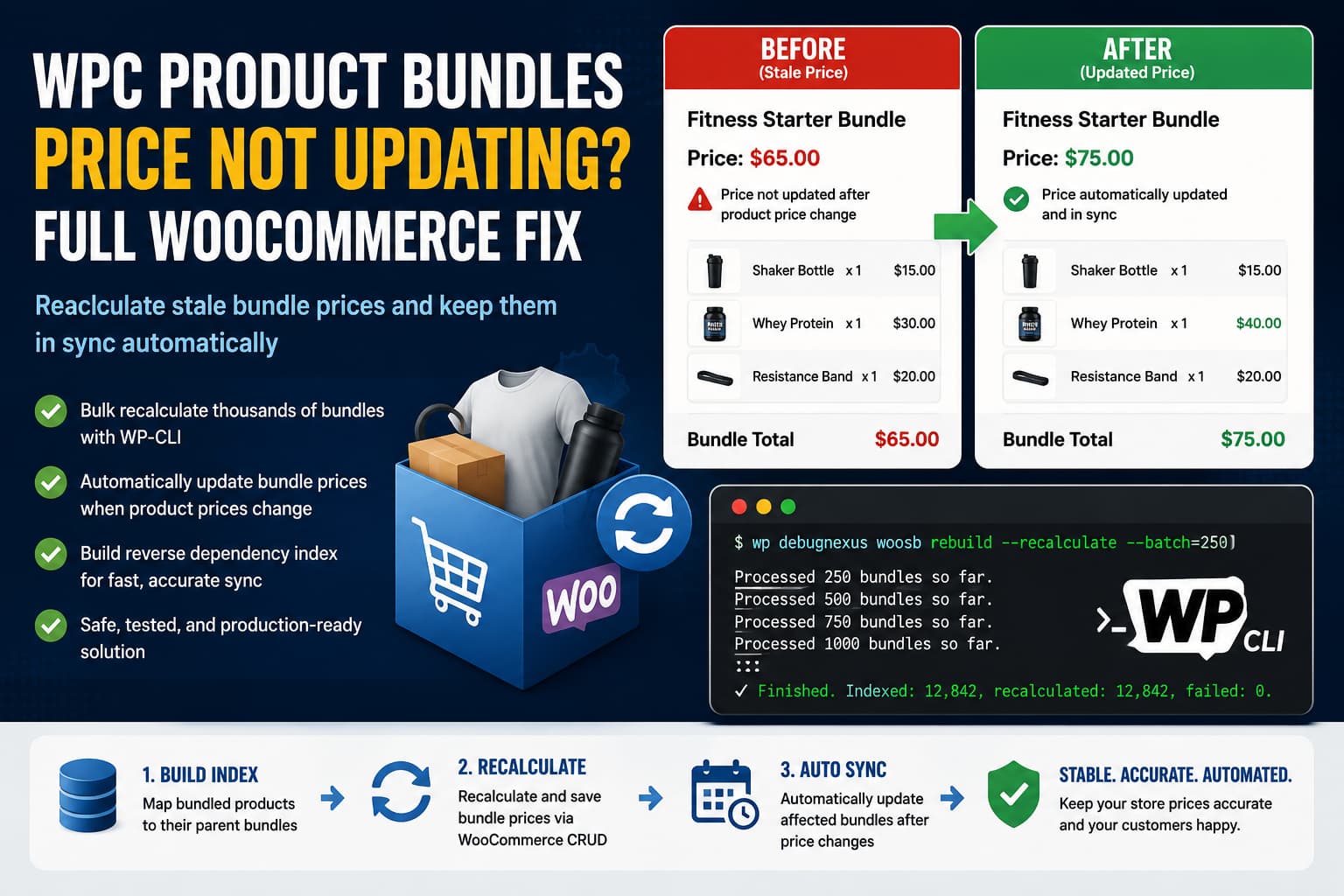
WPC Product Bundles for WooCommerce includes an option to automatically calculate a bundle’s regular and sale prices from the products inside it. However, some store owners encounter a serious synchronization problem:
- The bundle price is calculated correctly when the bundle is first created.
- A bundled product’s price is later changed.
- The parent bundle continues displaying its previous price.
- Opening and manually updating the bundle immediately fixes the price.
Manually resaving a few bundles is inconvenient. Doing it for tens of thousands of bundles is not realistic.
This guide explains why the problem occurs, how to repair all existing bundle prices safely, and how to automatically update affected bundles whenever one of their component products changes.
Quick Answer
When the price of a bundled product changes, WooCommerce updates that individual product. It does not automatically recognize WPC bundles as native parent products that must also be saved.
The most reliable solution is to:
- Update WPC Product Bundles and WooCommerce.
- Clear all WooCommerce and object caches.
- Recalculate existing bundles in controlled WP-CLI batches.
- Build a reverse dependency index that connects bundled products with their parent bundles.
- Automatically recalculate affected bundles after future price changes.
Do not run a browser-based loop over tens of thousands of products. It can time out, exhaust PHP memory, or leave the catalog only partially updated.
Why Does the Bundle Price Remain Outdated?
WPC Product Bundles officially supports automatically calculated regular and sale prices. The plugin is therefore expected to derive a smart bundle’s price from its bundled products.
The likely problem is not the price calculation formula itself. It is the synchronization between the component product, the bundle product, WooCommerce price metadata, and WooCommerce’s product lookup table.
1. WooCommerce saves the product that was changed
When a product is updated through WooCommerce’s CRUD system, WooCommerce:
- Saves that product’s metadata.
- Processes its updated properties.
- Clears its caches.
- Fires the
woocommerce_update_productaction.
WooCommerce also clears the native parent’s cache when the changed product is a variation. It does not automatically know that a normal product is included inside one or more third-party WPC bundles.
2. WooCommerce catalog queries use stored prices
WooCommerce’s wc_product_meta_lookup table does not dynamically calculate a WPC bundle’s contents every time a catalog query runs. Its pricing columns are populated from stored _price and _sale_price metadata.
This can result in two different values:
- The price that WPC Product Bundles can dynamically calculate from the current bundled products.
- The old price stored in the bundle’s WooCommerce metadata and lookup table.
Resaving the bundle synchronizes those values, which explains why manually clicking Update fixes the issue.
This explanation is an inference from WooCommerce’s save and lookup-table behavior combined with the reported symptoms. The exact trigger that is missing may vary by WPC Product Bundles version, import method, caching system, or another pricing plugin.
Before Applying Custom Code
Create a full database backup and test everything on a staging website first.
Then complete these basic checks.
Update WPC Product Bundles
As of July 31, 2026, WordPress.org lists WPC Product Bundles version 8.5.9. The plugin has more than 30,000 active installations and is tested with WordPress 7.0.2.
The plugin’s changelog also shows that version 8.0.3 previously included a fix specifically described as “Auto calculate price for the bundle.” That does not prove the current report is the same bug, but it makes updating before adding custom code especially important.
Update:
- WordPress
- WooCommerce
- WPC Product Bundles
- WPC Product Bundles Premium, when applicable
- Any product import or dynamic-pricing plugins
Clear every cache layer
Clear:
- WooCommerce transients
- WordPress object cache
- Redis or Memcached
- Server page cache
- LiteSpeed Cache, WP Rocket, or another caching plugin
- CDN cache
- Browser cache
After clearing the caches, change the price of one bundled product and check its parent bundle in a private browser window.
If the price still changes only after resaving the bundle, continue with the solution below.
Complete Fix: Bulk Recalculation and Automatic Price Synchronization
The following custom plugin provides two functions:
- A WP-CLI command that rebuilds the bundle dependency index and recalculates every auto-priced bundle in manageable batches.
- An automatic listener that recalculates only the affected bundles after a component product’s price changes.
The dependency index prevents WordPress from searching every bundle whenever one product is updated.
Step 1: Create the Custom Plugin
Create this directory:
/wp-content/plugins/debugnexus-woosb-price-sync/Inside it, create:
debugnexus-woosb-price-sync.phpAdd the following code:
<?php
/**
 * Plugin Name: DebugNexus WPC Bundle Price Sync
 * Description: Recalculates WPC Product Bundles after bundled product prices change.
 * Version: 1.0.0
 * Author: DebugNexus
 */

defined( 'ABSPATH' ) || exit;

const DN_WOOSB_SYNC_DB_VERSION = '1.0.0';

/**
 * Return the custom dependency table name.
 */
function dn_woosb_sync_table_name(): string {
	global $wpdb;

	return $wpdb->prefix . 'dn_woosb_product_map';
}

/**
 * Create the component-to-bundle dependency table.
 */
function dn_woosb_sync_install(): void {
	global $wpdb;

	$table_name      = dn_woosb_sync_table_name();
	$charset_collate = $wpdb->get_charset_collate();

	require_once ABSPATH . 'wp-admin/includes/upgrade.php';

	$sql = "CREATE TABLE {$table_name} (
		child_id bigint(20) unsigned NOT NULL,
		bundle_id bigint(20) unsigned NOT NULL,
		PRIMARY KEY  (child_id, bundle_id),
		KEY bundle_id (bundle_id)
	) {$charset_collate};";

	dbDelta( $sql );

	update_option(
		'dn_woosb_sync_db_version',
		DN_WOOSB_SYNC_DB_VERSION,
		false
	);
}

register_activation_hook( __FILE__, 'dn_woosb_sync_install' );

/**
 * Ensure the table also exists after plugin files are deployed manually.
 */
function dn_woosb_sync_maybe_install(): void {
	if (
		DN_WOOSB_SYNC_DB_VERSION !==
		get_option( 'dn_woosb_sync_db_version' )
	) {
		dn_woosb_sync_install();
	}
}

add_action( 'plugins_loaded', 'dn_woosb_sync_maybe_install', 20 );

/**
 * Convert an ID or SKU into a product ID.
 *
 * @param mixed $value Product ID or SKU.
 */
function dn_woosb_resolve_product_id( $value ): int {
	if ( is_numeric( $value ) ) {
		return absint( $value );
	}

	if ( function_exists( 'wc_get_product_id_by_sku' ) ) {
		return absint(
			wc_get_product_id_by_sku( trim( (string) $value ) )
		);
	}

	return 0;
}

/**
 * Read the products included in a WPC bundle.
 *
 * Supports the current array structure and older string-based structures.
 */
function dn_woosb_get_component_ids( int $bundle_id ): array {
	$stored_items = get_post_meta( $bundle_id, 'woosb_ids', true );
	$product_ids  = array();

	if ( is_array( $stored_items ) ) {
		foreach ( $stored_items as $item ) {
			if ( ! is_array( $item ) ) {
				continue;
			}

			$reference = $item['id'] ?? $item['sku'] ?? '';

			if ( '' === $reference ) {
				continue;
			}

			$product_id = dn_woosb_resolve_product_id( $reference );

			if ( $product_id > 0 ) {
				$product_ids[] = $product_id;
			}
		}
	} elseif ( is_string( $stored_items ) && '' !== trim( $stored_items ) ) {
		/*
		 * Older versions can store entries in a comma-separated format.
		 * The product ID or SKU normally appears before the first slash.
		 */
		foreach ( explode( ',', $stored_items ) as $item ) {
			$item      = trim( $item );
			$reference = strtok( $item, '/' );

			if ( false === $reference || '' === $reference ) {
				continue;
			}

			$product_id = dn_woosb_resolve_product_id( $reference );

			if ( $product_id > 0 ) {
				$product_ids[] = $product_id;
			}
		}
	}

	return array_values(
		array_unique(
			array_filter(
				array_map( 'absint', $product_ids )
			)
		)
	);
}

/**
 * Rebuild dependency records for one bundle.
 */
function dn_woosb_rebuild_bundle_index( int $bundle_id ): void {
	global $wpdb;

	$bundle_id = absint( $bundle_id );

	if ( ! $bundle_id ) {
		return;
	}

	$table_name = dn_woosb_sync_table_name();

	$wpdb->delete(
		$table_name,
		array( 'bundle_id' => $bundle_id ),
		array( '%d' )
	);

	foreach ( dn_woosb_get_component_ids( $bundle_id ) as $child_id ) {
		$wpdb->query(
			$wpdb->prepare(
				"INSERT IGNORE INTO {$table_name}
				(child_id, bundle_id)
				VALUES (%d, %d)",
				$child_id,
				$bundle_id
			)
		);
	}
}

/**
 * Keep the dependency index updated when bundle contents change.
 */
function dn_woosb_bundle_meta_changed(
	$meta_id,
	$object_id,
	$meta_key,
	$meta_value
): void {
	unset( $meta_id, $meta_value );

	if ( 'woosb_ids' !== $meta_key ) {
		return;
	}

	if ( 'product' !== get_post_type( $object_id ) ) {
		return;
	}

	dn_woosb_rebuild_bundle_index( absint( $object_id ) );
}

add_action( 'added_post_meta', 'dn_woosb_bundle_meta_changed', 10, 4 );
add_action( 'updated_post_meta', 'dn_woosb_bundle_meta_changed', 10, 4 );
add_action( 'deleted_post_meta', 'dn_woosb_bundle_meta_changed', 10, 4 );

/**
 * Determine whether the bundle uses automatic pricing.
 */
function dn_woosb_uses_automatic_price( int $bundle_id ): bool {
	$disabled = strtolower(
		trim(
			(string) get_post_meta(
				$bundle_id,
				'woosb_disable_auto_price',
				true
			)
		)
	);

	return ! in_array(
		$disabled,
		array( '1', 'yes', 'on', 'true' ),
		true
	);
}

/**
 * Clear the relevant product caches.
 */
function dn_woosb_clear_product_cache( int $product_id ): void {
	$product_id = absint( $product_id );

	if ( ! $product_id ) {
		return;
	}

	if ( function_exists( 'wc_delete_product_transients' ) ) {
		wc_delete_product_transients( $product_id );
	}

	clean_post_cache( $product_id );

	if ( class_exists( 'WC_Cache_Helper' ) ) {
		WC_Cache_Helper::invalidate_cache_group(
			'product_' . $product_id
		);
	}
}

/**
 * Calculate and save one bundle's current price.
 *
 * WooCommerce CRUD is used so that price metadata, lookup data,
 * update hooks, and product caches are processed normally.
 *
 * @return true|WP_Error
 */
function dn_woosb_recalculate_bundle_price( int $bundle_id ) {
	static $currently_processing = array();

	$bundle_id = absint( $bundle_id );

	if ( ! $bundle_id ) {
		return new WP_Error(
			'invalid_bundle',
			'The bundle ID is invalid.'
		);
	}

	if ( isset( $currently_processing[ $bundle_id ] ) ) {
		return true;
	}

	if ( ! function_exists( 'wc_get_product' ) ) {
		return new WP_Error(
			'woocommerce_missing',
			'WooCommerce is not active.'
		);
	}

	if ( ! dn_woosb_uses_automatic_price( $bundle_id ) ) {
		return true;
	}

	$currently_processing[ $bundle_id ] = true;

	/*
	 * Clear component caches before requesting the dynamically
	 * calculated bundle price.
	 */
	foreach ( dn_woosb_get_component_ids( $bundle_id ) as $component_id ) {
		dn_woosb_clear_product_cache( $component_id );
	}

	dn_woosb_clear_product_cache( $bundle_id );

	$bundle = wc_get_product( $bundle_id );

	if ( ! $bundle || 'woosb' !== $bundle->get_type() ) {
		unset( $currently_processing[ $bundle_id ] );

		return new WP_Error(
			'not_a_woosb_bundle',
			'The product is not a WPC smart bundle.'
		);
	}

	/*
	 * WPC Product Bundles calculates these values from its current
	 * component products when automatic pricing is enabled.
	 */
	$regular_price = $bundle->get_regular_price();
	$sale_price    = $bundle->get_sale_price();
	$active_price  = $bundle->get_price();

	if ( ! is_numeric( $regular_price ) ) {
		unset( $currently_processing[ $bundle_id ] );

		return new WP_Error(
			'invalid_regular_price',
			'The calculated regular price is not numeric.'
		);
	}

	$regular_price = wc_format_decimal( $regular_price );
	$sale_price    = is_numeric( $sale_price )
		? wc_format_decimal( $sale_price )
		: '';

	$active_price = is_numeric( $active_price )
		? wc_format_decimal( $active_price )
		: ( '' !== $sale_price ? $sale_price : $regular_price );

	try {
		$bundle->set_regular_price( $regular_price );
		$bundle->set_sale_price( $sale_price );
		$bundle->set_price( $active_price );

		/*
		 * Saving through WooCommerce updates the product metadata,
		 * price lookup data, modified date, hooks, and caches.
		 */
		$bundle->save();

		dn_woosb_clear_product_cache( $bundle_id );
	} catch ( Throwable $exception ) {
		unset( $currently_processing[ $bundle_id ] );

		return new WP_Error(
			'bundle_save_failed',
			$exception->getMessage()
		);
	}

	unset( $currently_processing[ $bundle_id ] );

	return true;
}

/**
 * Run an asynchronously queued bundle recalculation.
 */
function dn_woosb_run_queued_recalculation( int $bundle_id ): void {
	delete_transient( 'dn_woosb_queue_' . absint( $bundle_id ) );

	$result = dn_woosb_recalculate_bundle_price( $bundle_id );

	if ( is_wp_error( $result ) && function_exists( 'wc_get_logger' ) ) {
		wc_get_logger()->error(
			sprintf(
				'Bundle %d could not be recalculated: %s',
				$bundle_id,
				$result->get_error_message()
			),
			array( 'source' => 'debugnexus-woosb-price-sync' )
		);
	}
}

add_action(
	'dn_woosb_recalculate_bundle',
	'dn_woosb_run_queued_recalculation',
	10,
	1
);

/**
 * Queue one bundle while preventing excessive duplicate actions.
 */
function dn_woosb_queue_bundle_recalculation( int $bundle_id ): void {
	$bundle_id = absint( $bundle_id );

	if ( ! $bundle_id ) {
		return;
	}

	$lock_key = 'dn_woosb_queue_' . $bundle_id;

	if ( get_transient( $lock_key ) ) {
		return;
	}

	set_transient( $lock_key, 1, MINUTE_IN_SECONDS );

	if ( function_exists( 'as_enqueue_async_action' ) ) {
		as_enqueue_async_action(
			'dn_woosb_recalculate_bundle',
			array( $bundle_id ),
			'debugnexus-woosb'
		);

		return;
	}

	if (
		! wp_next_scheduled(
			'dn_woosb_recalculate_bundle',
			array( $bundle_id )
		)
	) {
		wp_schedule_single_event(
			time() + 10,
			'dn_woosb_recalculate_bundle',
			array( $bundle_id )
		);
	}
}

/**
 * Recalculate parent bundles when a component's price changes.
 *
 * @param WC_Product $product       Updated WooCommerce product.
 * @param array      $updated_props Properties changed during the save.
 */
function dn_woosb_product_price_changed(
	$product,
	array $updated_props
): void {
	global $wpdb;

	if ( ! $product instanceof WC_Product ) {
		return;
	}

	$price_properties = array(
		'price',
		'regular_price',
		'sale_price',
		'date_on_sale_from',
		'date_on_sale_to',
	);

	if ( ! array_intersect( $price_properties, $updated_props ) ) {
		return;
	}

	$product_ids = array( absint( $product->get_id() ) );

	if ( $product->is_type( 'variation' ) ) {
		$product_ids[] = absint( $product->get_parent_id() );
	}

	$product_ids = array_values(
		array_unique(
			array_filter( $product_ids )
		)
	);

	if ( empty( $product_ids ) ) {
		return;
	}

	$table_name   = dn_woosb_sync_table_name();
	$placeholders = implode(
		',',
		array_fill( 0, count( $product_ids ), '%d' )
	);

	$sql = $wpdb->prepare(
		"SELECT DISTINCT bundle_id
		FROM {$table_name}
		WHERE child_id IN ({$placeholders})",
		...$product_ids
	);

	$bundle_ids = $wpdb->get_col( $sql );

	foreach ( $bundle_ids as $bundle_id ) {
		dn_woosb_queue_bundle_recalculation(
			absint( $bundle_id )
		);
	}
}

add_action(
	'woocommerce_product_object_updated_props',
	'dn_woosb_product_price_changed',
	20,
	2
);

/**
 * WP-CLI command:
 *
 * wp debugnexus woosb rebuild --recalculate --batch=250
 */
if ( defined( 'WP_CLI' ) && WP_CLI ) {
	class DN_WOOSB_Sync_CLI_Command {

		/**
		 * Rebuild the dependency index and optionally recalculate prices.
		 *
		 * ## OPTIONS
		 *
		 * [--recalculate]
		 * : Recalculate every auto-priced bundle while rebuilding.
		 *
		 * [--batch=<number>]
		 * : Number of bundles processed per database query.
		 * ---
		 * default: 200
		 * ---
		 *
		 * ## EXAMPLE
		 *
		 * wp debugnexus woosb rebuild --recalculate --batch=250
		 */
		public function rebuild( $args, $assoc_args ): void {
			global $wpdb;

			unset( $args );

			if ( ! class_exists( 'WooCommerce' ) ) {
				WP_CLI::error( 'WooCommerce is not active.' );
			}

			if ( ! class_exists( 'WC_Product_Woosb' ) ) {
				WP_CLI::error(
					'WPC Product Bundles is not active.'
				);
			}

			$batch = isset( $assoc_args['batch'] )
				? absint( $assoc_args['batch'] )
				: 200;

			$batch = max( 25, min( 1000, $batch ) );

			$should_recalculate = array_key_exists(
				'recalculate',
				$assoc_args
			);

			dn_woosb_sync_install();

			$table_name = dn_woosb_sync_table_name();

			// Table name is generated from the trusted WordPress prefix.
			$wpdb->query( "TRUNCATE TABLE {$table_name}" );

			$page        = 1;
			$processed   = 0;
			$recalculated = 0;
			$failed      = 0;

			do {
				$query = new WP_Query(
					array(
						'post_type'              => 'product',
						'post_status'            => array(
							'publish',
							'draft',
							'pending',
							'private',
							'future',
						),
						'fields'                 => 'ids',
						'posts_per_page'         => $batch,
						'paged'                  => $page,
						'orderby'                => 'ID',
						'order'                  => 'ASC',
						'cache_results'          => false,
						'update_post_meta_cache' => false,
						'update_post_term_cache' => false,
						'tax_query'              => array(
							array(
								'taxonomy' => 'product_type',
								'field'    => 'slug',
								'terms'    => array( 'woosb' ),
							),
						),
					)
				);

				if ( empty( $query->posts ) ) {
					break;
				}

				foreach ( $query->posts as $bundle_id ) {
					$bundle_id = absint( $bundle_id );

					dn_woosb_rebuild_bundle_index( $bundle_id );
					++$processed;

					if ( ! $should_recalculate ) {
						continue;
					}

					$result = dn_woosb_recalculate_bundle_price(
						$bundle_id
					);

					if ( is_wp_error( $result ) ) {
						++$failed;

						WP_CLI::warning(
							sprintf(
								'Bundle %d: %s',
								$bundle_id,
								$result->get_error_message()
							)
						);
					} else {
						++$recalculated;
					}
				}

				WP_CLI::log(
					sprintf(
						'Processed %d bundles so far.',
						$processed
					)
				);

				$max_pages = (int) $query->max_num_pages;
				++$page;

				wp_reset_postdata();

				if ( function_exists( 'wp_cache_flush_runtime' ) ) {
					wp_cache_flush_runtime();
				}
			} while ( $page <= $max_pages );

			WP_CLI::success(
				sprintf(
					'Finished. Indexed: %d, recalculated: %d, failed: %d.',
					$processed,
					$recalculated,
					$failed
				)
			);
		}
	}

	WP_CLI::add_command(
		'debugnexus woosb',
		'DN_WOOSB_Sync_CLI_Command'
	);
}
Step 2: Activate the Plugin
Go to:
WordPress Dashboard → PluginsActivate:
DebugNexus WPC Bundle Price SyncActivation creates a small custom table that stores relationships between component products and their parent bundles.
Step 3: Repair All Existing Bundle Prices
For a large catalog, connect to the server through SSH and run:
wp debugnexus woosb rebuild --recalculate --batch=250This command will:
- Find WPC smart bundle products.
- Process them in batches of 250.
- Read each bundle’s current component products.
- Build the reverse dependency index.
- Obtain the bundle’s currently calculated regular, sale, and active prices.
- Save those prices through WooCommerce CRUD.
- Refresh the product’s price metadata, lookup data, hooks, and caches.
For a lower-memory server, reduce the batch size:
wp debugnexus woosb rebuild --recalculate --batch=100For a powerful dedicated server, you can increase it:
wp debugnexus woosb rebuild --recalculate --batch=500Start with 100 or 250 on staging rather than immediately using the maximum value.
Step 4: Clear External Caches
After the command finishes, clear:
wp cache flush
wp transient delete --all
Also purge any server, caching-plugin, and CDN caches.
Deleting all transients is optional and should be performed carefully on a busy production site because other plugins may need to rebuild their transient data.
Step 5: Test Automatic Recalculation
Use one test bundle with a simple expected calculation.
For example:
Product A: $20 × quantity 2 = $40
Product B: $15 × quantity 1 = $15
Expected bundle price: $55
Then:
- Change Product A from $20 to $25.
- Save the product.
- Allow WooCommerce Action Scheduler to process the queued action.
- Reload the bundle in an uncached private window.
- Confirm that the bundle now shows $65.
- Add the bundle to the cart.
- Confirm the product page, cart, checkout, mini-cart, and order totals agree.
You can inspect pending actions under:
WooCommerce → Status → Scheduled ActionsSearch for:
dn_woosb_recalculate_bundleVerify the Stored WooCommerce Price
Replace 1234 with the bundle product ID:
wp post meta get 1234 _regular_price
wp post meta get 1234 _sale_price
wp post meta get 1234 _price
You can also inspect the lookup table:
wp db query "
SELECT product_id, min_price, max_price, onsale
FROM $(wp db prefix)wc_product_meta_lookup
WHERE product_id = 1234;
"
The _price value and lookup-table price should match the expected active bundle price.
Why Use WooCommerce CRUD Instead of Direct SQL?
It may be tempting to run a SQL statement that directly updates _price for every bundle. That approach is risky because a WooCommerce product price is represented in several places:
_regular_price_sale_price_pricewc_product_meta_lookup- Product object caches
- WooCommerce transients
- Page and object caches
WooCommerce’s product save process handles updated price properties, active sale prices, lookup data, update hooks, and cache invalidation.
Directly changing one metadata field can leave the other pricing layers inconsistent. The solution above calculates the price through the WPC bundle object and saves the result using WooCommerce’s CRUD methods.
Important Cases to Check
Bundles with fixed prices
The code intentionally skips bundles where WPC automatic pricing is disabled. A manually priced bundle should not be overwritten with the total of its component products.
Variable products and variations
If a specific variation is stored in the bundle, the dependency index records the variation ID. When a variation changes, the code also checks its parent variable product.
Test variation-based bundles carefully because stores can configure WPC Product Bundles to reference either a variable parent or a specific variation.
Bulk imports
Some import systems update _regular_price and _price directly instead of using WooCommerce’s product objects and hooks.
When an importer bypasses WooCommerce CRUD, the automatic listener may not run. Add this command to the end of the import process:
wp debugnexus woosb rebuild --recalculate --batch=250This is especially important after:
- ERP price synchronization
- Supplier feed imports
- WP All Import jobs
- Direct database imports
- Custom API scripts
- Scheduled product-price updates
Dynamic pricing and currency plugins
A currency switcher, role-based pricing system, tax display filter, or dynamic-pricing plugin may modify the displayed price without changing the product’s stored base price.
In that situation, determine whether the bundle should store:
- The original WooCommerce base price
- A role-specific price
- A converted currency price
- A dynamically discounted frontend price
Do not permanently save visitor-specific or currency-specific prices into the base product metadata.
What Not to Do
Avoid these common temporary fixes:
Do not manually resave thousands of bundles
This addresses the current stale data but does not repair the missing relationship between component-price changes and bundle updates.
Do not edit the WPC Product Bundles plugin directly
Any modification inside:
/wp-content/plugins/woo-product-bundle/will be removed during the next plugin update.
Use a separate custom plugin instead.
Do not rely only on clearing the page cache
A page cache may display an old price, but clearing it will not repair stale _price metadata or outdated lookup-table values.
Do not run one huge browser request
Processing tens of thousands of bundles from an admin page can exceed:
- PHP execution time
- PHP memory limits
- Web-server request limits
- Proxy or Cloudflare timeouts
WP-CLI batches are much safer for a large product catalog.
Frequently Asked Questions
Why does resaving the bundle update its price?
Saving the bundle causes its current calculated price to be written back through WooCommerce’s product-saving process. That refreshes its stored pricing data and invalidates relevant product caches.
Will clearing the WooCommerce cache permanently fix it?
Not necessarily. Cache clearing can fix a display-only problem, but it will not fix a missing recalculation trigger when the stored bundle price is outdated.
Can I recalculate only one bundle?
Yes. From custom code, call:
dn_woosb_recalculate_bundle_price( 1234 );Replace 1234 with the bundle product ID.
Does the solution overwrite manually priced bundles?
No. It checks the WPC woosb_disable_auto_price setting and skips bundles where automatic pricing is disabled.
Should I leave the custom plugin activated?
Yes, when you want component price changes to continue updating affected bundles automatically.
The dependency index makes this more efficient than searching all bundles after every product update.
Do I need to rerun the WP-CLI command?
Run it again after:
- A large product or bundle import
- Direct database modifications
- Bundle relationships are changed by a process that bypasses WordPress hooks
- Migrating old bundle data
- Restoring an older database backup
For normal bundle edits made through WordPress, the index should update automatically.
Final Thoughts
A WPC bundle may be able to calculate the correct price while WooCommerce still holds an older stored price for catalog queries. That is why manually updating the bundle appears to fix the problem.
For a store with thousands of bundles, the proper solution is not repeated manual saving. It is a controlled bulk recalculation combined with an indexed dependency system that updates only the bundles affected by future component-price changes.
Always test the code on staging, create a database backup, and verify product-page, cart, checkout, sale-price, variation, tax, and currency behavior before deploying it to a live WooCommerce store.
